A squeaky laptop hinge can be very annoying. The noise can distract you while working. Also, it may show that your laptop needs some care. But do not worry. Fixing squeaky hinges is easy. You only need the right lubricant and some simple steps.

Credit: business.walmart.com
What Causes Squeaky Laptop Hinges?
Laptop hinges move many times every day. They open and close the screen. Over time, dust, dirt, and dry metal parts cause the hinges to make noise. The metal parts rub and create friction. This friction causes the squeaking sound.
Sometimes, the hinge may be loose or have small damage. But most of the time, cleaning and lubricating the hinge can stop the noise.
Why Should You Fix Squeaky Hinges?
- Quiet Use: No more annoying sounds while using your laptop.
- Better Movement: Hinges will open and close smoothly.
- Longer Life: Lubricated hinges last longer and work well.
- Prevent Damage: Fixing small problems stops bigger ones.
Safe Lubricants for Laptop Hinges
You must use safe lubricants for your laptop. Some oils and sprays can harm the laptop parts. They can attract dust and dirt. This may make the problem worse. Here are some good choices:
1. Silicone-based Lubricant
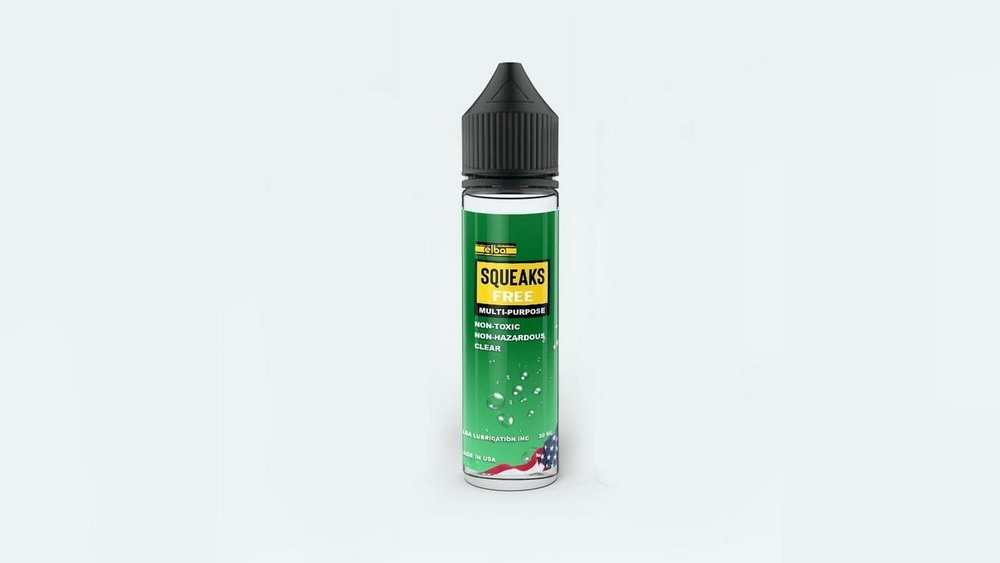
Silicone lubricant is a good choice. It does not attract dirt. It works well on metal and plastic. You can buy silicone spray or grease. Use a small amount only.
2. Graphite Powder
Graphite powder is dry and safe. It reduces friction without making things oily. It is good for small, tight spaces like laptop hinges.
3. Sewing Machine Oil
Sewing machine oil is light and clean. It works well for fine metal parts. Use just a drop to avoid making a mess.
4. Petroleum Jelly (vaseline) – Temporary Fix
Petroleum jelly can stop squeaks for a short time. But it is thick and sticky. It may attract dust and dirt. So, it is better for a quick fix only.
What To Avoid
- WD-40 or Similar Oils: These can attract dust and gum up hinges.
- Heavy Grease: Too thick and hard to clean later.
- Liquid Oils: They may drip inside your laptop and cause damage.
Tools You Will Need
- Soft cloth or tissue
- Small brush or cotton swabs
- Lubricant (silicone spray, graphite powder, or sewing machine oil)
- Small screwdriver (optional, for cleaning)

Credit: crjheavytrucks.com
Step-by-Step Guide to Fix Squeaky Laptop Hinges
Step 1: Turn Off And Unplug Your Laptop
Make sure your laptop is off and unplugged. This stops any damage or shock.
Step 2: Clean The Hinges
Use a soft cloth or cotton swab to clean dust. You can open and close the screen gently. This helps remove loose dirt.
If you see dirt in small gaps, use a small brush or toothpick. Be very careful not to damage the laptop.
Step 3: Apply The Lubricant
Use a small amount of your chosen lubricant. If you have spray, spray it lightly on the hinge parts. If you use oil or grease, use a cotton swab to apply a tiny drop.
Do not overuse lubricant. Too much can drip inside your laptop.
Step 4: Move The Hinges
Open and close your laptop screen several times. This helps spread the lubricant evenly. It also loosens up the hinge parts.
Step 5: Wipe Off Excess Lubricant
Use a clean cloth to remove any extra lubricant. This stops dirt from sticking to it later.
Step 6: Test The Laptop
Open and close the laptop screen again. Check if the squeak is gone. If you still hear noise, repeat the steps with a little more lubricant.
Tips for Keeping Hinges Quiet
- Clean your laptop regularly to avoid dust buildup.
- Do not force the screen open or closed too fast.
- Keep your laptop on a flat surface to avoid stress on hinges.
- Use your laptop gently to protect the hinge parts.
When to Ask for Professional Help
If your hinges are very loose or broken, it may need repair. Sometimes, the metal parts are damaged. In this case, lubricant will not fix the problem.
If you are not sure, take your laptop to a repair shop. They can check and fix it safely.
Summary Table: Lubricants for Laptop Hinges
| Lubricant | Good For | Drawbacks | How to Use |
|---|---|---|---|
| Silicone Spray | Clean, smooth lubrication | None if used sparingly | Light spray on hinges, then move screen |
| Graphite Powder | Dry lubrication, no dirt attraction | Can be messy if overused | Apply small amount with brush, then move screen |
| Sewing Machine Oil | Light oil for metal parts | Too much can drip inside laptop | Use a drop with cotton swab, then move screen |
| Petroleum Jelly (Vaseline) | Temporary fix for squeaks | Attracts dust, sticky over time | Rub thin layer, then move screen |
| WD-40 | Not recommended | Attracts dirt, can damage laptop parts | Do not use on laptop hinges |
Final Thoughts
Fixing squeaky laptop hinges does not need a lot of work. You just need the right lubricant and some care. Be gentle and use small amounts. This keeps your laptop safe and working well.
Remember, clean hinges move quietly. Regular care helps your laptop last longer. If you feel unsure, ask an expert. But many times, you can fix the squeak at home.
Take your time. Follow the steps. Soon, your laptop will open and close smoothly and quietly.
Frequently Asked Questions
How To Lubricate Laptop Hinges?
Clean the laptop hinge first. Apply a small amount of dry lubricant or silicone grease. Open and close the hinge to spread it. Wipe excess lubricant to prevent dust buildup. Avoid liquid oils that attract dirt and damage the hinge.
Repeat if noise persists.
How To Fix Squeaky Laptop Hinge?
Apply a small amount of dry lubricant like graphite powder to the laptop hinge. Avoid liquid lubricants to prevent dust buildup. Open and close the hinge several times to spread the lubricant evenly. Wipe off any excess to ensure smooth, quiet movement.
Repeat if noise persists.
Can You Use Vaseline To Lubricate Hinges?
Yes, Vaseline can lubricate hinges temporarily due to its oily nature. It reduces squeaks but attracts dirt over time. Silicone spray or graphite powder works better for long-term hinge lubrication and cleaner performance. Apply Vaseline sparingly and wipe excess to avoid grime buildup.
How To Lubricate Squeaky Hinges?
Clean the hinge first. Apply a small amount of silicone spray or graphite powder to the hinge pin. Open and close the hinge several times to spread lubricant. Wipe off excess to prevent dust buildup. Avoid using thick lubricants like Vaseline for long-term use.