Laptop screen bleed is a common problem many users face. It happens when light leaks around the edges of the screen. This issue makes the screen look uneven or has bright spots. It can be very annoying, especially when watching videos or working in dark places.
What Is Screen Bleed?
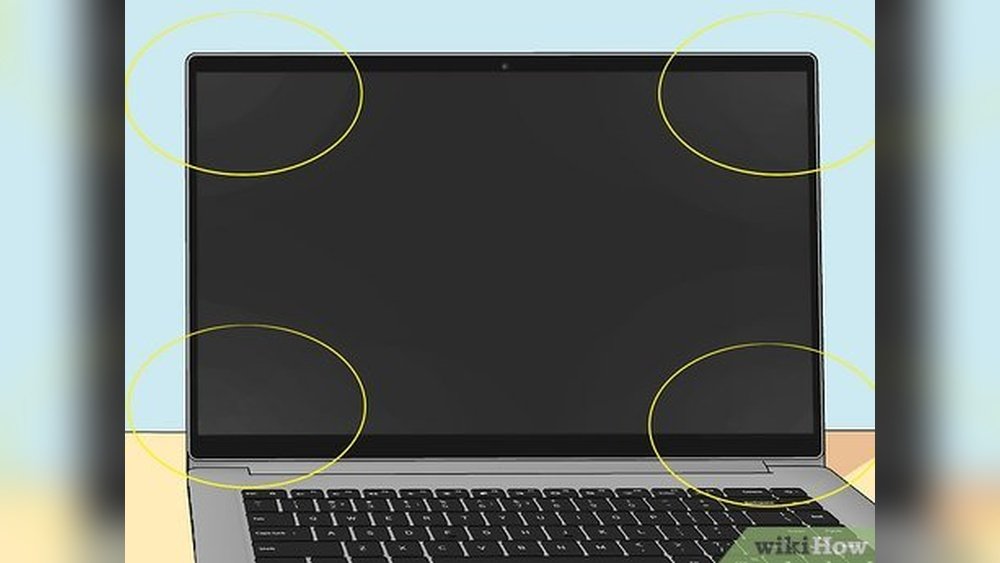
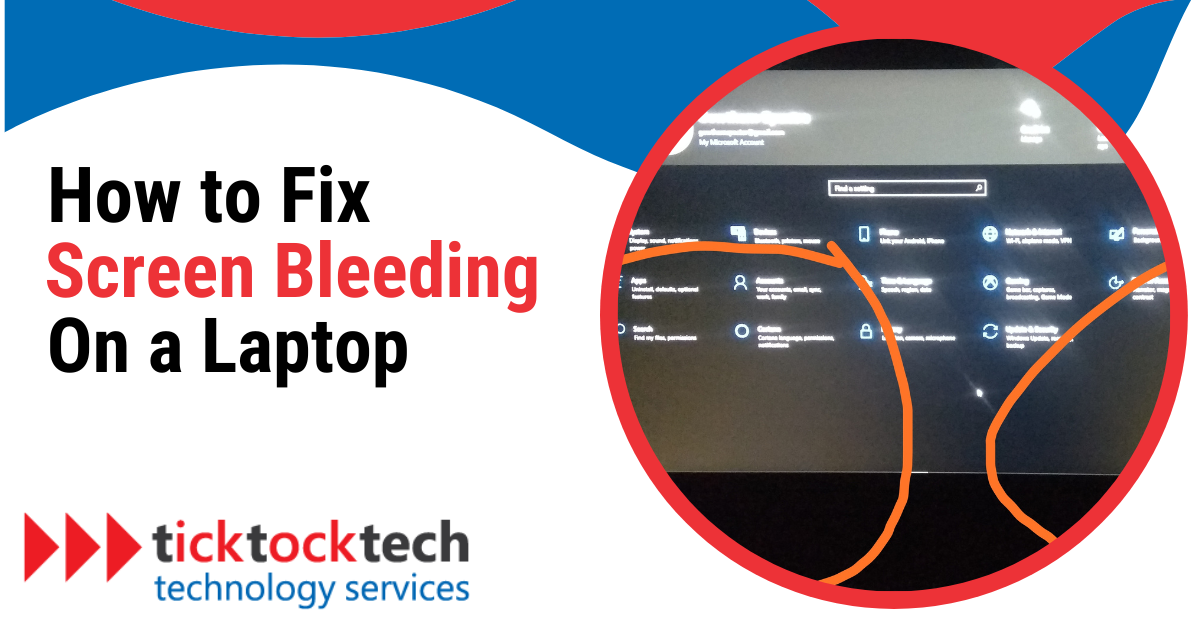
Screen bleed happens when the light from the backlight goes beyond its normal area. This makes parts of the screen look brighter than others. It is not caused by software or settings. It is a physical issue inside the screen.
Most laptops use LCD screens with backlights. These backlights shine light through layers to show images. Sometimes, the light leaks from the edges or corners. This is called backlight bleed or screen bleed.

Credit: www.reddit.com
Why Does Screen Bleed Happen?
- Pressure on the screen: Pushing or pressing the screen hard can cause damage.
- Manufacturing flaws: Some screens have natural light leaks from the factory.
- Wear and tear: Older laptops may develop screen bleed over time.
- Loose screws or tight bezel: If the screen is squeezed too much, it can cause bleed.
It is important to know that some small amount of screen bleed is normal. Almost all LCD screens have some light leak. But if it is very visible or distracting, it may need fixing.
Two Main Ways to Fix Screen Bleed
There are two common ways to fix or reduce screen bleed. These are pressure relief and panel replacement. Each method works differently and has its own pros and cons.
1. Pressure Relief
Pressure relief means reducing the pressure that causes the light to leak. This can be done by loosening the screws or adjusting the screen frame. Sometimes, the screen is too tight in its case. This pressure causes the backlight to shine unevenly.
How to Do Pressure Relief
- Turn off your laptop and unplug it.
- Carefully open the screen bezel (the plastic frame around the screen).
- Find the screws that hold the LCD panel in place.
- Loosen these screws slightly. Do not remove them fully.
- Close the bezel and check the screen for changes.
Loosening screws can reduce pressure on the screen layers. This may reduce or stop the light bleed. But this is not always a full fix. Sometimes, it only makes the problem smaller.
When to Try Pressure Relief
- If your screen bleed started after you dropped or pressed the screen.
- If the laptop is fairly new and the screen is tight in the frame.
- If you want a quick and low-cost attempt before buying new parts.
Limitations of Pressure Relief
Pressure relief does not work if the screen is damaged inside. It cannot fix cracks or deep pressure marks. Also, if the screen bleed is from manufacturing defects, pressure relief may not help.
2. Panel Replacement
Panel replacement means changing the whole LCD screen. This is the best way to fix serious screen bleed. It removes the old screen and puts a new one in its place.
How to Replace a Laptop Screen Panel
- Turn off the laptop and unplug all cables.
- Remove the screws holding the screen bezel.
- Carefully remove the bezel to expose the screen.
- Unscrew the screws holding the LCD panel.
- Disconnect the video cable from the screen.
- Remove the old panel carefully.
- Connect the new panel to the video cable.
- Secure the new panel with screws.
- Replace the bezel and screw it back on.
- Turn on the laptop to check the new screen.
Panel replacement requires some skill and the right tools. If you are not sure, it is better to ask a professional to help. A wrong move can cause more damage.
When to Replace the Panel
- If the screen bleed is very bad or covers a large area.
- If the screen has pressure marks or cracks.
- If pressure relief did not reduce the problem.
- If you want the best image quality without bleed.
Cost of Panel Replacement
The cost depends on the laptop model and screen type. New panels can cost from $50 to $200 or more. Labor cost adds if you hire a technician. It may be cheaper to replace the laptop if it is old.
Which Method Is Better?
It depends on your situation. Pressure relief is cheaper and easier. But it may only help a little. Panel replacement is the sure way to fix screen bleed. But it costs more and takes time.
| Method | Pros | Cons |
|---|---|---|
| Pressure Relief |
|
|
| Panel Replacement |
|
|
Important Tips to Avoid Screen Bleed
- Do not press hard on the screen.
- Carry your laptop in a safe bag.
- Do not twist or bend the screen.
- Keep your laptop away from heat sources.
- Clean the screen gently with a soft cloth.
When to Accept Screen Bleed as Normal
Some light bleed is normal for all LCD screens. It may not be noticeable in bright places. If your screen bleed is very small, you can live with it. Returning a laptop for small bleed is often hard.
If you buy a new laptop and the screen bleed is large, check the return policy. Some stores allow returns for bad screen quality. Always inspect the screen in a dark room to see bleed clearly.
Credit: ticktocktech.com
Summary
Screen bleed on laptops is a light leak from backlight edges. It can happen from pressure, factory defects, or damage. Two ways to fix it are pressure relief and panel replacement.
Pressure relief is a simple step. Loosen screen screws to reduce pressure. It may help small screen bleed. Panel replacement is the full fix. It changes the screen for a new one.
Choose pressure relief if you want to try a low-cost fix. Choose panel replacement for a long-term solution. Be careful when opening your laptop. Ask a technician if unsure.
Finally, small screen bleed is normal. But if it bothers you, try these methods. Take good care of your laptop screen to avoid more problems.
Frequently Asked Questions
Can Laptop Screen Bleeding Be Fixed?
Laptop screen bleeding cannot be fully fixed due to LCD technology limits. Slight screw adjustments may reduce it. Replacing the screen might lessen bleed but won’t eliminate it. Pressure damage requires screen replacement. Software cannot fix screen bleeding as it is a hardware issue.
How Much Does It Cost To Fix A Bleeding Laptop Screen?
Fixing a bleeding laptop screen typically costs $100 to $300, depending on screen type and repair service. Pressure relief rarely works; screen replacement is common.
How Do You Fix Pressure Damage On Laptop Screen?
Pressure damage on a laptop screen cannot be repaired. Replace the entire display to fix pressure marks effectively. Avoid applying pressure to prevent further damage.
Is A Bleeding Screen Fixable?
A bleeding screen usually results from hardware issues. Minor pressure relief may reduce it, but full repair often requires panel replacement. Software fixes cannot correct screen bleeding. Replacing the LCD panel is the most effective solution to fix persistent bleeding.