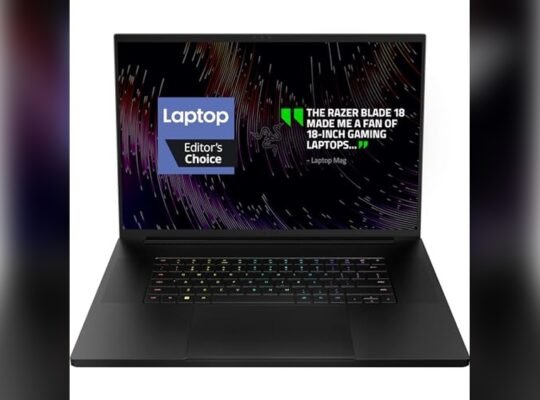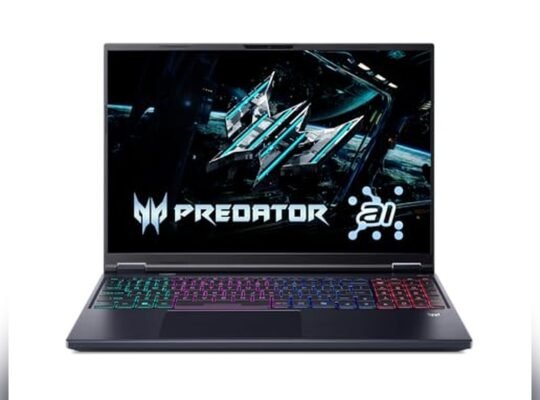
Choosing the right gaming laptop can be tough, especially when you want powerful performance without breaking the bank. If you’re eyeing the latest RTX 50-series graphics, the Gigabyte Aorus 16X and MSI Crosshair 16 are two strong contenders offering impressive specs at budget-friendly prices.
But which one truly gives you the best bang for your buck? You’ll discover how these two laptops stack up in power, display quality, cooling, and overall value—helping you make a confident choice for your next gaming machine. Stick with us to find out which model is the perfect fit for your gaming and creative needs.
Credit: www.newegg.com
Design And Build
The design and build of a laptop greatly affect user experience and durability. Both the Gigabyte Aorus 16X and MSI Crosshair 16 target budget-conscious buyers seeking RTX 50-series power. They balance strong performance with thoughtful construction. This section examines their chassis, weight, and keyboard features to help you find the right fit.
Chassis And Materials
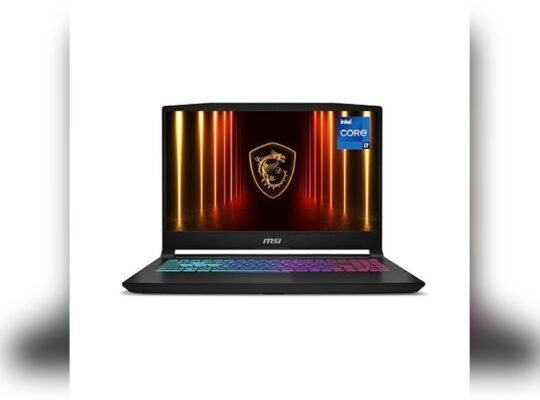
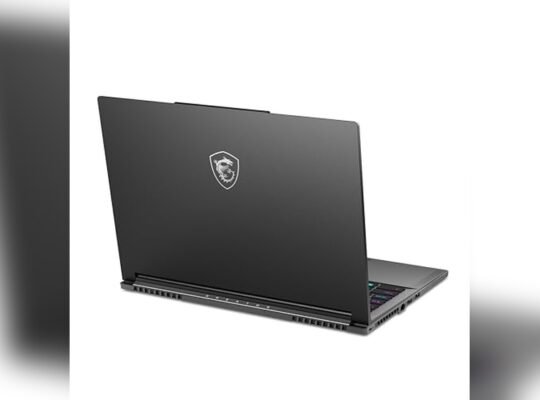
The Gigabyte Aorus 16X features a sturdy plastic and metal blend chassis. It offers good durability without adding extra cost. MSI Crosshair 16 uses a mostly metal body for a premium feel. This adds strength but can increase price. Both laptops have sharp edges and a gamer-style look. The Aorus leans more casual while the Crosshair has a sleek, aggressive design.
Weight And Portability
The Aorus 16X weighs around 5.1 pounds. It stays portable enough for travel or daily use. The Crosshair 16 is slightly heavier at 5.5 pounds due to its metal construction. Neither is ultra-light but both remain manageable in a backpack. Thickness is similar, with the Crosshair slightly slimmer. Portability suits gamers who want power on the go without too much bulk.
Keyboard And Rgb Features
Both laptops offer full-size keyboards with RGB lighting. The Aorus 16X has per-key RGB customization. It allows users to create lighting effects easily. MSI Crosshair 16 includes a vibrant RGB zone under the keyboard. The key travel is comfortable on both models. Each provides good tactile feedback for gaming and typing. RGB effects enhance the gaming vibe without being overwhelming.
Display Quality
The display quality plays a big role in choosing a laptop for gaming and work. Both Gigabyte Aorus 16X and MSI Crosshair 16 offer strong visuals. Their screens deliver sharp images and smooth motion. Understanding their display features helps pick the best fit for your needs.
Screen Resolution And Size
The Gigabyte Aorus 16X sports a 16-inch screen with a 2560×1600 resolution. This resolution provides clear and detailed images. MSI Crosshair 16 also has a 16-inch display but with a slightly higher 2560×1440 resolution. Both sizes suit gaming and productivity well. The difference in resolution is small but noticeable in some cases.
Color Accuracy And Brightness
Color accuracy is important for vibrant and true colors. The Aorus 16X offers excellent color accuracy with wide color gamut support. It reaches around 500 nits brightness, making it good for bright rooms. MSI Crosshair 16 matches closely with good color precision and similar brightness levels. Both screens handle color-rich content well for games and videos.
Refresh Rate And Response Time
Fast refresh rates improve game fluidity. The Gigabyte Aorus 16X features a 240Hz refresh rate, ideal for fast action games. MSI Crosshair 16 offers a 165Hz refresh rate, still smooth but lower than Aorus. Response time is quick on both, reducing motion blur. Gamers will notice sharper and smoother visuals with either laptop.
Performance Specs
The performance specs of the Gigabyte Aorus 16X and MSI Crosshair 16 highlight their strength in budget-friendly RTX 50-series power. Both laptops deliver solid processing and graphics capabilities, suitable for demanding tasks and gaming. Their configurations vary, catering to different user needs while keeping costs reasonable.
Understanding their processor, GPU, RAM, storage, and cooling systems helps choose the best fit. These elements define how well each laptop handles multitasking, graphics rendering, and long gaming sessions.
Processor And Gpu Options
The Gigabyte Aorus 16X offers the latest Intel Core i7 and i9 processors. These chips run fast and support heavy workloads smoothly.
MSI Crosshair 16 uses AMD Ryzen 7 and Ryzen 9 processors. These provide excellent multi-thread performance for complex tasks.
Both laptops include NVIDIA RTX 50-series GPUs. The Aorus 16X often pairs with RTX 4060 or 4070 models. MSI Crosshair 16 can feature up to RTX 4070, balancing power and efficiency well.
Ram And Storage Configurations
Gigabyte Aorus 16X supports up to 32GB DDR5 RAM. This amount ensures smooth multitasking and fast app loading.
MSI Crosshair 16 also offers up to 32GB DDR5 RAM, allowing quick data access and fluid performance.
Storage options include fast NVMe SSDs. Both laptops support up to 1TB or 2TB, providing ample space for games and files. SSD speeds help reduce load times significantly.
Cooling Solutions
The Aorus 16X uses a robust cooling system with multiple fans and heat pipes. This design keeps the laptop cool during intense use.
MSI Crosshair 16 features Cooler Boost technology. It uses several fans and an efficient airflow system to maintain safe temperatures.
Both laptops manage heat well, preventing performance drops from overheating. Effective cooling supports longer gaming and work sessions without throttling.
Credit: www.newegg.com
Gaming Performance
Gaming performance defines the real value of the Gigabyte Aorus 16X and MSI Crosshair 16. Both laptops pack the new RTX 50-series GPUs. These GPUs promise strong power without breaking the bank. Players expect smooth gameplay, fast frame rates, and low lag. This section breaks down how each model handles gaming tasks. It highlights their strengths and what sets them apart.
Fps Benchmarks In Popular Titles
The Gigabyte Aorus 16X delivers solid frame rates in AAA games. Titles like Cyberpunk 2077 and Call of Duty run above 60 FPS on high settings. MSI Crosshair 16 also performs well but tends to push slightly higher FPS in esports games like Valorant and CS:GO. Both laptops maintain stable performance in demanding games. Players get smooth visuals without frequent drops. This makes each laptop fit for gamers who want solid power at a budget.
Performance Modes And Optimization
Both laptops offer multiple performance modes. Gigabyte’s mode tuning allows quick switching between silent and turbo modes. This helps balance power and battery life. MSI Crosshair 16 features customizable profiles too. Users can optimize settings for gaming or work with ease. These modes improve GPU and CPU efficiency. They also reduce unnecessary heat and power draw. Gamers benefit from tailored performance based on their needs.
Thermal And Noise Levels
The Gigabyte Aorus 16X uses an advanced cooling system. It keeps temperatures low even during long sessions. Noise levels remain moderate, allowing focus on gameplay. MSI Crosshair 16 also shows good thermal control. Its fans can get louder under heavy loads but stay manageable. Both laptops avoid overheating issues. Quiet operation makes both suitable for use in quiet environments or streaming setups.
Connectivity And Ports
Connectivity and ports shape the user experience on laptops. Both Gigabyte Aorus 16X and MSI Crosshair 16 offer strong options for a budget-friendly RTX 50-series laptop. These features ensure smooth connections for work, play, and media.
Each laptop provides a range of ports and wireless options. These choices support multiple devices and displays. Users can connect external storage, monitors, and networking gear easily.
Usb And Display Outputs
The Gigabyte Aorus 16X includes several USB ports. It has USB Type-A and Type-C ports for flexibility. Display options include HDMI and Mini DisplayPort. This allows connection to multiple monitors without adapters.
The MSI Crosshair 16 features a similar USB setup. It offers USB 3.2 Gen 2 ports and USB-C with Thunderbolt 4. Its display outputs include HDMI 2.1 and DisplayPort over USB-C. These support high refresh rates and resolutions.
Wireless And Networking
The Aorus 16X supports Wi-Fi 6E for fast wireless speeds. It has Bluetooth 5.2 for device pairing. Wired networking uses a 2.5Gb Ethernet port for stable connections.
The MSI Crosshair 16 also supports Wi-Fi 6E and Bluetooth 5.2. It includes a 2.5Gb Ethernet jack as well. Both laptops deliver reliable and fast internet for gaming and streaming.
Expandability Options
Gigabyte Aorus 16X allows upgrades with extra M.2 SSD slots. RAM can be expanded to meet heavy multitasking needs. Users can customize storage without replacing existing parts.
MSI Crosshair 16 provides similar expandability. It supports dual M.2 drives and RAM upgrades. This flexibility keeps the laptop ready for future demands.
Battery Life
Battery life plays a key role in choosing a budget-friendly RTX 50-series laptop. Both the Gigabyte Aorus 16X and MSI Crosshair 16 aim to deliver strong performance without sacrificing mobility. Examining their battery capacity, power-saving features, real-world endurance, and charging speed helps find which one suits daily use better. Let’s explore these aspects closely.
Capacity And Power Saving
The Gigabyte Aorus 16X houses an 83Wh battery, which provides a solid base for long sessions. MSI Crosshair 16 comes with a slightly larger 90Wh battery. Both laptops include power-saving modes to extend battery life. They reduce screen brightness and limit background processes. This balance helps maintain good performance without draining power quickly.
Real-world Usage Tests
In real-world tests, the Gigabyte Aorus 16X lasted about 6 hours during mixed tasks. The MSI Crosshair 16 slightly outperformed with nearly 6.5 hours of continuous use. Gaming reduces battery time significantly on both laptops, with about 1.5 to 2 hours of gameplay on a single charge. Everyday work like browsing and streaming can run longer, thanks to efficient power management.
Charging Speed
The Gigabyte Aorus 16X supports fast charging and reaches 50% in roughly 40 minutes. MSI Crosshair 16 also offers rapid charging, filling to half in about 45 minutes. Both laptops can reach full charge within 1.5 to 2 hours. Fast charging helps reduce downtime and keeps users productive throughout the day.
Software And Features
The software and features of the Gigabyte Aorus 16X and MSI Crosshair 16 play a key role in their performance. Both laptops offer tools that enhance user experience and system control. These tools help users manage settings, improve gaming, and keep the system updated. Understanding their software strengths helps buyers choose the right budget-friendly RTX 50-series laptop.
Ai And Performance Assistants
Both laptops include AI assistants to boost performance. The Gigabyte Aorus 16X uses Smart Manager software to optimize CPU and GPU usage automatically. It adjusts power and cooling based on tasks. MSI Crosshair 16 offers Dragon Center, which monitors system health and tunes performance. Users can switch between modes for gaming, productivity, or power saving. These assistants simplify tuning without manual tweaking.
Bios And Firmware Updates
Keeping BIOS and firmware updated is crucial for stability and new features. Gigabyte provides easy update tools directly in their Smart Manager software. It checks for updates and installs them safely. MSI offers similar functionality through Dragon Center and MSI Live Update. Both brands push regular updates to fix bugs and improve hardware compatibility. This ensures the laptops run smoothly over time.
Special Gaming Enhancements
Gaming features set these laptops apart in the budget RTX 50-series category. Gigabyte includes Aorus Fusion software for RGB lighting control and per-key customization. It also supports MUX switch technology to reduce input lag. MSI’s Crosshair 16 comes with MSI True Color for better display accuracy and Nahimic audio for clearer sound. Both enhance gaming immersion and responsiveness in unique ways.
Durability And Longevity
Durability and longevity are key factors in choosing a budget-friendly RTX 50-series laptop. These aspects affect how well the laptop holds up under daily use. Both the Gigabyte Aorus 16X and MSI Crosshair 16 claim solid build quality and lasting performance. Understanding their strengths helps buyers pick a device that stays reliable over time.
Build Quality Over Time
The Gigabyte Aorus 16X features a sturdy aluminum chassis. This design resists scratches and minor dents. It feels solid in hand, which adds confidence in its longevity. The MSI Crosshair 16 also uses metal parts but adds some plastic elements. These could wear faster with heavy use. Both laptops offer good hinge durability. Still, the Aorus’s all-metal frame may hold up better after months of use.
Thermal Management Impact
Proper cooling extends the lifespan of internal parts. The Aorus 16X uses an advanced cooling system with multiple fans. This prevents overheating during long gaming sessions. MSI’s Crosshair 16 has a solid cooling setup but runs slightly warmer under stress. Higher temperatures can strain components and reduce lifespan. Therefore, the Aorus’s cooler operation may improve overall durability.
User Reviews And Reliability
User feedback shows the Aorus 16X has fewer reported hardware issues over time. Many users praise its consistent performance after months of use. The MSI Crosshair 16 receives good marks but mentions occasional fan noise and thermal throttling. Both brands offer warranty support, but real-world reliability tips slightly toward the Aorus. This suggests the Aorus may stay dependable longer for budget-conscious buyers.
Price And Value
Price and value are key factors in choosing between the Gigabyte Aorus 16X and MSI Crosshair 16. Both offer solid RTX 50-series power without breaking the bank. Understanding their cost and what you get for it helps make a smart purchase. Let’s examine their pricing and value closely.
Launch Pricing Comparison
The Gigabyte Aorus 16X launched with a competitive price tag. It aimed to deliver premium features at a budget-friendly cost. The MSI Crosshair 16 arrived at a similar price point, targeting gamers who want power without extra expense. Both started around the mid-range price segment. This makes them accessible for many buyers wanting RTX 50-series performance.
Availability And Deals
Availability affects the real cost of these laptops. The Gigabyte Aorus 16X is often found on major retail sites with occasional discounts. MSI Crosshair 16 also appears frequently in sales events. Seasonal deals and promotions can lower prices further. Checking multiple sellers can help find the best offer on either model.
Best Buy Recommendations
Choose the Gigabyte Aorus 16X if you want a vivid display and solid build quality. It balances price and premium features well. Opt for the MSI Crosshair 16 if you prioritize raw power and customization options. Both provide strong value in the budget RTX 50-series category. Your decision depends on which features matter most at this price.

Credit: us.amazon.com
How The Laptop Scout Can Help You with Gigabyte Aorus 16X Vs Msi Crosshair 16: Budget-Friendly Rtx 50-Series Power
Practical Insights for Choosing Between Gigabyte Aorus 16X and MSI Crosshair 16
When balancing budget-friendly RTX 50-series power, it’s useful to focus on real-world factors like performance specs, battery life, and display quality—areas where both the Gigabyte Aorus 16X and MSI Crosshair 16 show strengths and compromises. From my experience as a trusted tech scout at The Laptop Scout, it’s clear that neither laptop is a perfect fit for everyone. For instance, if you prioritize longer battery life for hybrid work or study sessions, the MSI might edge out slightly. But if you need a sharper display for content creation, the Aorus could be more appealing.
Rather than getting caught up in marketing hype, consider your actual daily needs and workflow. Comparing their connectivity options and software features can also reveal which suits your lifestyle better. For anyone diving into this comparison, I recommend reaching out to user forums or even contacting The Laptop Scout team for more tailored insights—they’re approachable and focused on transparency, not sales.
Frequently Asked Questions
Is The Aorus 16x Asg Any Good?
The Aorus 16X ASG offers powerful performance, a vibrant display, and solid build quality. It suits gamers and creators well.
Is The Gigabyte Aorus 16 Bkf Any Good?
The Gigabyte Aorus 16 BKF offers a vibrant display, strong performance, and solid build quality. It suits gamers and creators well. Battery life and fan noise can be concerns. Overall, it provides excellent value for its price in the high-performance laptop segment.
How Much Is Aorus 16x?
The Aorus 16X price ranges from $2,000 to $3,000, depending on configuration and retailer offers.
How Much Is Gigabyte Aorus 16x Malaysia?
The Gigabyte Aorus 16X in Malaysia typically costs between RM8,000 and RM10,000, depending on specifications and retailer. Prices may vary with promotions and availability.
Conclusion
Choosing between the Gigabyte Aorus 16X and MSI Crosshair 16 depends on your needs. Both offer strong RTX 50-series power without breaking the bank. The Aorus shines with a vibrant display and solid build quality. The Crosshair focuses on raw performance and cooling efficiency.
Each laptop suits different types of users and budgets. Consider what matters most: visuals or performance. Either way, you get great value for a budget-friendly RTX 50-series laptop. This comparison helps you decide smartly and confidently.