Finding the right laptop can be a challenge. Many people want a device that balances performance, portability, and price.
When it comes to this type of laptop, the choices can feel overwhelming. The variations in processors, screen sizes, storage options, and battery life create confusion. Some models offer more power but may be heavier or pricier. Others focus on portability and battery endurance but might lack in speed or storage space. It’s a matter of what fits your daily tasks and lifestyle best.
This article will help you understand the key differences and find a laptop that suits your needs without unnecessary compromises.
Next, you’ll see a selection of models grouped by their main features and intended users. Each has strengths for different priorities, so you can find the right fit based on what matters most to you.
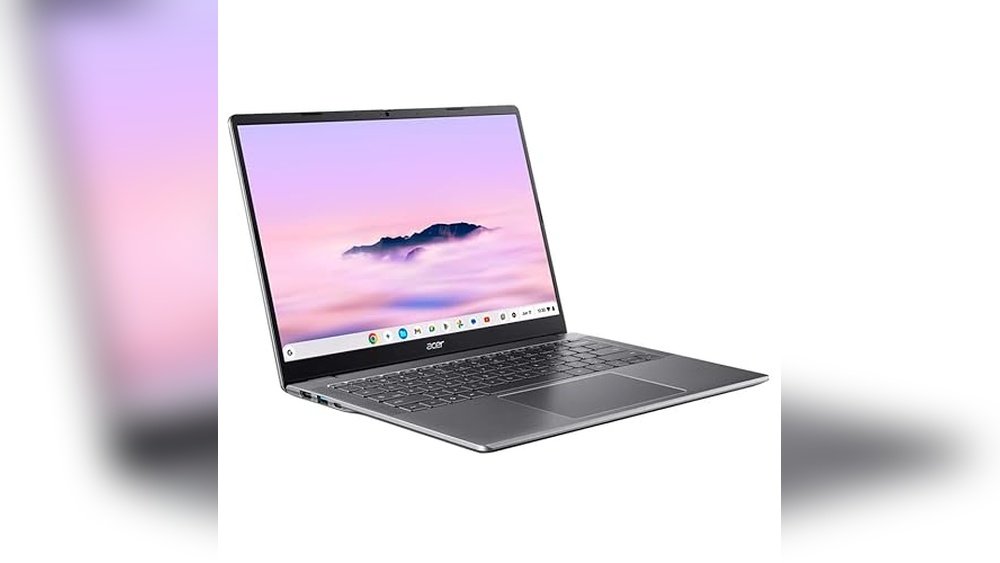
Acer Chromebook Plus 514 Touchscreen Laptop
The Acer Chromebook Plus 514 is ideal for students and professionals seeking a reliable, lightweight laptop with touchscreen functionality and solid performance for everyday tasks.

The Acer Chromebook Plus 514 is a traditional laptop computer featuring a 14” WUXGA IPS touchscreen with a crisp 1920 x 1200 resolution, designed to handle everyday computing needs with ease. Powered by an Intel Core 3 Processor N355 and equipped with 8GB LPDDR5X memory plus a 512GB PCIe Gen4 SSD, it delivers smooth multitasking and fast storage performance, making it a solid choice for productivity and entertainment.
Using this Chromebook feels fluid and responsive, thanks to its bright touchscreen and speedy Wi-Fi 6E connectivity. Whether browsing, streaming, or working on documents, the lightweight design and reliable Chrome OS environment help save time and reduce hassle, providing confidence in a portable package.
- Strengths: Bright 14” touchscreen with high resolution for clear visuals.
- Robust 8GB LPDDR5X RAM and fast 512GB SSD for quick load times.
- Modern connectivity with Intel Wireless Wi-Fi 6E and Bluetooth 5.3.
- Lightweight and compact design at just over 3 pounds, easy to carry.
Who Should Consider This Chromebook
This laptop suits users who want a capable Chromebook for school, office work, or casual use, especially if touchscreen interaction is a priority. It’s also a great fit for those valuing a balance between performance and portability without needing high-end specs.
However, those requiring heavy video editing, gaming, or specialized software may find this model’s Intel Core 3 processor limiting. Also, if you prefer Windows or macOS environments, a Chromebook might not meet your software needs.
Choosing the Acer Chromebook Plus 514 removes uncertainty about performance in typical daily tasks and offers a smooth, accessible experience. For best results, pair it with cloud-based applications and take advantage of its long-lasting Chrome OS ecosystem support.
Acer Chromebook Plus 514 Touchscreen Laptop
The Acer Chromebook Plus 514 is an ideal choice for students and business users seeking a versatile, durable, and AI-enhanced laptop for everyday productivity.

The Acer Chromebook Plus 514 is a traditional laptop computer designed to enhance productivity with its 14″ FHD touchscreen and powerful Intel 8-core i3-N305 processor. It addresses the need for a lightweight, yet durable machine with AI-powered Google and Adobe features, making it easier to manage creative and business tasks on the go. The 11-hour battery life ensures all-day use without frequent charging interruptions.
Using this Chromebook feels smooth and reliable thanks to its 8GB LPDDR5 RAM and ample 640GB storage, combined with 2TB cloud storage via the Google One AI Premium plan. Whether attending online classes, meetings, or working on documents, it offers confidence in performance and the convenience of Chrome OS with fast updates and security.
- Strengths: AI-powered creativity tools, MIL-STD 810H6 military-grade durability, vibrant 14″ touchscreen display, long battery life, and rich connectivity options including Wi-Fi 6E and Bluetooth 5.1.
- Use Cases: Perfect for students attending online courses, professionals needing a reliable business laptop, and creators benefiting from enhanced Google Photos AI features.
Who Should Consider This Chromebook
This Chromebook suits anyone looking for a sturdy, easy-to-use laptop with touchscreen capabilities and extended battery life. It’s particularly useful for students and business users who rely on cloud integration and AI tools to streamline their workflows. However, those requiring heavy Windows-specific software or gaming might want to explore other options.
The Chromebook removes confusion around software updates and security with automatic Chrome OS maintenance. A practical tip is to take advantage of the included Google One AI Premium plan for cloud storage and enhanced Gmail and Docs features during the first year.
Overall, it offers peace of mind with durable build quality and a robust set of features tailored for modern productivity needs.
Acer Chromebook Plus 515 Touch Laptop
The Acer Chromebook Plus 514 is ideal for users seeking a versatile, touchscreen Chromebook that balances productivity and entertainment with ease.

The Acer Chromebook Plus 515 is a traditional laptop running Chrome OS, designed to enhance productivity with its powerful Intel Core i3-1305U processor and a vibrant 15.6″ Full HD IPS touchscreen. It solves the problem of balancing work and entertainment by providing a fast, secure operating system combined with Google AI capabilities and built-in Google apps.
Using this Chromebook feels smooth and reliable, whether you are editing documents, streaming videos, or multitasking. The integration of Google AI and long battery life helps save time and boosts confidence in handling daily tasks without frequent recharging or slowdowns.
- Fast Intel Core i3 processor with 8GB LPDDR5X memory for smooth multitasking
- 15.6″ Full HD IPS touchscreen enhances interaction and viewing experience
- Up to 10 hours of battery life supports all-day productivity
- Includes 12 months of Google AI Pro for enhanced creativity and productivity
- Wi-Fi 6E ensures fast and reliable wireless connectivity
Who This Chromebook Is For
This Chromebook is perfect for students, remote workers, and casual users who want a larger touchscreen laptop to run Chrome OS with access to Google’s ecosystem and productivity tools. If you need a lightweight, secure device for web browsing, document editing, and media consumption, this model fits well.
However, if you require specialized software not available on Chrome OS or need a Windows or macOS environment, this might not be the right choice. Also, users looking for ultra-portable or gaming-focused laptops may want to explore other options.
This Chromebook removes confusion about cloud-based productivity by seamlessly integrating Google AI and apps, making it easy to stay organized and creative. A practical tip is to take advantage of the touchscreen for note-taking and quick edits, which adds to the device’s versatility. Rest assured, Acer’s build quality and Chrome OS stability provide a dependable user experience.
Acer Chromebook Plus 514 Touchscreen Laptop
The Acer Chromebook Plus 514 is ideal for students and professionals seeking a reliable, fast, and versatile laptop for daily tasks and online activities.

The Acer Chromebook Plus 514 is a traditional laptop equipped with an Intel 8-Core i3-N305 processor, designed to deliver smooth multitasking and fast performance. It solves the common problem of lag and slow loading times during intensive online activities by offering efficient processing power combined with 8GB of LPDDR5 RAM and a spacious 512GB SSD.
Using this Chromebook feels seamless and reliable, whether for video calls, streaming, or working on multiple applications at once. Its 14-inch FHD IPS touchscreen enhances interaction, making navigation intuitive and enjoyable. I found it easy to switch between tasks without slowdown, which saves time and reduces frustration.
- Strengths: Powerful Intel i3 8-core processor, immersive 14-inch FHD touchscreen, ample 8GB RAM and 512GB SSD storage, advanced Wi-Fi 6E connectivity.
- Notable Feature: The 1080p webcam with privacy shutter ensures clear and secure video calls, perfect for students and professionals.
- Portability: Lightweight at 3.15 pounds and slim design makes it easy to carry for daily use.
Who Should Consider the Acer Chromebook Plus 514
This Chromebook is perfect for students, remote workers, and anyone needing a dependable, fast laptop for browsing, video conferencing, and productivity apps. If you value a touchscreen display and long battery life in a lightweight device, this is a solid choice.
However, if you require specialized software only available on Windows or macOS or need higher graphics performance for gaming or design work, this Chromebook may not be the best fit. It’s designed primarily for cloud-based and web-centric workflows.
Choosing this model removes the stress of sluggish performance during multitasking and video calls, giving you confidence in your device’s responsiveness. A practical tip is to take full advantage of Chrome OS’s cloud integration for backups and app syncing, ensuring your work is always accessible.
Acer Chromebook Plus 514 Laptop
The Acer Chromebook Plus 514 is ideal for business professionals and students seeking a reliable, portable laptop with powerful multitasking capabilities.

The Acer Chromebook Plus 514 is a thin, durable touchscreen laptop designed to keep users productive on the go. Powered by an 8-Core Intel i3-N355 processor with 8GB RAM and 640GB storage, it handles multitasking with ease. Its military-grade durability and long battery life make it a dependable choice for busy professionals and students alike.
Using this Chromebook offers a smooth and responsive experience whether you’re working on documents, attending video calls with its 1080p webcam, or creating content using AI-powered tools. The lightweight design and fast Wi-Fi 6E connectivity ensure you stay confident and efficient throughout your day without worrying about interruptions.
Key Advantages of the Acer Chromebook Plus 514
- Lightweight and meets MIL-STD 810H for durability in harsh conditions
- Large 640GB combined storage with fast access (SSD + SD card)
- 14″ Full HD+ touchscreen with support for multiple external monitors
- Integrated AI tools and 2TB cloud storage included for enhanced creativity
- Comprehensive connectivity options including USB-C, USB-A, HDMI, and Wi-Fi 6E
Is This Chromebook Right for You?
If you need a reliable, portable laptop for business or study with solid performance and durability, the Acer Chromebook Plus 514 is worth considering. It’s especially suited for those who value AI-powered productivity tools and a bright touchscreen display for versatile use.
However, if your work relies heavily on specialized Windows or macOS applications, or you require dedicated high-end graphics, this Chromebook might not fully meet your needs. For everyday tasks and creative workflows within Chrome OS, it simplifies device management and reduces tech stress.
Before buying, make sure to familiarize yourself with Chrome OS if it’s new to you, as it differs from traditional operating systems but offers seamless cloud integration. Overall, this laptop provides a balanced mix of performance and portability with peace of mind for mobile use.
How To Choose The Right Acer Chromebook Plus 514 For Your Needs
Consider what matters most in your daily use, such as screen size, weight, and battery life. Balance portability with performance based on whether you prioritize mobility or multitasking power. Reflect on your typical tasks and how much storage or cloud reliance suits your workflow. Understanding these trade-offs helps narrow down the best fit without getting lost in technical details.
Common Mistakes And Who Should Avoid Acer Chromebook Plus 514 Models
- Expecting these Chromebooks to replace heavy-duty Windows or macOS laptops for advanced software or gaming.
- Assuming all apps and programs you use are fully compatible with Chrome OS.
- Buying for users who need extensive offline work with specialized software.
- Overlooking the importance of cloud storage reliance and internet connectivity for optimal use.
- Choosing a model without considering keyboard comfort or screen size preferences for long use sessions.
Frequently Asked Questions About Acer Chromebook Plus 514
Can I run traditional Windows software on the Acer Chromebook Plus 514?
Chromebooks use Chrome OS, which does not natively support Windows applications. You will need web-based apps or Android apps compatible with Chrome OS instead.
How important is internet connectivity for these Chromebooks?
Internet access is important since many apps and cloud services are designed for online use. Offline functionality is limited compared to traditional laptops.
Are the storage options sufficient for heavy file use?
Storage varies by model, but many rely on a mix of local SSD and cloud storage. Large local file storage might require external drives or cloud plans.
What is the battery life like on these models?
Battery life ranges around 10 to 11 hours depending on usage. It is generally enough for a full day of typical tasks but varies with screen brightness and workload.
Is the touchscreen feature essential for productivity?
Touchscreen can enhance navigation and creative tasks, but it is not critical for everyone. Consider if you often use apps that benefit from touch input.
How durable are these Chromebooks for travel and daily use?
Some models meet military-grade durability standards, making them suitable for commuting and travel. However, careful handling is still recommended.
Do these Chromebooks support multiple external monitors?
Yes, certain models allow connection to multiple external displays via USB-C or HDMI ports, which can expand your workspace effectively.
Final Thoughts On Choosing An Acer Chromebook Plus 514
Choosing an Acer Chromebook Plus 514 involves understanding what fits your usage style and priorities. With clear expectations about Chrome OS and the device’s capabilities, you can find a model that suits your daily needs without overcomplicating the decision.
Focus on how you work and the environments where you’ll use the Chromebook. With thoughtful consideration, your choice will feel steady and well-matched to your routine. Take comfort in knowing that this category offers practical options for many users.