

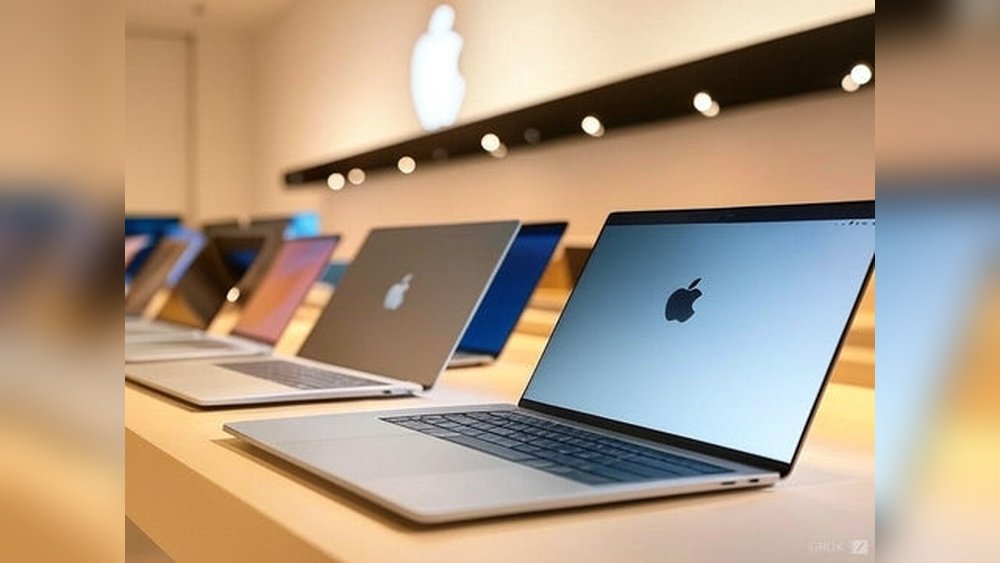
Are you torn between buying a refurbished MacBook or a brand-new budget PC? It’s a common dilemma that many face when looking for the best value without compromising performance.
You want a reliable device that fits your needs and budget, but which option truly gives you more bang for your buck? A used MacBook might come with a premium feel and solid build, but does it beat out the latest budget PC in terms of speed, warranty, and future-proofing?
You’ll discover the key differences, hidden benefits, and possible downsides of each choice. By the end, you’ll feel confident making a smart decision tailored just for you. Keep reading to find out which option is the real winner for your tech needs.
Refurbished Macbook Benefits
Refurbished MacBooks offer many benefits that make them a smart choice. They combine quality and affordability. These devices go through strict checks and repairs. Buyers get a reliable product without paying full price.
Choosing a refurbished MacBook can give you a powerful tool for work or study. It often outperforms many new budget PCs. The balance of price and performance makes it attractive for many users.
Cost Savings
Refurbished MacBooks cost less than new models. You save hundreds of dollars. This price drop makes premium Apple technology more affordable. It allows users to access better features within a tight budget.
Saving money here means you can invest in software or accessories. It also reduces the total cost of ownership over time.
Certified Quality And Testing
Apple or trusted sellers test and certify refurbished MacBooks. Every device undergoes cleaning, repairs, and software updates. This process ensures it meets high standards. You get a product that works like new.
Certified quality lowers the risk of defects and failures. It also ensures all parts function properly before sale.
Warranty And Support
Refurbished MacBooks come with warranties similar to new ones. This coverage protects buyers against hardware issues. It offers peace of mind and reduces repair costs.
Support from Apple or sellers means help is available if problems arise. This service adds value beyond just the device itself.
Near-new Performance
Refurbished MacBooks perform almost like brand-new models. They feature strong processors and good battery life. This makes them suitable for multitasking and demanding applications.
The hardware is tested and often upgraded. You get smooth and fast performance at a lower price point.
Budget Pc Advantages
Choosing between a refurbished MacBook and a new budget PC depends on many factors. Budget PCs offer unique advantages that appeal to many users. These benefits make them a strong option for those who want good performance at a lower cost. Here are some key advantages of budget PCs.
Lower Initial Price
Budget PCs come with a much lower starting price than new MacBooks. This makes them accessible to more people. You can get a working computer without spending a lot of money upfront. This is ideal for students or anyone on a tight budget.
Customizable Options
Budget PCs allow you to choose parts based on your needs. You can select the processor, memory, and storage you want. This flexibility lets you build a system that fits your tasks perfectly. Customization is rarely possible with MacBooks.
Wide Availability
New budget PCs are easy to find in many stores and online shops. There are many brands and models to pick from. This wide availability means you can compare options and find the best deal quickly. You don’t have to wait for special sales or refurbished stock.
Latest Hardware Choices
Budget PCs often come with the latest processors and technology. This can mean better speed and features than older MacBooks. You get modern hardware that supports new software and games. This keeps your computer relevant for longer.
Performance Comparison
Comparing the performance of a refurbished MacBook and a new budget PC helps you make a smart choice. Each device offers unique strengths in speed, memory, graphics, and software. Understanding these factors clarifies which option fits your needs better.
Processor And Speed
Refurbished MacBooks often use powerful Apple processors. These chips handle tasks smoothly and quickly. New budget PCs may have newer processors but usually less powerful. MacBooks provide stable speed for daily work and creative projects. Budget PCs can struggle with heavy programs or multitasking.
Memory And Storage
MacBooks come with fast memory and solid-state drives (SSD). This combination improves load times and app performance. Budget PCs might offer more storage but often use slower hard drives. MacBooks focus on speed and reliability in memory. Budget PCs sometimes add more RAM but lack SSD speed advantages.
Graphics And Multimedia
MacBooks have strong integrated graphics ideal for videos and design. Their screens display clear and vibrant colors. Budget PCs vary widely; some include basic graphics that suit simple tasks. Others may offer dedicated graphics but at a higher price. MacBooks maintain consistent quality for multimedia work.
Operating System And Software
MacBooks run macOS, known for smooth updates and security. The system is user-friendly and supports creative software well. Budget PCs use Windows, offering wide software compatibility and customization. Windows may require more maintenance and updates. MacOS offers a streamlined experience with less troubleshooting.

Credit: insights.made-in-china.com
Build Quality And Durability
The choice between a refurbished MacBook and a new budget PC often boils down to build quality and durability. These factors affect how long your device will last and how well it can handle daily use. Understanding the differences helps you make a smarter purchase that fits your needs and budget.
Materials And Design
MacBooks use high-quality aluminum bodies. This metal is strong and resists scratches and dents better than plastic. Budget PCs often use plastic or cheaper materials. These can feel lighter but may break easier. The design of MacBooks is sleek and compact, built for portability and toughness. Budget PCs may not have the same attention to detail in design.
Longevity And Reliability
Refurbished MacBooks often last longer due to their premium parts. Apple tests and certifies these devices before selling. This ensures reliability over time. Budget PCs may work well at first but can slow down or fail sooner. The durability of MacBooks means fewer repairs and less frustration. Reliability matters most for daily work and study tasks.
Repair And Upgrade Potential
MacBooks are harder to upgrade or repair yourself. Their parts are tightly packed and proprietary. Repairs often require professional help, which can be costly. Budget PCs usually offer easier access to internal parts. You can add more RAM or swap hard drives. This upgrade potential can extend the life of a budget PC. Consider if you want a device you can upgrade over time.
User Experience Differences
User experience plays a big role in choosing between a refurbished MacBook and a new budget PC. Both offer different advantages and challenges. Understanding these differences helps make a better decision. This section looks at how they compare in ecosystem integration, ease of use, pre-installed software, and customer support.
Ecosystem Integration
MacBooks work smoothly with other Apple devices. iPhones, iPads, and Apple Watches connect easily. This creates a seamless experience for users. Budget PCs usually run Windows, which works well with many devices. However, the integration may not feel as tight or simple as Apple’s system. Users who own multiple Apple products benefit more from a MacBook. Those with mixed or non-Apple devices might find a budget PC more flexible.
Ease Of Use
MacBooks offer a clean and consistent user interface. Apple designs both hardware and software for smooth operation. Many users find the Mac operating system intuitive and straightforward. Budget PCs vary widely in user experience. Different brands use different software and interfaces. Some can be complex for beginners. MacBooks often require less setup and learning time for new users.
Pre-installed Software
MacBooks come with useful apps pre-installed. Programs like Safari, Mail, and Photos are ready to use. These apps cover most basic needs without extra downloads. Budget PCs usually include Windows with standard apps. Sometimes, they come with trial software or bloatware. This can slow down the system and annoy users. MacBooks offer a cleaner starting point with fewer unnecessary programs.
Customer Support
Apple offers strong customer support for refurbished MacBooks. Certified devices come with a warranty and access to Apple’s help centers. This adds confidence to the purchase. Budget PCs rely on the manufacturer’s support, which varies widely. Some brands provide good service, others less so. Refurbished MacBooks often include official support that is hard to match with budget PCs.
Risks Of Buying Refurbished
Buying a refurbished MacBook can save money but carries some risks. Understanding these risks helps in making a smart choice. This section highlights common concerns when buying refurbished devices.
Potential Quality Issues
Refurbished MacBooks may have hidden defects. Repairs might not restore original quality. Some parts could be replaced with lower-grade components. Cosmetic damages like scratches or dents can remain. Testing might miss occasional hardware problems.
Battery Life Concerns
Batteries in refurbished MacBooks often have reduced capacity. They might hold less charge than new ones. Battery replacement is sometimes needed soon after purchase. Usage time can be shorter, affecting portability. Checking battery health before buying is important.
Limited Selection
Refurbished models come in limited options. You may not find the latest MacBook versions. Choices on color, size, or specs are often restricted. Availability depends on returned or repaired units. This limits customization and specific needs.
Warranty Limitations
Warranties on refurbished MacBooks are usually shorter. Coverage may be less comprehensive than new devices. Some issues might not be included in the warranty. Extended warranty options can cost extra. Knowing warranty details avoids surprises later.
Risks Of Buying Budget Pc
Choosing a budget PC might seem smart for saving money. Yet, it carries certain risks that affect your experience. Many budget PCs cut corners to reduce costs. These compromises lead to issues that impact daily use and long-term satisfaction.
Lower Build Standards
Budget PCs often use cheaper materials. Plastic cases may feel flimsy and weak. Internal parts might not fit well, causing heat problems. These machines can break or wear out faster. Repair costs might add up over time.
Potential Bloatware
Many budget PCs come loaded with extra software. This bloatware slows down the system. It can cause annoying pop-ups and ads. Removing this software takes time and skill. Sometimes, it even harms the PC’s performance.
Shorter Lifespan
Budget PCs usually have shorter lifespans. They use lower-quality components that wear out fast. Batteries may lose charge quickly. Hard drives and fans might fail sooner than expected. This means replacing the PC sooner than planned.
Variable Performance
Performance can be uneven across budget PCs. Some models run basic tasks well. Others struggle with multitasking or heavier programs. This inconsistency makes it hard to predict user experience. It may cause frustration if your PC slows down often.

Credit: www.ecselectronics.com
Where To Buy Safely
Choosing where to buy a refurbished MacBook or a new budget PC is important. Buying from the right place ensures quality and safety. It also protects your money with proper guarantees and return options. Below are key places to consider when purchasing your device.
Certified Refurbished Retailers
Certified refurbished retailers offer devices tested by professionals. They check every part for defects and repair any issues. These sellers include Apple’s official refurbished store and trusted electronics shops. Buying here means you get a warranty and reliable quality. The devices often look and work like new.
Authorized Budget Pc Sellers
Authorized budget PC sellers provide new machines with guaranteed quality. These sellers have agreements with manufacturers. They sell genuine products with full warranties. Buying from them reduces the risk of fake or damaged goods. You can trust the specs and support you receive.
Online Marketplaces Tips
Online marketplaces like eBay and Amazon have many options. Check seller ratings and reviews carefully. Look for sellers who offer returns and warranties. Avoid deals that seem too cheap or sellers with little feedback. Use secure payment methods to protect your purchase.
Return Policies And Guarantees
Return policies and guarantees are crucial for safe buying. Always check the return window before purchase. A good return policy lets you test the device at home. Warranties cover repairs or replacements if problems arise. Confirm what the guarantee includes and how long it lasts.
When To Choose Refurbished Macbook
Choosing a refurbished MacBook can be smart for many buyers. It fits specific needs that a new budget PC might not meet. Here are some clear reasons to select a refurbished MacBook.
Need For Macos
MacOS offers unique software and apps not found on Windows. A refurbished MacBook gives access to MacOS without the high cost of a new model. It suits users who depend on Mac-only programs. This system is stable and user-friendly for many tasks.
Value For Money
Refurbished MacBooks often cost less than new budget PCs with similar specs. These devices have been tested and repaired to work like new. Buyers get a powerful machine at a lower price. It is a smart choice for saving money and getting quality.
Trusted Warranty
Many refurbished MacBooks come with a warranty from Apple or sellers. This warranty covers repairs and defects for a set time. It provides peace of mind and protection against problems. New budget PCs may lack strong warranties or customer support.
Professional Or Creative Use
MacBooks are preferred by many professionals in design, music, and video. A refurbished MacBook delivers the needed performance for creative software. It handles tasks like editing and graphic work smoothly. This makes it a better tool than some new budget PCs for creative work.
When To Opt For Budget Pc
Choosing between a used MacBook and a new budget PC depends on your needs. A budget PC suits certain situations better. It offers flexibility and access to various hardware and software options. Here are key reasons to pick a budget PC.
Tight Budget Constraints
Budget PCs are often cheaper than used MacBooks. They let you get a new machine without spending much. This choice helps avoid repair costs that can come with older devices. You get a fresh start with warranty and support included.
Windows Or Linux Preference
Budget PCs usually come with Windows or allow easy Linux installation. Many users prefer these systems for work or personal use. Some software runs only on Windows or Linux. MacBooks limit you to macOS, which might restrict your options.
Gaming Or Specific Software Needs
Budget PCs often handle gaming better than used MacBooks. They support a wider range of games and software. Customizing hardware is easier, improving performance. Some programs only work on Windows, making PCs a better fit.
Desire For Latest Hardware
New budget PCs offer the newest processors and technology. Used MacBooks may have older parts. Fresh hardware means faster speeds and better energy use. This matters if you want a device that stays current longer.

Credit: circularcomputing.com
How The Laptop Scout Can Help You with Refurbished Vs New: Is a Used Macbook Better Than a New Budget Pc?
Practical Insights for Choosing Between a Refurbished MacBook and a New Budget PC
When weighing options between a refurbished MacBook and a new budget PC, it’s helpful to reflect on what matters most in your daily use. From my experience at The Laptop Scout, understanding build quality and user experience differences can clarify which device fits your lifestyle better.
- Refurbished MacBooks often offer superior durability and polished performance, making them appealing if you value longevity and a premium feel.
- Budget PCs, while sometimes less robust, provide flexibility and affordability, which might suit students or young professionals on a tighter budget.
- Assess the risks involved with each choice—like potential hardware issues in refurbished models or limited upgrade paths with budget PCs—to make an informed decision.
For those looking to dive deeper or need personalized advice, reaching out to trusted resources can be invaluable. I’m always open to sharing insights or clarifying doubts to help you navigate beyond the marketing noise. Just drop a line at contact@thelaptopscout.com if you want to chat about your options.
Frequently Asked Questions
Is It Better To Buy A New Or Used Macbook?
Buying a new MacBook ensures the latest features and full warranty. Used MacBooks save money but may lack guarantees. Refurbished models offer a balance with certified quality, warranty, and lower cost, making them a smart, reliable choice for most buyers.
Which Is Better, A Refurbished Or Used Laptop?
A refurbished laptop is better due to warranty, certified quality checks, and reliability. Used laptops lack guarantees and pose higher risks. Refurbished devices offer tested performance and safer investment than used ones.
Are Refurbished Mac Computers Worth It?
Refurbished Macs offer great value with Apple-certified quality checks and warranties. They cost less and perform like new. Buyers get reliable devices without the latest model price. Inspect condition and warranty details before purchase for best results.
Is Buying A Refurbished Macbook From Best Buy Worth It?
Buying a refurbished MacBook from Best Buy offers cost savings, warranty, and near-new condition. Verify model age and reviews first.
Conclusion
Choosing between a refurbished MacBook and a new budget PC depends on your needs. A refurbished MacBook offers tested quality and a warranty. New budget PCs may provide the latest features at a lower price. Refurbished MacBooks often have better build and performance.
Budget PCs can vary in reliability and speed. Consider how you will use the device daily. Think about long-term value, not just initial cost. Both options have pros and cons worth weighing. Make a choice that fits your budget and tasks best.









