

Choosing the perfect gaming laptop can feel overwhelming, especially when two heavyweights like the Alienware 16X Aurora and the Razer Blade 16 (2026 Edition) go head-to-head. You want a machine that not only delivers top-tier performance but also fits your style, budget, and gaming needs.
In this comparison, you’ll discover which laptop stands out in speed, design, cooling, and overall value. By the time you finish reading, you’ll have a clear idea of which one deserves a spot in your gaming setup. Ready to find your ultimate gaming companion?
Let’s dive in.
Credit: www.gamesradar.com
Design And Build
The design and build quality of a gaming laptop greatly affect user experience. Both Alienware 16X Aurora and Razer Blade 16 (2026 Edition) show strong focus on craftsmanship. Each model offers unique features that cater to different preferences. Understanding their design elements helps buyers make an informed decision.
Materials And Durability
The Alienware 16X Aurora uses a mix of magnesium alloy and aluminum. This combination ensures sturdy construction and reduces weight. The laptop feels solid and resists flex under pressure. The Razer Blade 16 features a unibody aluminum chassis. It provides excellent durability and a premium touch. Both laptops can handle daily use without issues.
Portability And Weight
Alienware 16X Aurora is heavier due to its larger cooling system. It measures around 6.5 pounds, which is on the heavier side. The Razer Blade 16 is lighter at roughly 4.7 pounds. It fits easily into most backpacks and bags. Users seeking portability will prefer the Razer Blade 16. Alienware suits those who prioritize performance over mobility.
Aesthetic Appeal
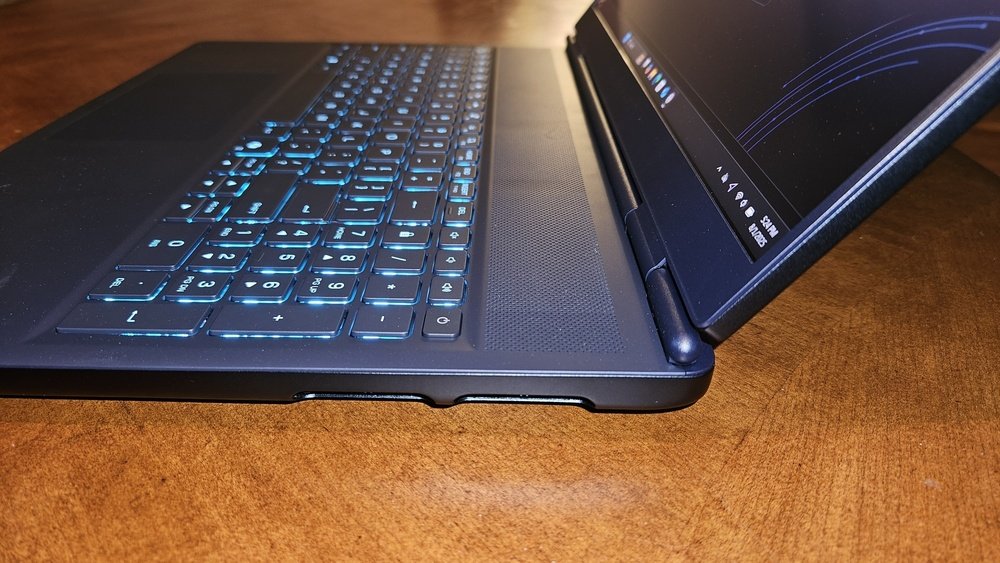
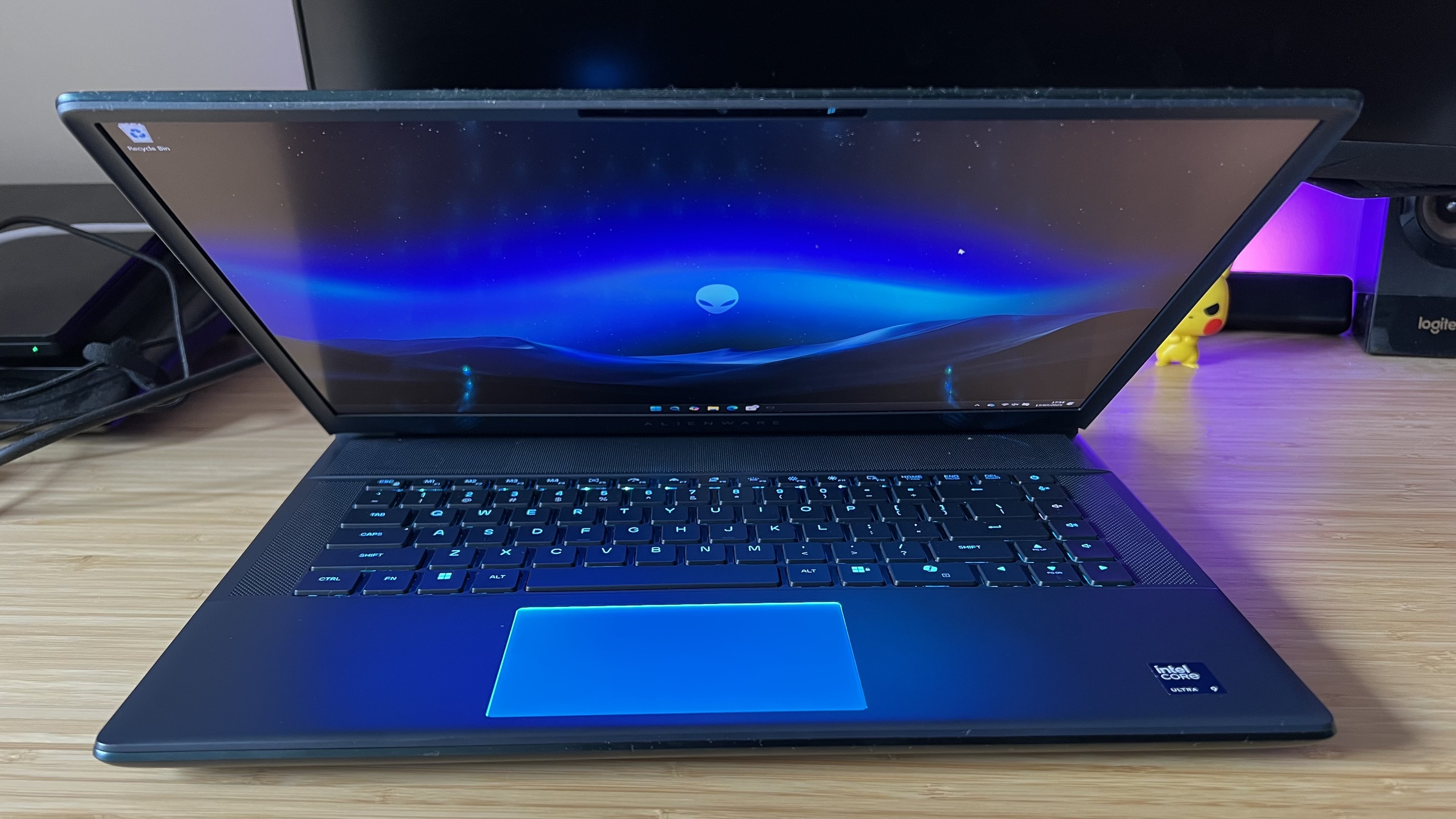
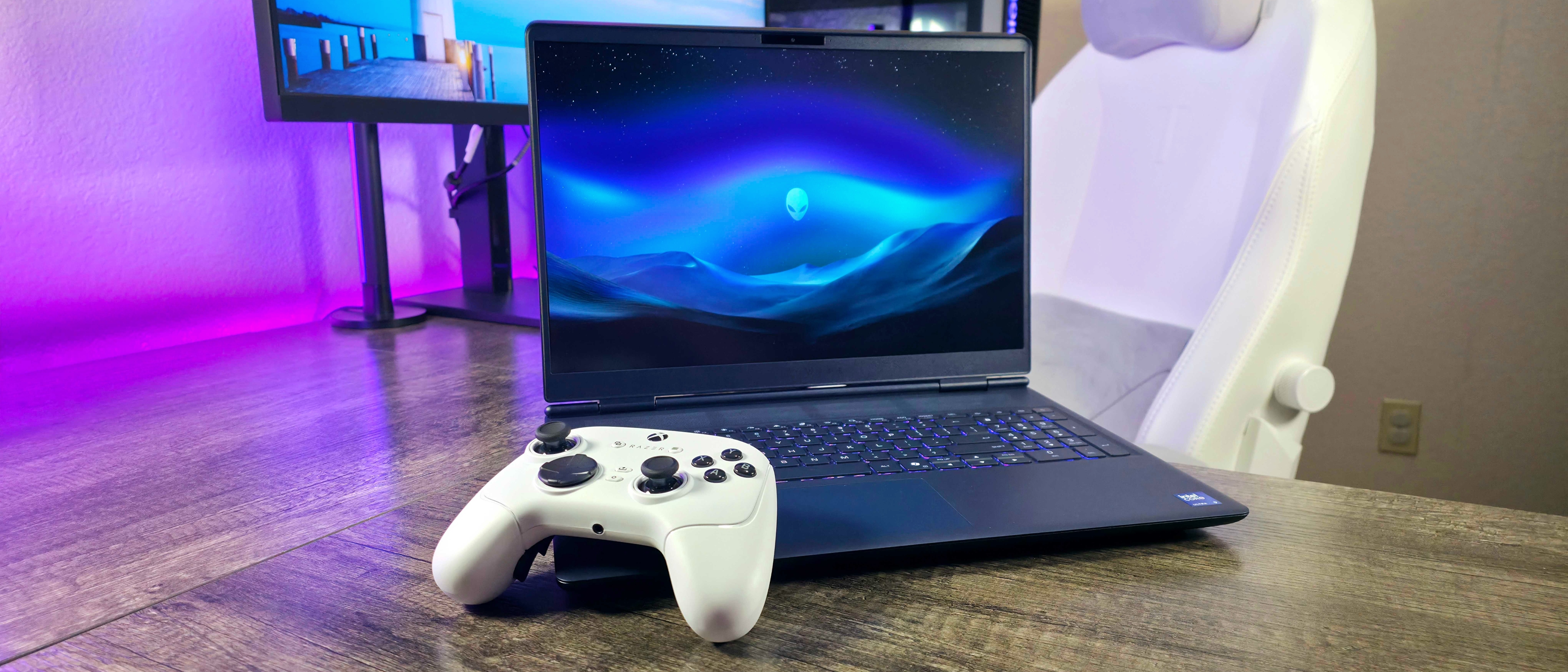
Alienware 16X Aurora sports a bold, futuristic design with customizable RGB lighting. It looks aggressive and stands out on a desk. The Razer Blade 16 offers a sleek and minimalist style. Its clean lines and subtle lighting appeal to users who prefer elegance. Both designs reflect their brand identity and attract different gaming communities.
Display Quality
The display quality is a key factor when choosing between the Alienware 16X Aurora and the Razer Blade 16 (2026 Edition). Both laptops offer advanced screens designed for gaming and creative work. Clear visuals, smooth motion, and accurate colors matter most for immersive experiences. This section compares their screen size, resolution, refresh rates, response times, and color accuracy to help you understand their display strengths.
Screen Size And Resolution
The Alienware 16X Aurora features a 16-inch display, providing a large viewing area. The Razer Blade 16 also has a 16-inch screen, keeping the size consistent. Both models offer high resolution options. The Alienware supports up to 2560×1600 pixels, while the Razer Blade offers up to 3840×2400 pixels in its 2026 version. This difference means the Razer Blade delivers sharper images and more screen space for multitasking or detailed work.
Refresh Rate And Response Time
The Alienware 16X Aurora provides a refresh rate of 240Hz, which is excellent for fast-paced gaming. The Razer Blade 16 matches this with a 240Hz panel as well. Both laptops have fast response times around 3 milliseconds, reducing motion blur and ghosting. These specs ensure smooth gameplay and fluid visuals, critical for competitive gaming and action scenes.
Color Accuracy And Brightness
The Alienware 16X Aurora offers good color accuracy, covering about 100% of the sRGB color space. Its brightness peaks around 400 nits, suitable for indoor use. The Razer Blade 16 improves on this with nearly 100% DCI-P3 color coverage, making colors more vivid and lifelike. It also reaches up to 500 nits brightness, enhancing visibility in bright rooms. This makes the Razer Blade better for creators who need precise colors and brighter screens.
Performance
The performance of the Alienware 16X Aurora and the Razer Blade 16 (2026 Edition) stands out in the gaming laptop arena. Both models offer strong hardware that handles games and demanding tasks smoothly. They cater to gamers and creators who want power and speed without compromise. Each laptop has unique strengths in processor, graphics, memory, and cooling systems. Understanding these helps pick the best fit for your needs.
Processor And Gpu Options
The Alienware 16X Aurora features the latest Intel Core i9 and AMD Ryzen 9 processors. These chips deliver high clock speeds and efficient multitasking. The Razer Blade 16 offers similar CPU choices, focusing on Intel’s 14th Gen Core series. On the GPU front, Alienware supports NVIDIA RTX 4090 and AMD Radeon RX 7900 XT. Razer Blade 16 also includes NVIDIA RTX 4090 graphics, designed for ultra-high frame rates and ray tracing. Both laptops handle modern games and creative apps with ease.
Ram And Storage
Alienware 16X Aurora comes with up to 64GB DDR5 RAM, allowing smooth gameplay and quick app switching. Razer Blade 16 provides up to 32GB DDR5 RAM, enough for most gamers and creators. For storage, Alienware offers multiple M.2 SSD slots supporting up to 8TB total capacity. Razer Blade 16 features a fast PCIe Gen 4 SSD up to 4TB. Both laptops load games and files quickly and support upgrades for future needs.
Thermal Management
Alienware uses a vapor chamber cooling system combined with high-performance fans. This setup keeps the CPU and GPU cool during intense gaming sessions. Razer Blade 16 has an advanced vapor chamber cooling solution with improved airflow design. It balances noise and temperature well. Both laptops manage heat effectively, but Alienware’s larger chassis gives it an edge for sustained performance. Proper cooling ensures longer hardware life and steady frame rates.
Credit: www.windowscentral.com
Gaming Experience
Both the Alienware 16X Aurora and the Razer Blade 16 (2026 Edition) offer strong gaming experiences. Each machine targets serious gamers who want smooth play and immersive features. The choice depends on what aspects matter most: speed, comfort, or sound quality. Let’s explore how these two laptops perform across key gaming factors.
Frame Rates In Popular Titles
The Alienware 16X Aurora delivers high frame rates in AAA games like Cyberpunk 2077 and Call of Duty. It uses powerful GPUs and advanced cooling to keep performance steady during long sessions. The Razer Blade 16 also excels, providing smooth gameplay with fewer drops in frame rates. Its optimized hardware balances power and efficiency, making it a solid choice for fast-paced games.
Both laptops support high refresh rate displays, enhancing visuals and responsiveness. Alienware pushes slightly higher max frame rates, but the Razer Blade stays close. Gamers will find both options suitable for competitive and immersive play.
Keyboard And Trackpad
The Alienware 16X Aurora features a full-sized, customizable RGB keyboard. Keys feel tactile and responsive, good for quick in-game commands. Its trackpad is large and precise but often less used by gamers who prefer a mouse. The Razer Blade 16 has a sleek keyboard with per-key RGB lighting. It offers smooth key travel and comfortable spacing.
The Razer’s trackpad is glass-coated for smooth gliding and accurate tracking. Both laptops provide great typing experiences, but the Razer Blade’s keyboard may feel a bit quieter. Gamers who type and game on the same device will appreciate these details.
Audio Quality
Audio plays a big role in gaming immersion. The Alienware 16X Aurora uses high-quality speakers with good bass and clear highs. It also supports spatial audio technologies for richer soundscapes in games. The Razer Blade 16 offers balanced sound with clear dialogue and good volume levels.
Its speakers are tuned for both gaming and media consumption, delivering crisp audio. Both laptops support headphone outputs with minimal latency. Players who enjoy game soundtracks and clear in-game cues will benefit from either model’s audio setup.
Connectivity
Connectivity plays a vital role in gaming laptops. It affects how you connect devices and enjoy your games. The Alienware 16X Aurora and Razer Blade 16 (2026 Edition) both offer strong options. Their connectivity features impact performance and usability.
Ports And Expansion
The Alienware 16X Aurora has multiple USB-A and USB-C ports. It includes Thunderbolt 4 support for fast data transfer. There is also an HDMI 2.1 port for external displays. A mini DisplayPort is available for extra monitor setups.
The Razer Blade 16 offers a similar set of ports. It features USB-C with Thunderbolt 4 as well. HDMI 2.1 is included to support high-resolution screens. Expansion slots are limited but sufficient for most users.
Wireless Features
Alienware 16X Aurora supports Wi-Fi 6E for faster and stable wireless connections. Bluetooth 5.3 is included for connecting wireless peripherals. These features ensure smooth online gaming and streaming.
The Razer Blade 16 also uses Wi-Fi 6E technology. It has Bluetooth 5.3 for quick pairing with devices. Both laptops provide low-latency connections suitable for gaming.
Compatibility With Peripherals
Alienware’s design allows compatibility with various gaming accessories. It supports most gaming mice, keyboards, and VR gear. The wide port selection helps connect multiple devices at once.
The Razer Blade 16 works well with many peripherals too. It fits with Razer’s own ecosystem and other brands. The laptop’s compact design does not limit device compatibility.
Software And Customization
The software and customization options in gaming laptops shape the user experience. Alienware 16X Aurora and Razer Blade 16 (2026 Edition) offer distinct approaches. Each brand provides tools to personalize settings and optimize performance. These features affect gaming, productivity, and overall enjoyment. Below is a detailed look at their software and customization capabilities.
Pre-installed Software
Alienware 16X Aurora comes with Alienware Command Center. This software manages system performance, thermal controls, and network optimization. It also offers game library organization and profile customization. Razer Blade 16 includes Razer Synapse software. Synapse allows users to tweak performance settings and customize keyboard lighting. Both programs receive regular updates to enhance functionality and fix bugs.
Rgb Lighting And Controls
Alienware uses AlienFX lighting technology. It supports multiple zones and effects. Users can create custom lighting profiles or sync with games. The software is intuitive and easy to navigate. Razer Blade 16 uses Razer Chroma RGB lighting. Chroma supports a vast range of colors and effects. It also integrates with many games and third-party apps. Both laptops provide excellent control over lighting customization.
User Interface And Support
Alienware Command Center has a clean, well-organized interface. It is beginner-friendly and responsive. The software includes detailed tutorials and help guides. Alienware offers solid customer support through chat, phone, and forums. Razer Synapse features a sleek design with straightforward menus. It allows quick access to all customization options. Razer provides extensive online support and community forums for users. Both companies prioritize user-friendly software and reliable support.
Battery Life
Battery life plays a key role in deciding between Alienware 16X Aurora and Razer Blade 16 (2026 Edition). Both laptops pack powerful components that consume significant power. Users expect enough runtime to handle gaming and daily tasks without constant charging. Understanding each device’s battery performance helps choose the right fit for mobile use.
Usage Scenarios
Alienware 16X Aurora suits longer gaming sessions near a power outlet. Its battery lasts around 3 to 4 hours under mixed use. The Razer Blade 16 offers slightly better endurance, with about 4 to 5 hours on moderate tasks. For casual browsing or office work, both laptops stretch battery life beyond gaming limits.
Heavy gaming drains both batteries quickly. Expect only 1 to 2 hours of playtime unplugged. The Razer’s slim design favors portability, making it easier to carry for on-the-go use. Alienware’s larger chassis supports stronger cooling but reduces battery efficiency during mobile use.
Charging Speed
Razer Blade 16 supports fast charging, reaching 50% in roughly 30 minutes. This feature helps reduce downtime between sessions. Alienware 16X Aurora charges slower, taking about 45 minutes to hit half capacity. Both laptops use USB-C or proprietary connectors, depending on the charger included.
Quick charging is vital for users who move frequently. The Razer’s advantage helps users return to work or gaming faster. Alienware’s bulkier design means longer charging breaks but delivers more sustained power when plugged in.
Power Management Features
Alienware 16X Aurora includes customizable power profiles. Users can switch between performance and battery saver modes easily. These settings balance heat, fan noise, and battery life depending on the task. The laptop also pauses background processes to extend runtime.
Razer Blade 16 offers intelligent battery optimization. It adjusts screen brightness and CPU usage automatically. This helps extend battery life during light tasks without user input. Both laptops provide software tools to monitor battery health and usage over time.
Price And Value
Evaluating the price and value of the Alienware 16X Aurora and the Razer Blade 16 (2026 Edition) helps buyers choose the best gaming laptop for their budget. Both models offer high performance and advanced features, but their costs and benefits differ. Understanding these differences clarifies which laptop delivers more for your money.
Cost Comparison
The Alienware 16X Aurora generally costs less than the Razer Blade 16. Alienware offers strong hardware at a competitive price. The Razer Blade 16 carries a premium price due to its sleek design and brand reputation. Buyers who want raw power with a lower price may prefer Alienware. Those who value style and portability might lean toward Razer despite the higher cost.
Warranty And Support
Alienware provides a solid warranty and responsive customer support through Dell. Their service includes options for extended coverage and accidental damage protection. Razer offers a standard one-year warranty, with limited options for extension. Alienware’s support network is larger, giving easier access to repairs and help. This makes Alienware a safer choice for buyers wanting reliable service.
Resale Value
The Razer Blade 16 tends to keep its value better over time. Its premium build and brand appeal attract secondhand buyers. Alienware laptops depreciate faster but still hold reasonable resale prices. Gamers who upgrade often may find Razer’s higher resale value appealing. Alienware suits those who want to save initially and accept faster depreciation.
User Reviews And Feedback
User reviews and feedback reveal real-world experiences with the Alienware 16X Aurora and Razer Blade 16 (2026 Edition). These insights help potential buyers understand strengths and weaknesses beyond specs. Both laptops attract strong opinions about performance, design, and usability.
Positive Highlights
Users praise the Alienware 16X Aurora for its powerful hardware and striking design. Many highlight its excellent cooling system and smooth gameplay during extended sessions. The Razer Blade 16 earns compliments for its sleek build and vibrant display quality. Reviewers enjoy its lightweight feel and premium keyboard experience. Both models receive high marks for fast processing and solid graphics performance.
Common Complaints
Some Alienware users mention the laptop can get quite hot under heavy use. Several find the design bulky compared to other gaming laptops. Battery life is often shorter than expected on both devices. Razer Blade 16 users report fan noise as distracting during intense gaming. A few customers feel the pricing is steep for the features offered. Minor software issues and driver updates also appear in feedback.
Overall Satisfaction
Most users express satisfaction with the Alienware 16X Aurora for desktop-replacement power. It suits gamers who prioritize performance over portability. The Razer Blade 16 appeals to those wanting a balance of power and style on the go. Both models receive praise for build quality and gaming capability. Buyers recommend weighing personal needs before choosing between the two.

Credit: www.youtube.com
How The Laptop Scout Can Help You with Alienware 16X Aurora Vs Razer Blade 16 (2026 Edition)
Practical Insights When Choosing Between Alienware 16X Aurora and Razer Blade 16 (2026 Edition)
After exploring design, performance, and gaming experience, it’s clear that both the Alienware 16X Aurora and Razer Blade 16 bring strong points to the table. From my experience as a trusted tech scout at The Laptop Scout, I always recommend weighing real-world factors like battery life and connectivity alongside raw power. For instance, if you’re a Gen Z student juggling hybrid work and gaming, longer battery life might matter more than top-tier specs alone.
Also, consider how software customization impacts your workflow and gaming setup — both laptops offer unique features here that can affect day-to-day use. Remember, price and user feedback give valuable clues about value for money and longevity, which are crucial for budget-conscious buyers who care about sustainability.
- Think about which display quality suits your content creation or gaming needs.
- Check real user reviews to spot potential quirks or strengths.
- Balance performance with portability and battery endurance.
If you want to dive deeper or need personalized advice, feel free to reach out to The Laptop Scout team via contact@thelaptopscout.com. We aim to cut through the marketing hype and help you find a laptop that truly fits your lifestyle.
Frequently Asked Questions
Is Razer Blade Better Than Alienware?
Razer Blade offers sleek design and premium build, while Alienware provides powerful performance and unique style. Choice depends on your priorities.
Is The Razer Blade 16 The Best Gaming Laptop?
The Razer Blade 16 offers premium design and strong performance but is pricey. It competes well but may not suit all gamers’ needs. Check current reviews to find the best gaming laptop for your preferences and budget.
What Is The 1 Best Gaming Laptop?
The Razer Blade 16 stands out as the 1 best gaming laptop for its sleek design, powerful performance, and excellent build quality. It balances high-end specs with portability, making it ideal for serious gamers seeking premium experiences.
Does Razer Blade 16 Get Hot?
The Razer Blade 16 can get hot during heavy gaming or intensive tasks. Its fans and vapor chamber work hard to cool it. The all-aluminum body may feel uncomfortably warm under load. Proper ventilation helps maintain optimal temperatures.
Conclusion
Both Alienware 16X Aurora and Razer Blade 16 offer strong gaming performance. Alienware stands out with its bold design and powerful hardware. Razer Blade impresses with a slim build and vibrant display. Choose Alienware for raw power and unique style.
Pick Razer Blade for portability and sharp visuals. Your decision depends on what matters most: power or portability. Either way, both laptops deliver quality gaming experiences. Consider your budget and needs carefully before buying. This comparison helps you make an informed choice.









