

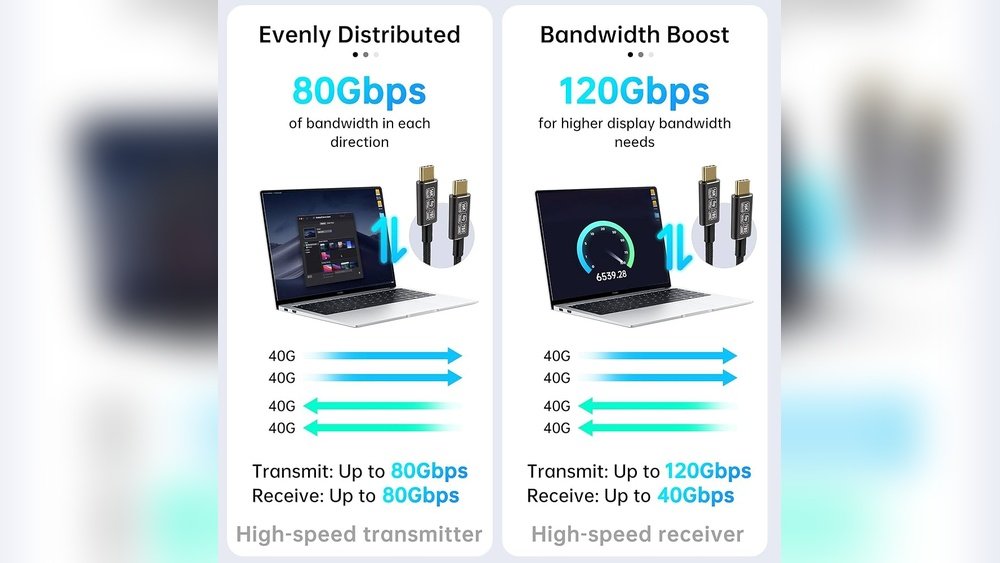
You’ve probably seen USB-C and Thunderbolt 5 ports on laptops and wondered: do you really need that blazing-fast 80Gbps speed? It sounds impressive, but is it worth the extra cost and effort for your setup?
Whether you’re a creative professional, a gamer, or just someone who wants a smooth, future-proof experience, understanding the difference can save you time and money. You’ll discover what sets USB-C and Thunderbolt 5 apart, and more importantly, which one fits your laptop needs perfectly.
Ready to unlock the truth behind those ports? Let’s dive in.
Usb-c And Thunderbolt 5 Basics
Understanding the basics of USB-C and Thunderbolt 5 helps you decide which suits your laptop setup. Both use the USB-C connector, but their capabilities differ significantly. Knowing these basics clarifies whether 80Gbps speeds match your needs. This section explains the connector similarities and the key technological differences between them.
Connector Similarities
USB-C and Thunderbolt 5 share the same physical connector shape. Both use a small, reversible USB-C plug that fits into the same port. This design allows easy connection without worrying about the plug’s orientation. Many modern laptops include USB-C ports that support both standards. This overlap can confuse users about compatibility and performance.
Key Differences In Technology
Thunderbolt 5 offers faster data transfer speeds up to 80Gbps. USB-C typically supports speeds up to 20Gbps or 40Gbps depending on the version. Thunderbolt 5 supports daisy-chaining multiple devices, which USB-C does not. Thunderbolt also handles video output for multiple 4K displays more efficiently. Power delivery is similar, but Thunderbolt can manage higher wattages in some cases. These technical differences affect speed, display support, and device connectivity options for laptops.

Credit: www.amazon.com
Speed And Performance
Speed and performance matter most when choosing between USB-C and Thunderbolt 5. These technologies affect how fast your laptop transfers data and handles devices. Understanding their speed limits helps pick the right option for your setup.
80gbps Data Transfer Explained
Thunderbolt 5 supports a data transfer speed of up to 80Gbps. This means it can move large files very quickly. USB-C typically offers lower speeds, depending on the version. For example, USB 3.2 Gen 2×2 reaches up to 20Gbps. Thunderbolt’s 80Gbps speed doubles the earlier 40Gbps limit from Thunderbolt 4.
This speed lets you connect fast external drives and high-resolution monitors without lag. It also helps with 4K or 8K video editing tasks. Thunderbolt 5 uses PCIe 4.0 lanes to reach these speeds, supporting more data channels than USB-C standards. The result is smoother and faster data flow.
Real-world Speed Comparisons
In real use, 80Gbps means faster file transfers and better multitasking. Moving a 100GB video file takes seconds on Thunderbolt 5, but minutes on USB-C 3.2. Thunderbolt also supports daisy-chaining several devices without losing speed. USB-C often slows down with multiple devices connected.
For daily tasks like web browsing or document editing, USB-C speeds are enough. For heavy tasks like video editing or 3D rendering, the extra speed helps a lot. Thunderbolt 5 also provides better performance for external GPUs and fast networking setups. Choose based on what your laptop needs to do.
Power Delivery And Charging
Power delivery and charging are essential for any laptop setup. Both USB-C and Thunderbolt 5 support charging through the same port type. Knowing their power delivery abilities helps you choose the right option for your needs. Charging speed and power limits affect how quickly your laptop or device gets power.
Charging Speeds Of Usb-c Vs Thunderbolt 5
USB-C supports fast charging with up to 100 watts of power. Many laptops charge fully within an hour using USB-C. Thunderbolt 5 uses the same USB-C connector but does not increase charging speed. Charging speeds remain similar between USB-C and Thunderbolt 5. The main advantage of Thunderbolt 5 lies in data transfer, not charging.
Power Delivery Limits
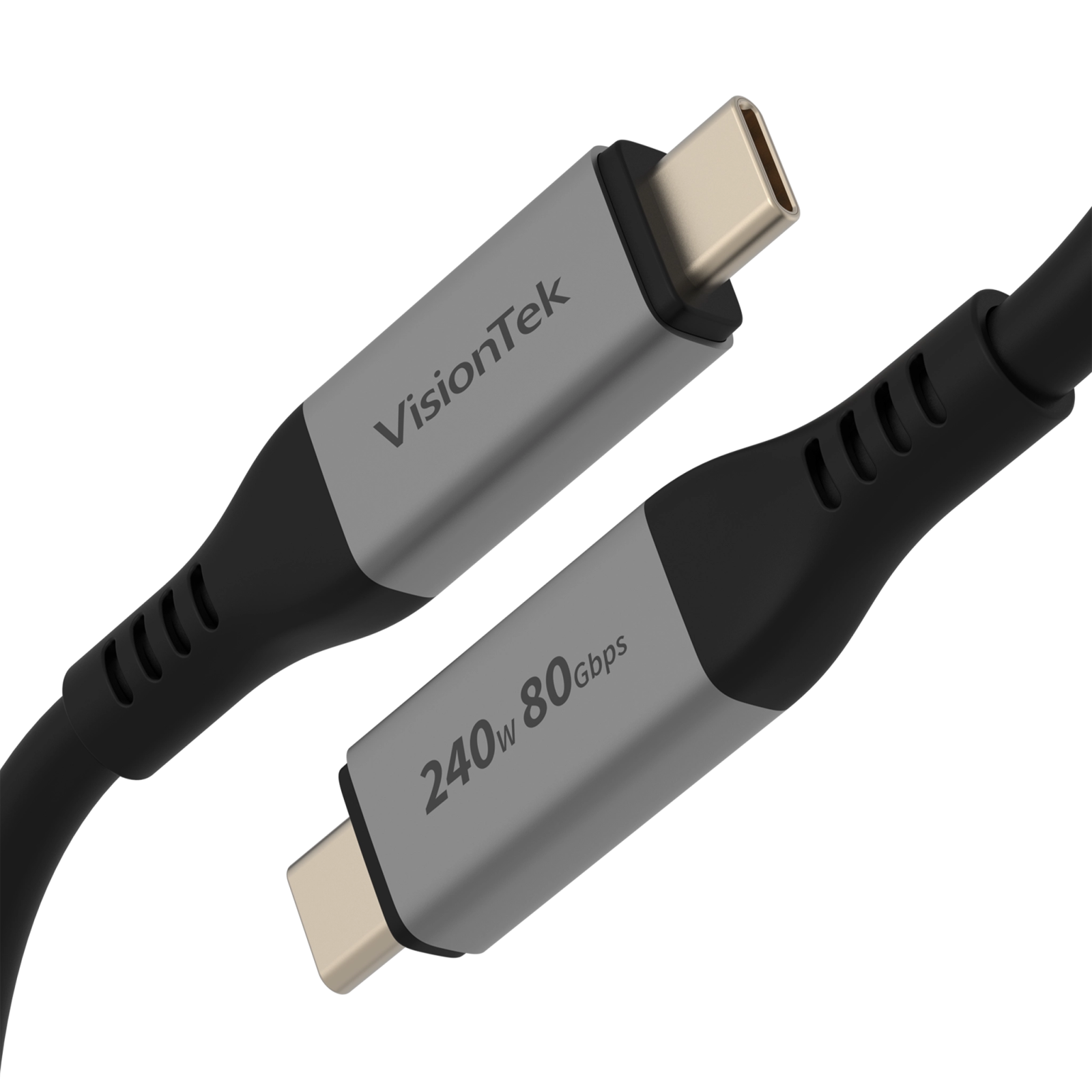
USB Power Delivery (USB PD) defines power limits for USB-C and Thunderbolt. Both can deliver up to 100 watts, enough for most laptops. Some newer Thunderbolt 5 devices may support higher wattage, but this depends on the manufacturer. Power delivery also supports charging smaller devices like phones and tablets. Choosing the right cable and charger ensures safe and efficient power delivery.
Credit: visiontek.com
Display And Video Support
Display and video support plays a key role when choosing between USB-C and Thunderbolt 5. Both ports handle video signals, but their capabilities differ. These differences matter for users who connect multiple monitors or need high video quality. Understanding these factors helps decide if 80Gbps speeds are necessary for your setup.
Multi-display Capabilities
Thunderbolt 5 supports multiple displays through a single port. It can drive two or more 4K monitors or one 8K monitor simultaneously. USB-C supports video too, but often limits the number of displays or their resolution. For users working with several screens, Thunderbolt 5 provides a smoother experience. USB-C is fine for basic setups with one monitor.
Resolution And Refresh Rates
Thunderbolt 5 offers higher resolution and refresh rate support. It can handle 8K video at 60Hz or 4K at 144Hz without lag. USB-C usually supports up to 4K at 60Hz. Gamers and video editors benefit from faster refresh rates for clear and fluid visuals. For casual users, USB-C’s video quality is sufficient. Higher resolutions and refresh rates need more bandwidth, which Thunderbolt 5 provides.
Compatibility And Hardware Requirements
Choosing between USB-C and Thunderbolt 5 depends largely on compatibility and hardware needs. Both technologies use the same USB-C connector, but their capabilities differ. Understanding device support and system requirements helps decide if 80Gbps speeds benefit your laptop setup.
Device And Cable Compatibility
USB-C ports are widespread on many laptops and accessories. These ports support various protocols, including USB 3.2 and DisplayPort. Thunderbolt 5 uses the USB-C shape but requires specific hardware inside the device. Not every USB-C port supports Thunderbolt features.
Cables matter too. Standard USB-C cables handle data, video, and power but may not reach 80Gbps speeds. Thunderbolt 5 cables are tested for high bandwidth and low latency. Using the wrong cable limits performance and device connection options.
System Requirements For Thunderbolt 5
Thunderbolt 5 needs compatible hardware inside the laptop. This includes a Thunderbolt controller chip and support in the motherboard. Many newer laptops include these parts, but some older or budget models do not.
The operating system must also support Thunderbolt 5. Most recent versions of Windows, macOS, and Linux include drivers for Thunderbolt devices. Without proper OS support, the high speeds and extra features of Thunderbolt 5 won’t work correctly.

Credit: visiontek.com
Cost And Value Considerations
Choosing between USB-C and Thunderbolt 5 depends on your budget and needs. Both offer fast speeds, but their costs vary. Understanding the value each provides helps make a smart choice for your laptop setup.
Price Differences In Accessories
Thunderbolt 5 accessories usually cost more than USB-C ones. Cables, docks, and hubs with Thunderbolt technology demand higher prices. This is due to the advanced features and faster data transfer speeds they support. USB-C accessories are often more affordable and widely available. For basic tasks, USB-C gear can save money without losing much performance.
Is The Extra Cost Worth It?
The extra cost of Thunderbolt 5 suits users with heavy data needs. Video editors, gamers, and professionals benefit from its 80Gbps speed. For casual users, the difference might not be noticeable. Spending more makes sense if you use multiple 4K monitors or fast external drives. Otherwise, USB-C offers solid performance at a lower price. Evaluate your daily tasks before deciding on the higher cost.
Use Cases For 80gbps
The 80Gbps speed offered by Thunderbolt 5 brings new possibilities for laptop users. Such high bandwidth supports heavy data transfer and complex workflows. Different users may or may not need this fast connection, depending on their tasks.
Understanding where 80Gbps shines helps decide if it suits your laptop setup. Here are common use cases.
Creative Professionals And Content Creators
Video editors move large files constantly. 80Gbps allows smooth 4K or 8K video editing. Photographers transfer high-resolution images quickly to external drives. Graphic designers benefit from fast connections to multiple monitors. This speed reduces waiting time and boosts productivity. Creative work demands fast, reliable data flow, making 80Gbps ideal.
Gamers And High-performance Users
Gamers use external GPUs and fast storage devices. Thunderbolt 5’s speed supports high frame rates and low latency. Streaming and recording gameplay require fast data transfer. Power users running virtual machines or complex software see benefits too. The 80Gbps speed ensures smooth performance without bottlenecks.
Everyday Laptop Users
Most everyday tasks need less bandwidth. Web browsing, document editing, and streaming use minimal data speed. USB-C’s lower speeds handle these tasks well and cost less. However, having 80Gbps can future-proof your laptop. It helps with quick backups and fast charging if supported. For basic users, 80Gbps is a luxury rather than a necessity.
Future-proofing Your Laptop Setup
Future-proofing your laptop setup means preparing for new technology ahead. Choosing the right connection type affects speed, compatibility, and device lifespan. USB-C and Thunderbolt 5 offer different benefits. Understanding these helps avoid quick upgrades later.
Many devices now demand faster data transfer and power delivery. Picking a connection that supports these needs keeps your setup ready for future tools and gadgets.
Upcoming Trends In Connectivity
Data speeds continue to grow rapidly. Thunderbolt 5 supports up to 80Gbps, doubling the speed of previous versions. This allows faster file transfers and smoother video editing.
USB-C standards are also evolving with better power delivery and video support. More devices adopt USB-C for charging and data, making it widely compatible.
Wireless connections improve but wired ports remain vital for stability and speed. Future laptops will likely combine fast wired ports with advanced wireless options.
Choosing Between Usb-c And Thunderbolt 5 Today
USB-C fits most users needing good speed and wide compatibility. It supports charging, video, and data at moderate speeds.
Thunderbolt 5 targets power users with heavy data needs. It suits professionals working with large files or multiple 4K displays.
Consider your current and future tasks. If you edit videos or transfer large files often, Thunderbolt 5 is worth it. For general use, USB-C is enough.
Check laptop support and costs too. Thunderbolt devices tend to be pricier and require compatible hardware.
How The Laptop Scout Can Help You with Usb-C Vs Thunderbolt 5: Do You Need 80Gbps for Your Laptop Setup?
Practical Learning: Deciding If 80Gbps Fits Your Laptop Setup
When weighing USB-C against Thunderbolt 5, the question of whether you really need 80Gbps isn’t just about raw speed—it’s about your everyday use. From my experience at The Laptop Scout, understanding your actual workflow helps cut through the hype. For instance, if you’re handling large video files or multiple 4K displays, the high bandwidth and advanced display support of Thunderbolt 5 can be a game-changer. On the other hand, USB-C’s wide compatibility and solid power delivery often cover the needs of students and hybrid workers without breaking the bank.
- Consider your device compatibility and whether your laptop hardware supports Thunderbolt 5.
- Think about future-proofing but balance it against cost and real-world value.
- Evaluate if your use case—like content creation or multitasking—demands that extra speed.
Exploring these factors helps you make a confident, transparent choice that fits your budget and lifestyle. If you want to dive deeper or share your setup, reach out anytime at contact@thelaptopscout.com. I’m here to help you navigate these tech decisions without the usual sales spin.
Frequently Asked Questions
How Fast Is Thunderbolt 5 Compared To Usb-c?
Thunderbolt 5 offers speeds up to 80 Gbps, significantly faster than standard USB-C, which maxes out at 40 Gbps.
Should I Use Thunderbolt Or Usb-c?
Choose Thunderbolt for faster data transfer, multiple displays, and higher power delivery. Use USB-C for general charging and compatibility.
Do I Really Need Thunderbolt 5?
Thunderbolt 5 offers ultra-fast data, multiple display support, and high power delivery. Choose it if you need top performance and future-proofing.
Does Thunderbolt Charge Faster Than Usb-c?
Thunderbolt and USB-C use similar power delivery standards. Thunderbolt does not charge devices faster than USB-C. Charging speed depends on the charger and device, not the port type.
Conclusion
Choosing between USB-C and Thunderbolt 5 depends on your needs. For everyday tasks, USB-C’s speed is usually enough. Thunderbolt 5’s 80Gbps suits heavy data transfer and multiple displays. Consider your budget and laptop compatibility as well. Not everyone benefits from the extra speed.
Think about what you really use your laptop for. This way, you get the best setup without overspending. Simple and smart choices work best for most users.









