

Choosing the right Chromebook can be tough when two strong contenders like the Samsung Galaxy Chromebook Plus and the Asus Chromebook Plus CX34 are on the table. You want a device that fits your lifestyle, delivers smooth performance, and offers great value for your money.
But which one truly stands out for your needs? You’ll get a clear, side-by-side look at these two popular Chromebooks. By the end, you’ll know exactly which one matches your style, work habits, and budget—helping you make a confident choice without any guesswork.
Ready to find your perfect Chromebook? Let’s dive in.
Credit: www.techradar.com
Design And Build
The design and build quality of a Chromebook greatly affect user experience. Both the Samsung Galaxy Chromebook Plus and Asus Chromebook Plus CX34 offer unique features in this area. Understanding their materials, durability, portability, and style options helps in choosing the right device for daily use.
Materials And Durability
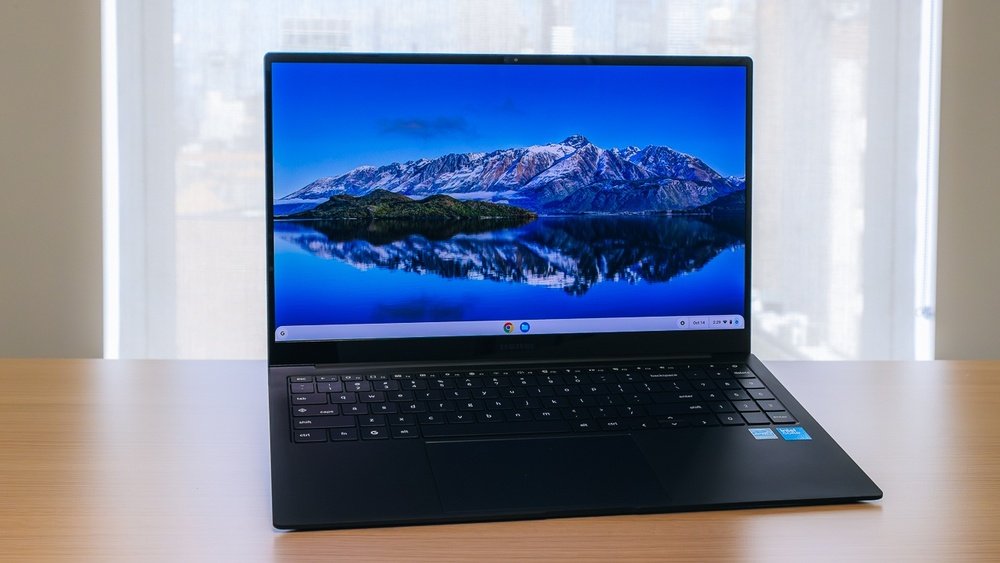
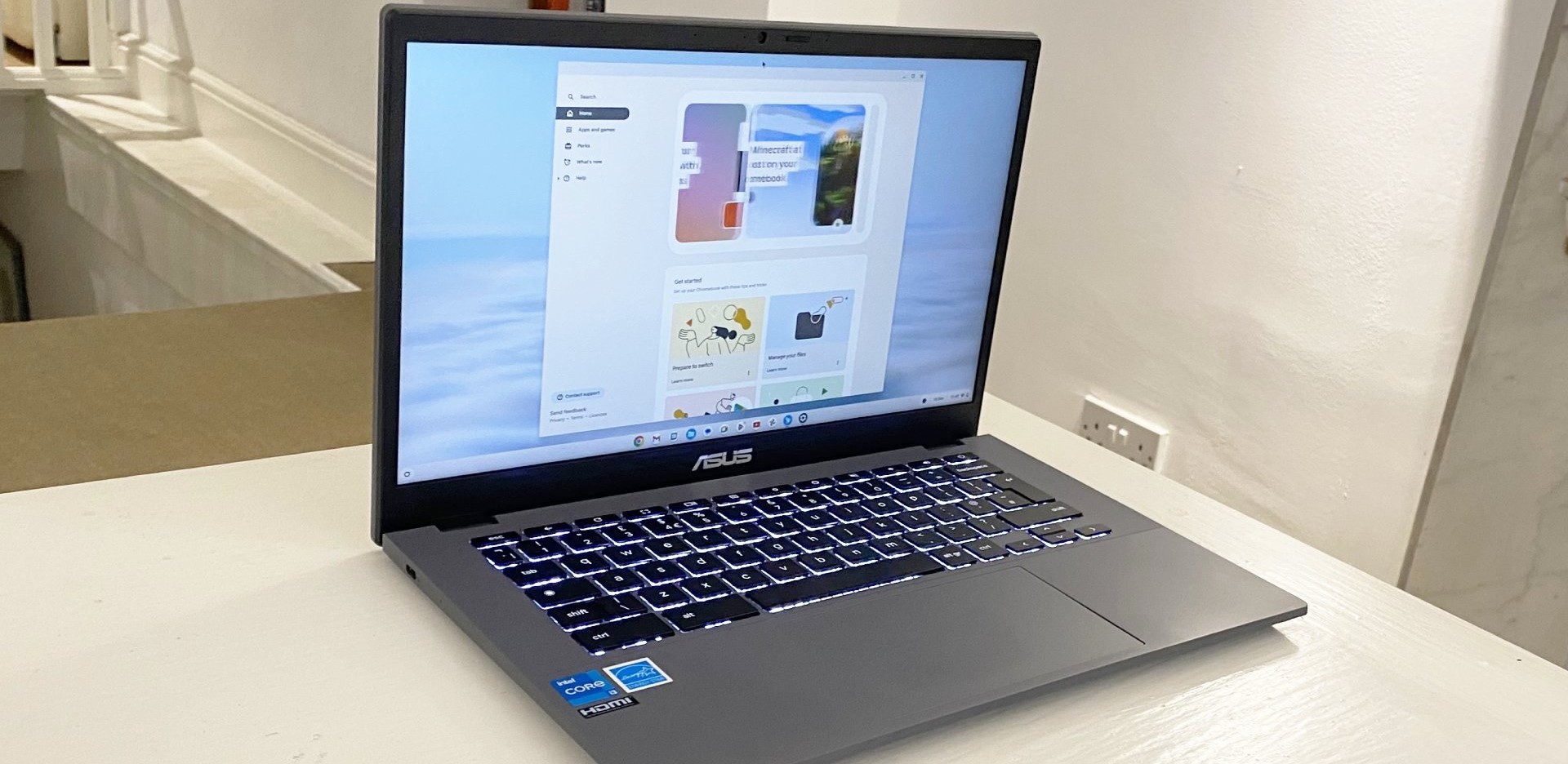
The Samsung Galaxy Chromebook Plus uses a premium aluminum body. This choice adds strength and a sleek finish. It feels sturdy in hand and resists scratches well. The Asus Chromebook Plus CX34 also uses metal but with a matte finish. This reduces fingerprints and gives a solid grip. Both laptops show good build quality, suited for everyday handling.
Portability And Weight
The Galaxy Chromebook Plus weighs around 2.4 pounds. Its thin profile makes it easy to carry in a backpack or bag. The Asus Chromebook Plus CX34 is slightly heavier, about 3 pounds. It remains portable but feels a bit bulkier. Both models offer good battery life, supporting long hours without frequent charging during travel or work.
Color And Style Options
Samsung offers the Galaxy Chromebook Plus in a striking Fiesta Red color. This bold choice stands out in a crowd. Asus takes a more classic approach with silver and dark gray options. These colors appeal to users who prefer a professional look. Each Chromebook presents a clean, modern design that fits well in any setting.
Credit: www.asus.com
Display Quality
The display quality of a Chromebook greatly affects the user experience. Both Samsung Galaxy Chromebook Plus and Asus Chromebook Plus CX34 offer strong visuals but differ in key areas. Understanding these differences helps in choosing the right device for your needs.
Screen Size And Resolution
The Samsung Galaxy Chromebook Plus has a 13.3-inch screen. It offers a 2400 x 1600 resolution, which means sharp and clear images. The Asus Chromebook Plus CX34 features a slightly larger 14-inch screen. Its resolution is 1920 x 1080, providing full HD clarity. Both sizes are good for work and entertainment, but Samsung’s higher resolution delivers finer details.
Oled Vs Lcd Technology
Samsung uses OLED technology in its Galaxy Chromebook Plus. OLED screens show deeper blacks and more vivid colors. This creates a richer viewing experience, especially for videos and photos. Asus uses an LCD panel for the CX34. LCDs are bright and reliable but lack the contrast and color depth of OLED. OLED is better for users who want vibrant visuals and strong contrast.
Touchscreen Features
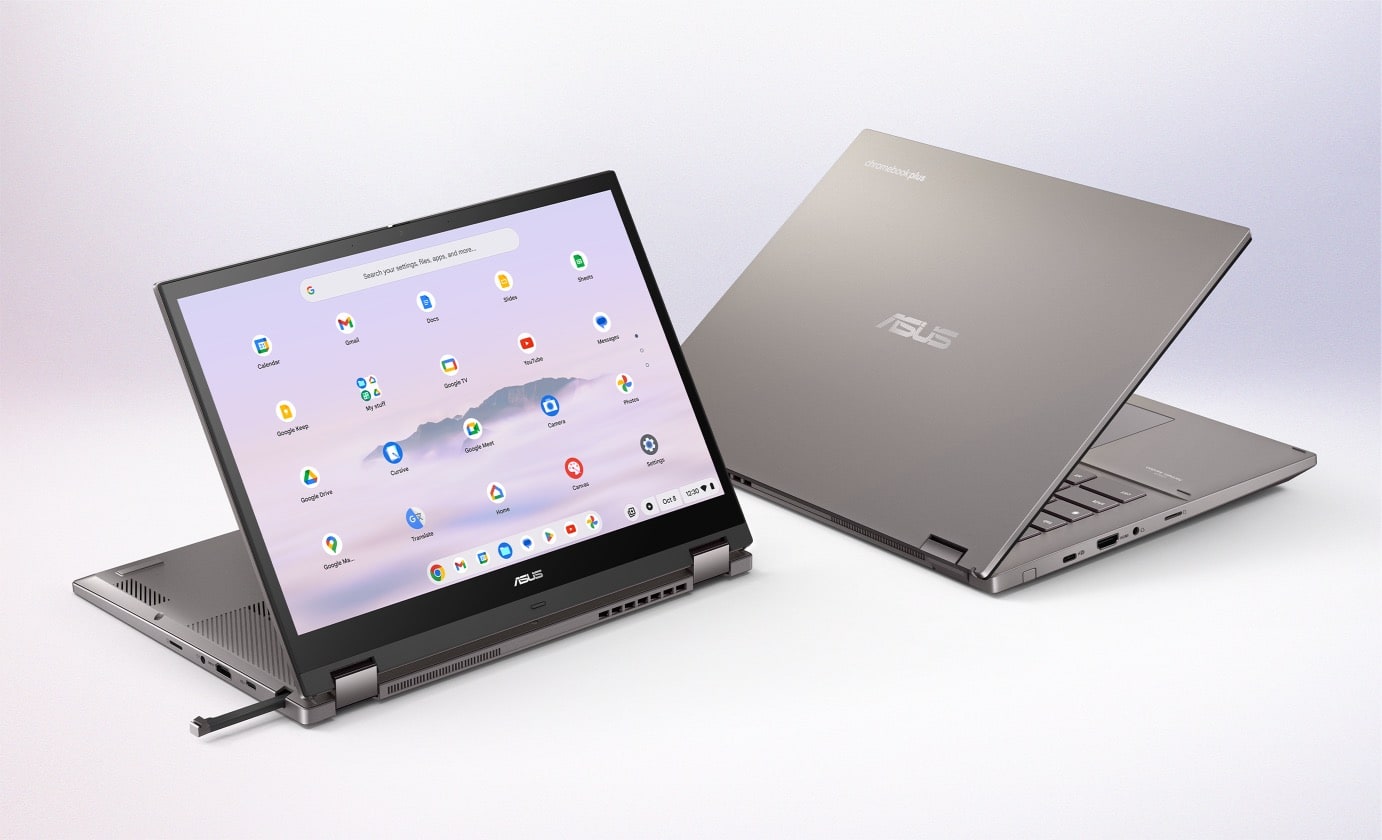
Both Chromebooks support touchscreen input. This makes navigation smooth and intuitive. Samsung’s screen responds quickly to touch and supports pen input. It allows easy drawing and note-taking. Asus also supports multi-touch gestures but does not include pen support. Touch features enhance usability, making tasks faster and more interactive on both devices.
Performance
Performance is a key factor in choosing the right Chromebook. Both the Samsung Galaxy Chromebook Plus and the Asus Chromebook Plus CX34 offer solid performance for everyday tasks. Each device handles browsing, streaming, and productivity apps smoothly. Let’s explore their performance in detail.
Processor And Speed
The Samsung Galaxy Chromebook Plus features an Intel Core i5 processor. This chip delivers fast and responsive performance for most users. It can handle multiple tabs and apps without lag.
The Asus Chromebook Plus CX34 uses an Intel Core i3 processor. It offers good speed but is slightly slower than the Galaxy’s i5. This difference is noticeable during heavy multitasking or demanding apps.
Ram And Multitasking
The Galaxy Chromebook Plus comes with 8GB of RAM. This amount helps run many apps and browser tabs at the same time. It makes multitasking smooth and efficient.
The Asus Chromebook Plus CX34 has 4GB or 8GB RAM options. The 4GB model works well for basic tasks. The 8GB version matches the Galaxy in multitasking ability, handling multiple apps easily.
Storage Options
Samsung’s Galaxy Chromebook Plus offers 128GB of eMMC storage. This space is enough for apps, files, and media. It also supports cloud storage to save more data online.
Asus Chromebook Plus CX34 provides 64GB or 128GB of eMMC storage. The lower option suits users with fewer files. The higher option equals Samsung’s storage, giving plenty of room for apps and documents.
Battery Life
Battery life is a key factor when choosing between the Samsung Galaxy Chromebook Plus and the Asus Chromebook Plus CX34. It affects how long you can use your device without charging. Both models promise good performance, but their battery capabilities differ in several ways. Let’s examine these differences closely.
Usage Time Estimates
The Samsung Galaxy Chromebook Plus offers around 8 to 9 hours of use on a full charge. This suits casual browsing, streaming, and light work. The Asus Chromebook Plus CX34 extends this to about 10 to 12 hours. This longer usage time benefits users who need a full day of work without searching for a power outlet.
Charging Speed
The Samsung model supports fast charging, reaching 50% in about 30 minutes. This helps when you need a quick power boost. Asus Chromebook Plus CX34 charges slightly slower, taking about 45 minutes to reach half charge. Both devices use USB-C charging, making it easy to find compatible chargers.
Power Efficiency
Asus Chromebook Plus CX34 uses a more efficient processor that helps save battery power. This efficiency contributes to its longer battery life during everyday tasks. The Samsung Galaxy Chromebook Plus has a vibrant OLED screen which uses more power, reducing overall efficiency. Users who prioritize battery savings might prefer the Asus model for this reason.
Software And Features
The software and features of a Chromebook shape the user experience. Samsung Galaxy Chromebook Plus and Asus Chromebook Plus CX34 offer solid software options. Both devices run Chrome OS but differ in update speed and extra features. Let’s explore their software systems and useful tools.
Operating System And Updates
Samsung Galaxy Chromebook Plus runs on Chrome OS with fast updates. It receives new features and security patches quickly. Asus Chromebook Plus CX34 also runs Chrome OS but updates slightly slower. Both support Android apps, enhancing their versatility. Regular updates keep both devices secure and efficient for daily use.
Preinstalled Apps
Samsung includes Google apps like Gmail, Docs, and Meet preinstalled. It also offers Samsung Notes and Gallery for creative tasks. Asus Chromebook Plus CX34 comes with Google apps plus Asus’s own utility tools. Both provide access to the Google Play Store for many more apps. Preinstalled apps help users start working right away without extra downloads.
Security Features
Both Chromebooks use verified boot to check software integrity at startup. Data encryption protects user information on both devices. Samsung adds a fingerprint sensor for quick and secure login. Asus relies on a secure login using passwords or PINs. Automatic updates ensure vulnerabilities are patched fast on both laptops.
Connectivity
Connectivity is a key aspect of any Chromebook. It affects how easily you connect to other devices and the internet. Both Samsung Galaxy Chromebook Plus and Asus Chromebook Plus CX34 offer solid options. Their connectivity features help users stay productive and entertained.
Ports And Slots
The Samsung Galaxy Chromebook Plus includes two USB-C ports. It also has a headphone jack for audio devices. There is no USB-A port, which may limit older accessories. The Asus Chromebook Plus CX34 offers two USB-C ports and one USB-A port. It also has a microSD card slot for extra storage. More ports mean easier connection to various devices.
Wireless Options
Both Chromebooks support Wi-Fi 5 for fast internet access. The Samsung Galaxy Chromebook Plus also supports Bluetooth 5.0. The Asus Chromebook Plus CX34 comes with Bluetooth 4.2. This difference affects how well they connect to wireless accessories. Strong wireless options ensure smooth and reliable connections.
Compatibility With Accessories
The USB-C ports on both Chromebooks allow charging and data transfer. The Asus Chromebook Plus CX34’s USB-A port supports older devices like flash drives. Samsung’s device may need adapters for such accessories. Both models work well with wireless mice, keyboards, and headphones. The Galaxy Chromebook Plus’s Bluetooth 5.0 offers better range and speed. This makes it ideal for wireless accessories that require strong signals.
Audio And Camera
The audio and camera features are vital for everyday Chromebook use. Clear sound and good video quality enhance virtual meetings, calls, and media consumption. Both the Samsung Galaxy Chromebook Plus and Asus Chromebook Plus CX34 offer distinct advantages in these areas. Understanding their strengths helps users choose the right device for their needs.
Speaker Quality
The Samsung Galaxy Chromebook Plus delivers rich and loud sound with its stereo speakers. It handles music and videos well, producing clear midrange and highs. The Asus Chromebook Plus CX34 has balanced speakers too, but the sound is slightly softer. Both support decent volume levels, but Samsung edges ahead for immersive audio.
Microphone Performance
Microphone clarity is crucial for calls and recordings. Samsung’s Chromebook Plus features dual microphones that reduce background noise effectively. This results in clearer voice capture in busy environments. Asus also includes dual mics, but they are less effective at filtering noise. Samsung offers better mic quality for online meetings.
Webcam Resolution
The Samsung Galaxy Chromebook Plus sports a 1MP webcam that delivers average video quality. It works fine for casual video chats but lacks sharpness in low light. Asus improves on this with a 720p HD webcam, providing clearer and brighter images. The Asus Chromebook Plus CX34 is preferable for users who want better video calls.
Pricing And Value
The pricing and value of a Chromebook can greatly influence your choice. Both the Samsung Galaxy Chromebook Plus and Asus Chromebook Plus CX34 offer strong features at different price points. Understanding their costs and support options helps make a smart purchase.
Cost Comparison
The Samsung Galaxy Chromebook Plus generally carries a higher price. It offers a vibrant OLED screen and a sleek design. The Asus Chromebook Plus CX34 is more budget-friendly. It still packs solid specs and a comfortable keyboard. Buyers get more affordable options with the Asus model. The price difference reflects each device’s build and display quality.
Warranty And Support
Samsung provides a standard one-year warranty covering hardware defects. They also offer customer support through phone and online chat. Asus matches this with a similar one-year warranty. Asus support includes online resources and direct assistance. Both brands have reliable service networks. Warranty terms are close, so support quality may depend on location.
Overall Value For Money
The Galaxy Chromebook Plus is ideal for users who want premium display and style. Its higher price matches the advanced features. The Asus Chromebook Plus CX34 delivers great performance at a lower cost. It suits those who want solid everyday use without extra frills. Both models offer good value, depending on your budget and needs.
User Experience
The user experience defines how enjoyable and efficient a device feels. Both the Samsung Galaxy Chromebook Plus and Asus Chromebook Plus CX34 offer unique features that impact daily use. This section explores key aspects like typing comfort, ease of use, and what real users say about these Chromebooks.
Keyboard And Trackpad
The Samsung Galaxy Chromebook Plus has a responsive keyboard with well-spaced keys. Typing feels smooth and comfortable for long sessions. Its trackpad is precise, supporting multi-touch gestures easily.
The Asus Chromebook Plus CX34 features a slightly larger keyboard with good key travel. The trackpad is accurate and supports gestures well, making navigation simple. Both devices provide satisfying input experiences but differ in key size and feel.
Ease Of Use
Both Chromebooks run Chrome OS, known for simplicity and speed. The Galaxy Chromebook Plus offers a bright OLED display that enhances visibility and reduces eye strain. The Asus CX34 uses a full HD screen that performs well under various lighting conditions.
Setup is quick on both devices. Users can access apps, files, and settings with minimal effort. The touchscreens on both models add to the ease, allowing smooth interaction beyond keyboard and trackpad.
Customer Reviews
Users praise the Samsung Galaxy Chromebook Plus for its vibrant display and solid build quality. Some mention the keyboard is a bit tight for larger hands. Battery life receives mixed feedback, with some wishing for longer use between charges.
The Asus Chromebook Plus CX34 earns positive notes for comfort during typing and a reliable trackpad. Customers appreciate the balanced screen brightness and solid performance. Battery performance is generally seen as good for everyday tasks.

Credit: www.reddit.com
How The Laptop Scout Can Help You with Samsung Galaxy Chromebook Plus Vs Asus Chromebook Plus Cx34
Practical Learning Insights from Samsung Galaxy Chromebook Plus Vs Asus Chromebook Plus Cx34
When comparing the Samsung Galaxy Chromebook Plus with the Asus Chromebook Plus Cx34, I find that focusing on display quality and battery life offers practical takeaways for students and hybrid workers alike. The Galaxy’s vibrant OLED screen really stands out for content creators who value color accuracy, whereas the Asus provides a solid all-around experience with better battery endurance—something to consider if you’re often on the move.
From my experience at The Laptop Scout, it’s clear that real-world use often highlights trade-offs between premium design and practical longevity. Understanding these nuances helps you pick a device that fits your lifestyle, rather than just chasing specs. If you want to dive deeper or have specific questions, feel free to reach out at contact@thelaptopscout.com. I’m here to help you cut through the noise and make choices that last.
Frequently Asked Questions
Is The Asus Chromebook Cx34 Any Good?
The Asus Chromebook CX34 offers a sleek design, solid performance, and good battery life. It suits students and casual users well.
Is Asus Better Than Chromebook?
ASUS offers versatile Windows laptops with powerful specs. Chromebooks focus on simplicity, speed, and affordability using Chrome OS. Choose ASUS for performance, Chromebook for easy web tasks.
When Was The Asus Chromebook Plus Cx34 Released?
The ASUS Chromebook Plus CX34 was released in early 2023. It features a sleek design and updated hardware.
Is The Samsung Chromebook Plus Good?
The Samsung Chromebook Plus offers a vibrant OLED display, solid performance, and a versatile 2-in-1 design. It suits casual users and students well.
Conclusion
Both the Samsung Galaxy Chromebook Plus and Asus Chromebook Plus CX34 offer solid features. The Samsung shines with its vibrant OLED display and sleek design. Asus stands out with a longer battery life and a more affordable price. Performance on both devices meets everyday needs well.
Your choice depends on what matters most—screen quality or battery endurance. Either Chromebook delivers good value for students and casual users. Consider your priorities before making a final decision. Simple, reliable, and user-friendly options await you.









