

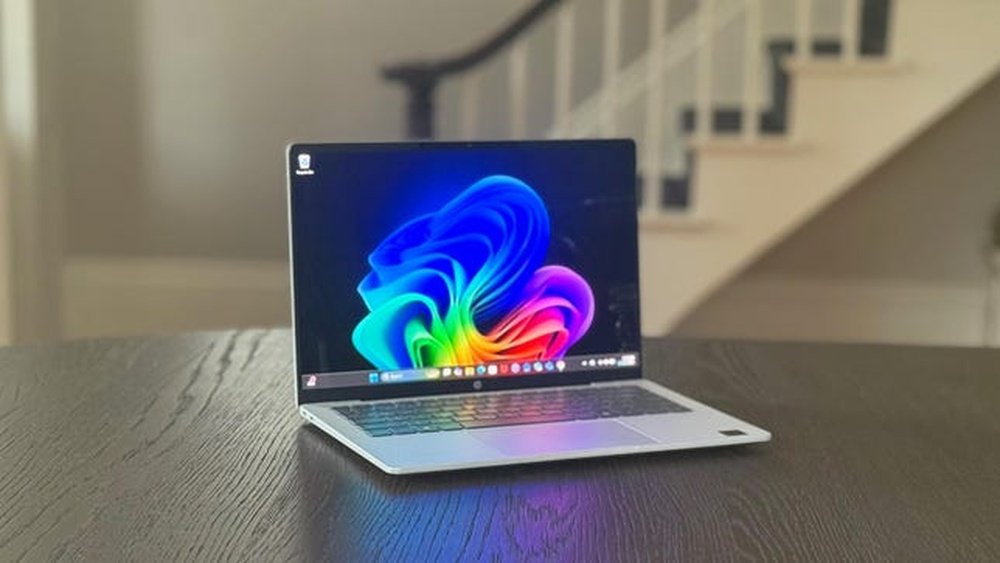
When it comes to choosing a laptop that keeps up with your busy day, battery life often takes the front seat. You want a device that won’t leave you hunting for a charger halfway through your work or binge-watching session.
So, which one truly deserves the title of Battery Life King: the HP Omnibook 5 14 or the MacBook Air M4? If you’ve been torn between these two, you’re in the right place. This comparison will break down everything you need to know about their battery performance, helping you decide which laptop will power your day longer and smarter.
Ready to find out which one wins the crown? Let’s dive in.
Battery Specs
The battery specs play a crucial role in deciding which laptop lasts longer. The HP Omnibook 5 14 and MacBook Air M4 have different approaches to battery design. Understanding their capacity, charging speeds, and technology helps to see which one is the true battery life king.
Capacity And Cells
The HP Omnibook 5 14 comes with a battery capacity of around 50 watt-hours. It typically uses a 4-cell lithium-ion battery. On the other hand, the MacBook Air M4 features a slightly larger battery, close to 52.6 watt-hours. Apple uses a custom-built battery with 4 cells arranged to fit its slim design. Higher capacity usually means longer usage, but efficiency also matters.
Charging Speeds
The HP Omnibook supports standard charging speeds, usually up to 45 watts. It takes about 2 to 3 hours to fully charge. The MacBook Air M4 supports fast charging with a 30-watt power adapter. Apple’s optimized charging system allows it to reach 50% charge in around 30 minutes. Faster charging means less downtime and more productivity.
Battery Technology
Both laptops use lithium-ion batteries, but the MacBook Air M4 uses a newer battery technology. Apple’s battery cells are designed to be more energy-efficient and last longer through many charge cycles. HP’s Omnibook uses tried-and-true lithium-ion cells but lacks some of Apple’s power-saving features. The M4 chip inside the MacBook also helps reduce power use, extending battery life significantly.
Credit: www.laptopmag.com
Performance In Real Use
Performance in real use shows how laptops handle daily tasks. Battery life depends on how the device manages power during these activities. The HP Omnibook 5 14 and MacBook Air M4 perform differently across tasks. We explore light tasks, video playback, and heavy workloads to see which lasts longer.
Light Tasks
For light tasks like web browsing and word processing, both laptops use minimal power. The MacBook Air M4, with its ARM-based chip, is highly efficient. It often lasts longer during simple jobs. The HP Omnibook 5 14 also performs well, but its battery drains faster. This difference shows in longer sessions of email checking or reading.
Video Playback
Watching videos tests battery life under steady use. The MacBook Air M4 excels here, thanks to its optimized display and processor. It plays videos smoothly while saving energy. The HP Omnibook 5 14 can stream videos but uses more power. This leads to shorter viewing time before needing a recharge.
Heavy Workloads
Heavy tasks like video editing or multitasking consume more battery. The MacBook Air M4 manages these better with efficient chip design. It maintains good battery life even under stress. The HP Omnibook 5 14 struggles more and loses battery quicker. Users running demanding apps will find the MacBook lasts longer.
Processor Efficiency
Processor efficiency plays a key role in battery life and device performance. A more efficient processor uses less power while running tasks smoothly. This section compares the processor efficiency of the HP OmniBook 5 14 and the MacBook Air M4. Understanding their chips helps reveal which laptop better balances power and battery life.
Apple M4 Chip Power
The Apple M4 chip is built on ARM architecture. It focuses on high performance with low energy use. The chip uses advanced technology to manage power smartly. This helps the MacBook Air M4 run longer on a single charge. It handles apps and tasks fast without draining battery quickly.
Hp Omnibook 5 14 Processor
The HP OmniBook 5 14 typically uses Intel or AMD processors. These chips deliver solid performance for daily tasks. They are designed for multitasking and media use. While powerful, they consume more energy compared to ARM-based chips. This can affect how long the battery lasts during heavy use.
Impact On Battery
The processor’s efficiency directly affects battery duration. The Apple M4 chip extends battery life by using less power. The HP OmniBook 5 14 may need more frequent charging under similar workloads. Choosing a laptop with an efficient processor means longer use without plugging in. This advantage is crucial for users on the move.

Credit: www.cnet.com
Display Impact
The display plays a big role in battery life for both the HP Omnibook 5 14 and MacBook Air M4. A brighter, larger screen can drain power faster. Yet, the quality and tech inside the screen also affect how long the battery lasts. Understanding each aspect helps us see which laptop manages power better through its display.
Screen Size And Resolution
The HP Omnibook 5 14 sports a 14-inch screen, slightly larger than the MacBook Air M4’s 13.6-inch display. Bigger screens need more energy to light up all pixels. Both offer high resolutions, but the MacBook Air M4 uses a Retina display with sharper image quality. Higher resolution means more pixels to power, which can affect battery life. However, Apple’s optimization often balances this with efficiency.
Brightness And Power Draw
Screen brightness directly impacts battery use. The HP Omnibook 5 14 can get quite bright but may consume more power at peak brightness. The MacBook Air M4 features an advanced backlight that adjusts power use smartly while keeping the screen clear. Lower power draw with good brightness means longer battery life during daily use. Both laptops allow users to lower brightness to save battery.
Adaptive Refresh Rates
The MacBook Air M4 uses adaptive refresh rates to save power. It can lower the refresh rate during static tasks, like reading or browsing, reducing battery consumption. The HP Omnibook 5 14 typically runs at a fixed refresh rate, which may use more energy. This tech helps the MacBook Air M4 extend battery life without sacrificing smoothness when scrolling or watching videos.
Software Optimization
Software optimization plays a crucial role in determining battery life. The operating system manages power use and controls how hardware consumes energy. Efficient software can extend battery hours significantly. Both the HP Omnibook 5 14 and the MacBook Air M4 use different approaches in software to boost battery life. Examining their power management tools helps understand which device holds the battery life crown.
Macos Power Management
MacOS is designed with tight integration between hardware and software. The system uses advanced algorithms to reduce power consumption during idle times. It adjusts CPU speed and screen brightness dynamically to save energy. MacOS also suspends background tasks when not in use. This careful control helps the MacBook Air M4 maintain long battery life under varied workloads.
Windows Battery Settings
Windows offers customizable battery settings for the HP Omnibook 5 14. Users can select power plans like Balanced, Power Saver, or High Performance. These plans manage CPU usage, screen brightness, and sleep modes. Windows also includes a battery saver mode that activates at low battery levels. Although flexible, Windows power management often requires manual tuning for best results.
Background Processes
Background processes impact battery life on both laptops. MacOS restricts unnecessary background activity more aggressively than Windows. It limits apps from running in the background unless needed. Windows, depending on settings, may allow multiple apps to run, increasing power drain. Managing background processes effectively is key for maximizing battery endurance on either device.
Charging And Portability
Charging and portability play a big role in choosing the right laptop for daily use. Both the HP Omnibook 5 14 and the MacBook Air M4 offer different experiences in how they manage power on the move. Understanding their battery life, charger size, and charging technology helps users decide which fits their lifestyle better.
Battery Life On The Go
The MacBook Air M4 delivers impressive battery life for all-day use. It can last up to 18 hours with light tasks like browsing and word processing. The HP Omnibook 5 14 offers decent battery life but generally lasts around 10 to 12 hours under similar conditions. This makes the MacBook Air more reliable for long trips without frequent charging.
Both laptops support fast charging, but the MacBook Air’s efficiency in power use extends its battery life. Users who need a laptop for long hours away from outlets may find the MacBook Air a better choice.
Charger Size And Weight
The charger size affects how easy it is to carry the laptop around. The MacBook Air M4 uses a compact, lightweight charger that fits easily in bags and pockets. This adds to its portability and convenience during travel.
The HP Omnibook 5 14’s charger is bulkier and heavier. It can add extra weight to your bag, which might be inconvenient for users on the move. Smaller chargers make a big difference for daily commuters and travelers.
Usb-c Vs Proprietary Charging
The MacBook Air M4 charges through a USB-C port, a widely used standard. This means users can use the same charger for other USB-C devices like phones and tablets. USB-C also supports fast charging and data transfer.
The HP Omnibook 5 14 relies on a proprietary charging port. This limits charger options and may require carrying the specific charger all the time. It also means fewer chances to borrow or share chargers with other devices.
USB-C charging offers more flexibility and future-proofing for users with multiple gadgets.
User Reviews And Tests
User reviews and tests provide valuable insights into the real battery performance of the HP Omnibook 5 14 and the MacBook Air M4. They help users understand how these laptops hold up beyond official claims. This section examines independent battery tests, user experience highlights, and reported battery issues.
Independent Battery Tests
Several tech sites ran battery tests on both laptops. The MacBook Air M4 showed consistent results, lasting up to 15 hours on light tasks. The HP Omnibook 5 14 lasted around 10 to 12 hours in similar tests. Video playback drained the HP battery faster than the MacBook. Both devices used different processors, affecting power efficiency. The M4 chip uses less power for the same workload. These tests confirm the MacBook Air’s edge in battery life.
User Experience Highlights
Many users praised the MacBook Air M4 for all-day battery life. Professionals found it reliable for work without frequent charging. The HP Omnibook 5 14 received positive remarks for its quick charging feature. Some users noted the HP’s battery lasted well during light browsing. Both laptops performed well for everyday tasks like web surfing and document editing. Users appreciated the lightweight design of both models, adding to portability.
Reported Battery Issues
A few HP Omnibook 5 14 users reported battery drain when running heavy apps. Some mentioned faster battery wear after several months. The MacBook Air M4 had fewer complaints but occasional reports of battery calibration issues appeared. Some users noticed the MacBook’s battery percentage jumping unexpectedly. Both brands advised users to update software regularly to improve battery health. Overall, battery problems were rare but worth noting.
Price Vs Battery Value
Choosing between the HP Omnibook 5 14 and the MacBook Air M4 means weighing price against battery life value. Both laptops offer strong battery performance, but their costs differ. Understanding the cost per hour of battery use, long-term reliability, and available warranty can help buyers decide which fits their needs and budget best.
Cost Per Hour Of Use
The HP Omnibook 5 14 comes at a lower price than the MacBook Air M4. This affects the cost you pay for each hour of battery life. The MacBook Air M4 provides longer battery life on a single charge, which lowers its cost per hour despite the higher upfront price. For users needing longer unplugged time, the MacBook Air may offer better value over time.
Long-term Battery Reliability
Battery capacity fades with use in all laptops. The MacBook Air M4 uses Apple’s efficient M4 chip, designed to maintain battery health longer. HP Omnibook 5 14 batteries may degrade faster due to older technology. Buyers should consider how long the battery will stay strong before replacements become necessary.
Warranty And Support
Apple offers a standard one-year warranty with options to extend through AppleCare+. This covers battery service if capacity drops below 80%. HP provides a similar warranty but may vary by region and model. Reliable support can save money on battery repairs and replacements, adding value beyond the initial price.
Alternatives With Long Battery
Battery life ranks high on many buyers’ lists. Users want laptops that last through the day without constant charging. Both the HP Omnibook 5 14 and MacBook Air M4 offer strong battery performance. Still, some alternatives stand out with even longer-lasting power. These options suit users needing extended unplugged use for work or play.
Explore models from HP, Apple, and other Windows makers that deliver excellent battery endurance. These laptops balance performance and power-saving features for all-day use.
Other Hp Models
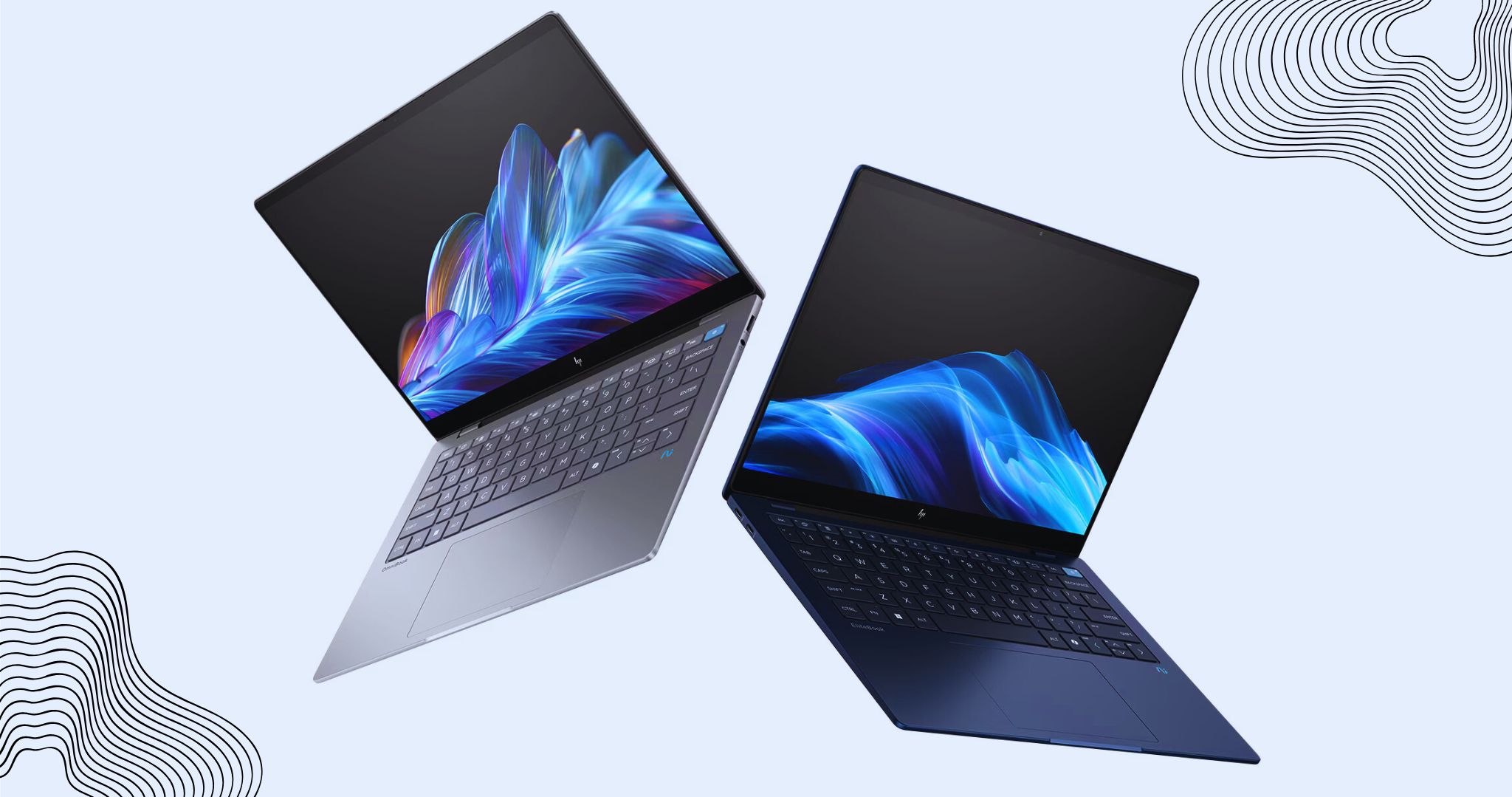
HP offers several models with notable battery life. The HP EliteBook series shines with solid endurance and business features. For example, the EliteBook Ultra can last over 12 hours under normal use. HP Spectre x360 is another choice, blending style with up to 13 hours of battery life. These models use efficient processors and optimized displays to extend unplugged time.
Competing Macbooks
Apple’s MacBook lineup includes more than just the Air M4. The MacBook Pro 13-inch with M2 chip delivers up to 20 hours of video playback. This model fits users needing power and long battery life. The MacBook Air M2 also offers strong endurance, close to the M4’s numbers. Apple’s ARM-based chips give these laptops a clear edge in efficiency compared to many Windows models.
Top Windows Laptops
Windows laptops vary widely in battery performance. The Dell XPS 13 Plus can provide about 12 hours on a charge. Lenovo ThinkPad X1 Carbon is known for reliability and up to 15 hours of battery life. ASUS ZenBook 14 models often reach 13 hours or more. These devices use the latest Intel or AMD processors designed for low power use. They suit users who want long battery life without switching to Mac.

Credit: www.theverge.com
How The Laptop Scout Can Help You with Hp Omnibook 5 14 Vs Macbook Air M4: Battery Life King?
Practical Insights on Battery Life: What You Can Learn
When weighing the HP Omnibook 5 14 against the MacBook Air M4 for battery longevity, it’s clear that understanding processor efficiency and software optimization plays a crucial role. From my experience at The Laptop Scout, real-world performance often diverges from manufacturer claims, so consider how each device handles your typical tasks—whether that’s streaming, multitasking, or content creation.
Also, keep in mind how display impact affects battery drain; brighter, higher-res screens usually consume more power. These factors combined paint a clearer picture than raw battery specs alone.
- Look beyond marketing—check user reviews and hands-on tests to gauge true battery endurance.
- Think about your workflow and prioritize laptops optimized for your software needs.
If you want to dive deeper or have specific questions, feel free to reach out to The Laptop Scout team at contact@thelaptopscout.com. We’re here to help you cut through the hype and find what truly fits your lifestyle.
Frequently Asked Questions
How Many Hours Does The Macbook Pro M4 Battery Last?
The MacBook Pro M4 battery lasts up to 18 hours with typical usage like web browsing and video playback. Battery life varies by workload.
What Laptop Has The Longest Lasting Battery Life?
The MacBook Air with M2 chip offers up to 18 hours of battery life, making it one of the longest-lasting laptops. HP EliteBook Ultra also provides excellent battery performance with efficient processors. Battery life varies by usage and display settings.
Do Macbooks Have Better Battery Life Than Windows Laptops?
MacBooks often have longer battery life due to efficient Apple M-series chips and optimized software. Some Windows laptops match this with advanced processors. Battery life varies by model, usage, and hardware, but MacBooks generally lead in real-world endurance.
Which Is Better Hp Or Macbook Air?
MacBook Air offers superior battery life and seamless macOS integration. HP laptops provide diverse options with Windows flexibility. Choose based on your ecosystem preference and specific needs.
Conclusion
Both the HP Omnibook 5 14 and MacBook Air M4 offer solid battery life. The MacBook Air M4 excels in efficiency with its ARM-based chip design. The HP Omnibook 5 14 provides reliable performance for everyday tasks. Battery life varies by usage type, like browsing or video playback.
Choose based on your daily needs and priorities. Both laptops can keep you powered through most of the day. Battery life king? It depends on what you value most.









