

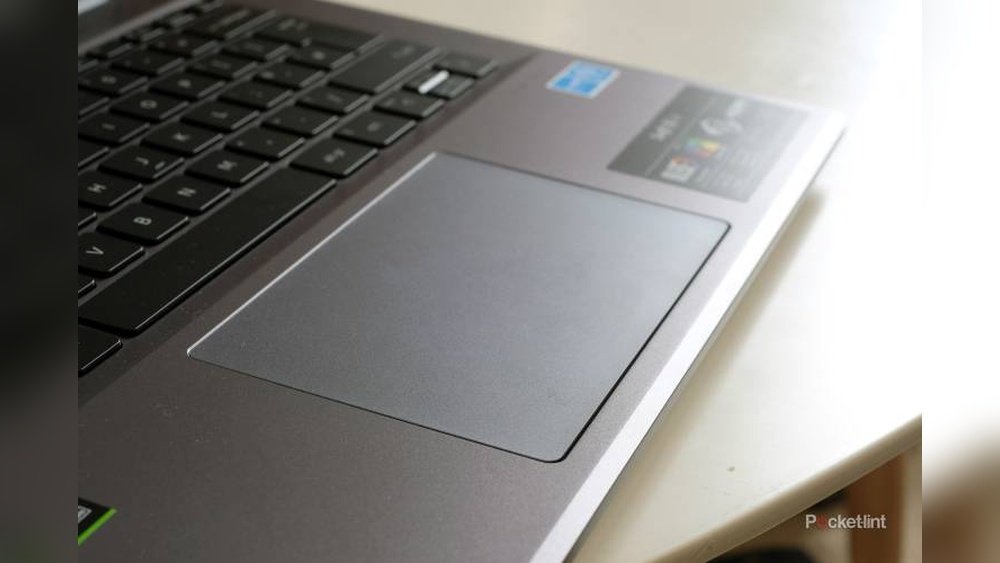
When it comes to your daily work setup, the small details can make a big difference—especially the trackpad you use. Have you ever noticed how some trackpads feel smooth and effortless, while others seem sticky or rough?
That difference often comes down to one key factor: surface texture. Choosing between a glass or plastic trackpad isn’t just about looks or price; it impacts how comfortably and efficiently you navigate your tasks. You’ll discover why the material beneath your fingers matters more than you might think—and how it can boost your productivity and comfort throughout your workday.
Keep reading to find out which trackpad surface suits your needs best.
Trackpad Materials
Trackpads come in different materials that affect how they feel and work. The surface texture plays a big role in user comfort and precision. Two common materials are glass and plastic. Each offers unique properties that impact daily tasks. Understanding these can help choose the right trackpad for work.
Glass Properties
Glass trackpads have a smooth and sleek surface. They allow fingers to glide easily with little friction. This smoothness improves accuracy and speed during use. Glass is strong but can crack if dropped hard. It resists scratches better than plastic, keeping the surface clear. The feel of glass adds a premium touch to devices. It also stays cool to the touch, which some users prefer.
Plastic Properties
Plastic trackpads offer a softer, slightly textured surface. This texture gives more grip for fingers and prevents slipping. Plastic is lighter and less fragile than glass. It absorbs shock better, reducing damage from drops. However, plastic surfaces can wear down or scratch more easily. Plastic trackpads may feel less smooth, affecting quick finger movements. They are usually easier and cheaper to replace if damaged.

Credit: www.amazon.com
Surface Texture Impact
The surface texture of a trackpad shapes the user’s experience significantly. It affects how fingers move and respond during tasks. Choosing between glass and plastic trackpads means considering this texture closely. Different textures offer unique benefits and challenges. These impact comfort, control, and efficiency at work.
Smoothness And Glide
Glass trackpads provide a very smooth surface. Fingers glide effortlessly across glass, reducing friction. This smoothness allows quick, precise cursor movements. Plastic trackpads often feel rougher or grainy. They create more resistance, which can slow finger movements. Over long use, glass surfaces can reduce finger fatigue. Plastic textures might cause more strain due to extra effort needed.
Finger Grip And Control
Plastic trackpads offer better grip on fingers. The slightly textured surface prevents slipping. This grip helps with accuracy during detailed tasks. Glass surfaces feel slick, which might reduce control for some users. Sweaty or oily fingers slide easily on glass. This can cause cursor jumps or missed clicks. Plastic can provide a steadier experience in varied conditions.
Durability And Maintenance
Durability and maintenance are key factors for any trackpad choice. The surface material affects how long the trackpad lasts and how easy it is to keep clean. Glass and plastic trackpads differ greatly in these aspects. Understanding these differences helps in picking the right trackpad for daily work.
Scratch Resistance
Glass trackpads resist scratches better than plastic ones. The hard surface of glass prevents marks from keys or rings. Plastic trackpads scratch more easily and show wear quickly. Scratches on plastic can affect touch sensitivity and look dull. Glass maintains a smooth and clear surface for longer use.
Fragility And Repair
Glass trackpads are more fragile and can crack if dropped. Repairing glass can be costly and sometimes impossible without replacement. Plastic trackpads are less likely to break from drops or impacts. They absorb shocks better and usually cost less to fix. Plastic repairs often involve simple part swaps or cleaning.
User Experience Factors
User experience plays a big role in choosing between glass and plastic trackpads. The surface texture affects how comfortable and precise the trackpad feels. Small differences can change how easily users interact with their devices during work. Understanding these factors helps in picking the right trackpad for daily tasks.
Tactile Feedback
Tactile feedback is the physical sensation felt when moving fingers on a trackpad. Glass trackpads offer a smooth, consistent glide. This lets users scroll and swipe with little resistance. Plastic trackpads tend to feel rougher or sticky over time. This can cause finger fatigue during long use. The smoothness of glass helps maintain accuracy and speed. It feels more natural for many users.
Response To Moisture And Sweat
Moisture and sweat can impact trackpad performance. Glass surfaces resist moisture better than plastic. Sweat does not change the glide or cause lag. Plastic trackpads may become sticky or less responsive when wet. This creates frustration and missed clicks. Glass trackpads keep their smooth feel even after long hours of use. This makes them ideal for warm or humid environments.
Performance In Work Settings
Choosing the right trackpad material affects work performance significantly. Glass and plastic trackpads offer different experiences. These differences impact daily tasks, especially in precision and comfort. Understanding their performance in work settings helps make an informed choice.
Precision And Accuracy
Glass trackpads provide a smooth and consistent surface. This allows for precise finger movements and better cursor control. Plastic trackpads may feel slightly rough or uneven. This can cause minor tracking errors or jitter. For tasks requiring detailed work, glass often performs better. Designers and editors benefit from this enhanced accuracy.
Comfort During Extended Use
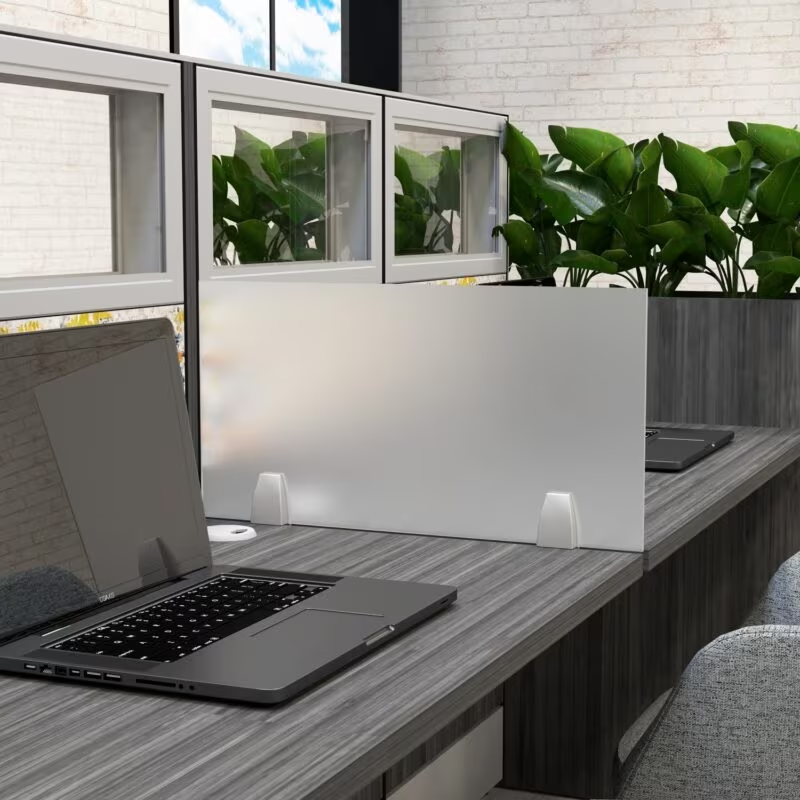
Glass trackpads feel cool and smooth to touch. This reduces finger fatigue during long work sessions. Plastic trackpads can feel warmer and sometimes sticky. This may cause discomfort after hours of use. The surface texture influences how fingers glide across the trackpad. Glass helps maintain comfort, keeping productivity steady throughout the day.
Credit: www.skutchi.com
Design And Aesthetic Considerations
Design and aesthetic choices play a key role in selecting a trackpad. The surface texture affects not only function but also the look and feel of your workspace. Understanding these factors helps you pick the best fit for your needs.
Trackpads must blend well with device designs. This creates a seamless and polished appearance. The material choice impacts the overall style and user perception of quality.
Visual Appeal
Glass trackpads offer a sleek, shiny surface that looks modern and clean. They reflect light softly and feel smooth to the touch. This premium look often pairs well with high-end laptops and professional setups.
Plastic trackpads usually have a matte or textured finish. They may show wear and fingerprints more easily. Yet, some users prefer the subtle look and less slippery feel of plastic surfaces.
Integration With Devices
Glass trackpads often sit flush with the device body. This smooth integration enhances the minimalist design trend. Their rigid nature allows for thinner and more uniform device profiles.
Plastic trackpads can be slightly raised or have visible edges. This can disrupt the flow of the device’s design. However, plastic allows for more varied shapes and easier customization.
The choice of material influences how the trackpad matches the laptop’s color, texture, and overall style. A well-integrated trackpad feels like a natural part of the device.
Cost And Replacement
The choice between glass and plastic trackpads affects more than just feel and performance. Cost and replacement play a key role in deciding which surface works best for your daily tasks. Understanding price differences and ease of replacement can help you make a smart investment.
Price Differences
Glass trackpads usually come at a higher price than plastic ones. The premium materials and smooth surface add to manufacturing costs. Plastic trackpads are cheaper and more common in budget devices. This makes plastic a go-to option for affordable laptops and keyboards. Still, some users pay extra for glass due to its durability and sleek feel.
Ease Of Replacement
Plastic trackpads are often easier to replace. They tend to be lighter and less fragile, allowing simple removal with basic tools. Glass trackpads require more care during replacement. Their fragility means they can crack or shatter if not handled well. Repairing or replacing glass parts might need professional help, adding to the overall cost.
Credit: www.bestbuy.com
How The Laptop Scout Can Help You with Glass Vs Plastic Trackpads: Why Surface Texture Matters for Work
Practical Learning: Navigating Surface Texture Choices in Trackpads
When weighing the choice between glass and plastic trackpads, understanding how surface texture impacts your daily workflow is key. From my experience at The Laptop Scout, the feel under your fingers isn’t just about comfort—it influences precision and speed, especially in demanding work settings. Glass trackpads often offer a smoother glide and better durability, but they can be more fragile and costly to replace compared to plastic. On the other hand, plastic surfaces might wear down faster but can provide a bit more tactile feedback.
For students or hybrid workers juggling varied tasks, testing how different textures affect your efficiency can be a valuable hands-on lesson in ergonomics and device longevity. Consider maintenance too: glass resists scratches better but may need careful cleaning to avoid smudges, while plastic might require more frequent upkeep.
- Try both materials in real-world scenarios to see which suits your workflow.
- Observe how surface texture influences precision and speed.
- Factor in durability and maintenance based on your work habits.
If you want to dive deeper into these practical insights or have questions about specific models, feel free to reach out through The Laptop Scout’s contact page. It’s all about helping you choose what works best, not what’s hyped.
Frequently Asked Questions
Is A Glass Trackpad Better?
A glass trackpad feels smoother and offers precise control but is heavier and more fragile than plastic. It provides a premium user experience.
What Are The Disadvantages Of Using A Touchpad?
Touchpads can cause finger fatigue and lack precision compared to a mouse. Moist or calloused fingers reduce responsiveness. They often offer limited gesture support and may misinterpret input. Glass touchpads are fragile, heavier, and harder to replace than plastic ones.
Which Touchpad Is Best?
The best touchpad offers smooth, precise tracking with durable glass surfaces. Glass touchpads feel premium but are fragile. Plastic touchpads resist shocks and are easier to replace. Choose based on your need for durability or smoothness.
Are Apple Trackpads Made Of Glass?
Apple trackpads use glass surfaces for smooth, precise tracking and a premium feel. They combine glass with aluminum for durability and style.
Conclusion
Choosing between glass and plastic trackpads shapes your work experience. Glass feels smooth and precise but breaks more easily. Plastic offers durability and absorbs shocks better. The surface texture affects how your fingers glide and respond. Think about your daily tasks and how often you move your fingers.
Your comfort and efficiency depend on this choice. A simple surface change can impact productivity more than expected. Pick the trackpad that suits your work style best.