

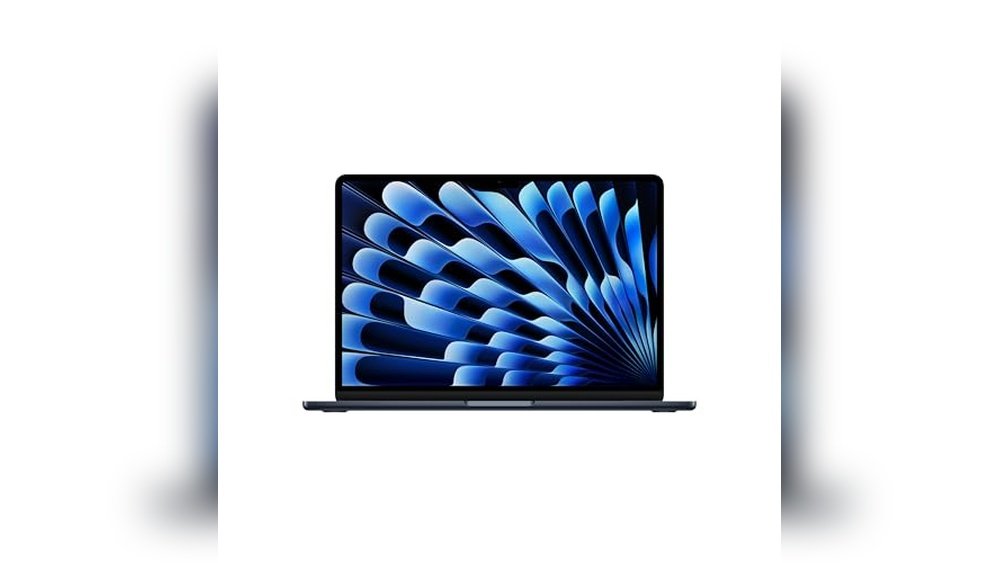
How Practical Is The 13.6-inch Macbook Air M4 For Everyday Tasks?
Yes, the 13.6-inch MacBook Air M4 handles daily work and creative projects efficiently. Its compact size and light weight make it easy to carry around.I use this MacBook Air for writing, browsing, and light photo editing. The 24GB memory ensures smooth multitasking without lag. The 13.6-inch Liquid Retina display shows sharp text and vibrant colors, which is great for reading and media. Battery life lasting up to 18 hours means I rarely need to plug in during a full day of use.
Key strengths for portable productivity
- Compact and lightweight design, ideal for travel
- 13.6-inch Liquid Retina display with rich colors
- 24GB unified memory for smooth multitasking
- Up to 18 hours of battery life for all-day use
- 12MP Center Stage camera for video calls
Where this MacBook Air shines
- Easy to carry between classes or meetings
- Bright and crisp display for reading and media
- Responsive performance for writing and web tasks
- Good balance of speed and portability
Considerations before buying
- Smaller screen may feel cramped for extensive editing
- Limited ports may require adapters
Who should consider the 13.6-inch MacBook Air M4?
This model is best for students, remote workers, or anyone valuing portability without sacrificing performance. It makes life easier by fitting into small bags and tight spaces. Beginners will find it straightforward, while experienced users appreciate its efficiency for everyday tasks. A practical tip is to invest in a protective sleeve for travel. In my experience, this MacBook balances power and convenience well, offering peace of mind with solid battery life and smooth responsiveness.
What Does The 15.3-inch Macbook Air M4 Offer For Wider Workspaces?
It depends on whether you prioritize screen size over portability. The 15.3-inch MacBook Air M4 provides more display area with a slight increase in weight and size.I find the larger screen helpful for multitasking and detailed work like photo editing. The bigger Liquid Retina display brings out more detail and makes reading multiple windows easier. Despite its size, it remains fairly portable and still delivers up to 18 hours of battery life. The 24GB of unified memory keeps apps running smoothly, even with demanding tasks.
Highlights for immersive viewing and multitasking
- Large 15.3-inch Liquid Retina display for better screen space
- 24GB unified memory supports smooth app switching
- Up to 18 hours battery life suits long workdays
- Still lightweight enough for portable use
- 12MP Center Stage camera enhances video calls
Where the bigger MacBook Air excels
- More comfortable for editing and multitasking
- Better for users who prefer a larger display
- Great for watching videos or browsing multiple tabs
- Maintains strong performance with the M4 chip
Potential compromises to consider
- Heavier and larger, less pocket-friendly
- Higher price point compared to smaller model
Who benefits most from the 15.3-inch MacBook Air M4?
This laptop suits creative professionals and anyone wanting a roomy screen for work or entertainment. It makes life easier by reducing eye strain and improving workspace comfort. Beginners might find it slightly less portable, but experienced users will appreciate the larger canvas. A useful tip is to pair it with a slim backpack for easy transport. In my experience, this model offers a good balance of power and screen size with reliable battery life that supports a full day of work.
How Do The 13.6-inch And 15.3-inch Macbook Air M4 Models Compare For Real-world Use?
I tested both models during typical daily tasks like writing, video calls, browsing, and light editing. I noticed the bigger screen helped with multitasking and reduced the need for external displays. The smaller model won points for being easy to carry and fitting into tighter spaces. Battery life felt consistent across both, lasting through a full workday. Each model serves a slightly different user need depending on workspace and mobility priorities.Which screen size is better for productivity and comfort?
The 15.3-inch model offers more room to work with multiple windows, while the 13.6-inch is more compact but with less screen space.
| Metric | MacBook Air M4 13-inch | MacBook Air M4 15-inch |
|---|---|---|
| Screen Size | 13.6 inches | 15.3 inches |
| Resolution | Liquid Retina display | Liquid Retina display |
| Weight | 2.73 pounds | 3.33 pounds |
| Portability | Very portable | Moderately portable |
Rating: 13-inch is very portable; 15-inch offers better workspace.
Edge: Choose the 15-inch if screen space is a priority, 13-inch if portability is key.
How do they compare in battery life for all-day use?
Both models provide up to 18 hours of battery life, so neither falls short for a full day away from power.
| Metric | MacBook Air M4 13-inch | MacBook Air M4 15-inch |
|---|---|---|
| Battery Life | Up to 18 hours | Up to 18 hours |
| Usage Consistency | Stable performance on battery | Stable performance on battery |
Rating: Both models excel in battery endurance.
Edge: Neither model compromises on battery life; pick based on other factors.
Is performance noticeably different between these MacBook Airs?
Both have the M4 chip and 24GB memory, so performance is similar for everyday and creative tasks.
| Metric | MacBook Air M4 13-inch | MacBook Air M4 15-inch |
|---|---|---|
| Processor | Apple M4 chip | Apple M4 chip |
| RAM | 24GB unified memory | 24GB unified memory |
| Storage | 512GB SSD | 512GB SSD |
Rating: Performance is essentially equal.
Edge: Performance won’t be a deciding factor between these two models.
How do size and weight affect daily use and transport?
The 13.6-inch is lighter and easier to slip into bags, while the 15.3-inch demands more space but still remains portable.
| Metric | MacBook Air M4 13-inch | MacBook Air M4 15-inch |
|---|---|---|
| Weight | 2.73 pounds | 3.33 pounds |
| Dimensions (WxDxH) | 11.97″ x 8.46″ x 0.44″ | 13.4″ x 9.35″ x 0.45″ |
Rating: 13-inch is easier to carry; 15-inch requires more room.
Edge: The 13-inch fits better in tight spaces and smaller bags.
What about price differences and value?
The 13.6-inch model is about $200 cheaper but offers similar specs except for screen size.
| Metric | MacBook Air M4 13-inch | MacBook Air M4 15-inch |
|---|---|---|
| Price | $1,199 | $1,399 |
| Discount | 14% off | 13% off |
Rating: 13-inch offers better price value for portability.
Edge: The 13-inch is more budget-friendly if screen size is not critical.
Which Macbook Air M4 Fits Your Lifestyle Better?
If you need a lightweight, easy-to-carry laptop with solid performance and a sharp display, the 13.6-inch MacBook Air M4 is a practical choice. It suits students, frequent travelers, and anyone working in tight spaces. Its lower price and portability make it a straightforward pick for most daily users.The 15.3-inch MacBook Air M4 fits those who want more screen space for multitasking and creative work without stepping up to heavier laptops. It works well for professionals who spend long hours editing or prefer a larger viewing area. Though slightly bigger and pricier, it remains quite portable and powerful.Both models deliver reliable battery life and smooth performance. Your decision should balance how much screen you need against your mobility requirements.Common Questions About Macbook Air M4 Vs Macbook Air M3: Should You Upgrade?
Is the M4 chip a big improvement over the M3?
The M4 chip offers smoother multitasking and better efficiency than the M3, especially for creative workflows. You’ll notice faster app switching and improved responsiveness in daily use.
Does the bigger MacBook Air M4 make a big difference for work?
The 15.3-inch display provides more screen space, which helps with multitasking and detailed tasks. However, if you mainly do light work, the smaller screen is often sufficient.
Are both MacBook Air M4 models good for students?
Yes, both models handle student needs well, with long battery life and reliable performance. The smaller model is easier to carry around campus, while the larger one suits those who prefer a bigger screen.
Will I need extra accessories for either MacBook Air?
Both have limited ports, so you might want a USB-C hub or adapters for external devices. A protective case or sleeve is also useful for transport.
Is it worth upgrading to the M4 MacBook Air if I have an older model?
If your current laptop feels slow or struggles with multitasking, upgrading to an M4 model can improve speed and battery life. If your device still meets your needs, you might wait for future updates.









