
Finding The Right Laptop For Remote Commuting On Uk Trains
If you often work while traveling on UK trains, you know how important it is to have a laptop that fits your routine. Juggling space limitations, battery life, and performance needs can be tricky. Sometimes a lightweight design means sacrificing power. Other times, a bigger screen could make carrying your laptop uncomfortable.
Choosing the right laptop involves balancing portability, battery endurance, and enough speed to handle work or study tasks smoothly. It can be hard to know which features truly matter without getting lost in technical details.
This guide will help you focus on what really counts when picking a laptop for remote commuting. It aims to simplify the decision by highlighting key factors to consider, so you can find a device that suits your daily travel and work style.
What Matters Most For Train Commuters
When you’re on a train, space is limited and distractions are plenty. A compact and lightweight laptop makes a big difference for comfort. Battery life is essential since charging options may be scarce or unreliable. You’ll want a screen that’s easy on the eyes but not too large to handle in tight spots.
Performance should be enough to handle common tasks like document editing, browsing, video calls, and streaming. Storage and memory affect how smoothly your laptop runs and how much you can carry with you. Connectivity options, like Wi-Fi standards and ports, also play a role in keeping you productive on the move.
Common Confusions When Choosing
It’s easy to get overwhelmed by specs or to focus too much on one feature. For example, aiming for the highest processor speed might mean a heavier, bulkier laptop. Prioritizing storage could increase cost without improving daily use significantly. Some might overlook the importance of screen quality or keyboard comfort, which matter a lot during long hours of work.
Many buyers also struggle with understanding how much RAM or SSD space they really need. Others wonder if a touchscreen or 2-in-1 design is worth the extra price and weight. These questions often complicate what could be a straightforward choice.
A Simple Way To Approach Your Decision
Think about your typical commute and work habits first. If you mostly handle emails, documents, and video calls, focus on a laptop that is light, has good battery life, and a clear screen. If you need more power for demanding applications, you might accept a slightly bigger device. Consider how often you can charge and what accessories you carry.
Remember, no single laptop fits all needs perfectly. The goal is finding the best balance for your personal use and travel conditions. This approach will help you avoid common pitfalls and choose a laptop that feels right every day.
Below, you’ll find a carefully selected group of laptops suited for various commuter profiles. Each offers a unique mix of features aimed at improving your remote work experience on UK trains.
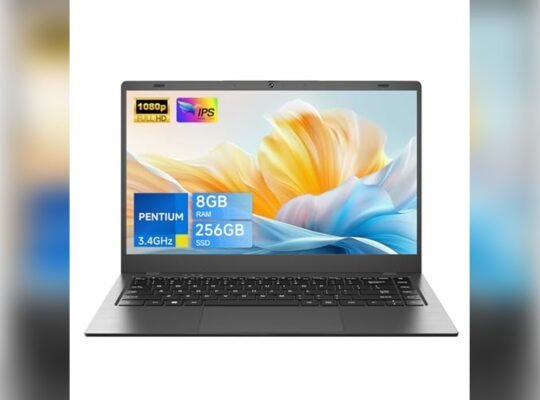
Trhro 14″ Pentium Laptop
One of the Best Laptops for Remote Commuters on Uk Trains, offering a lightweight design and reliable performance for work and study on the move.
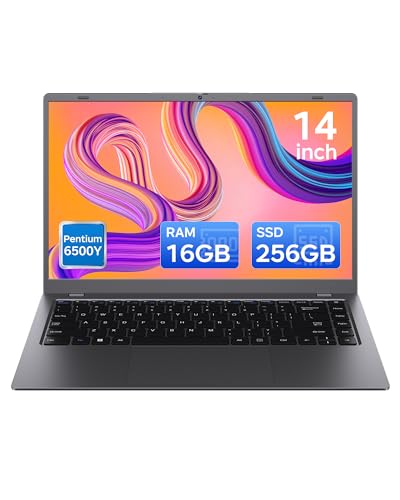
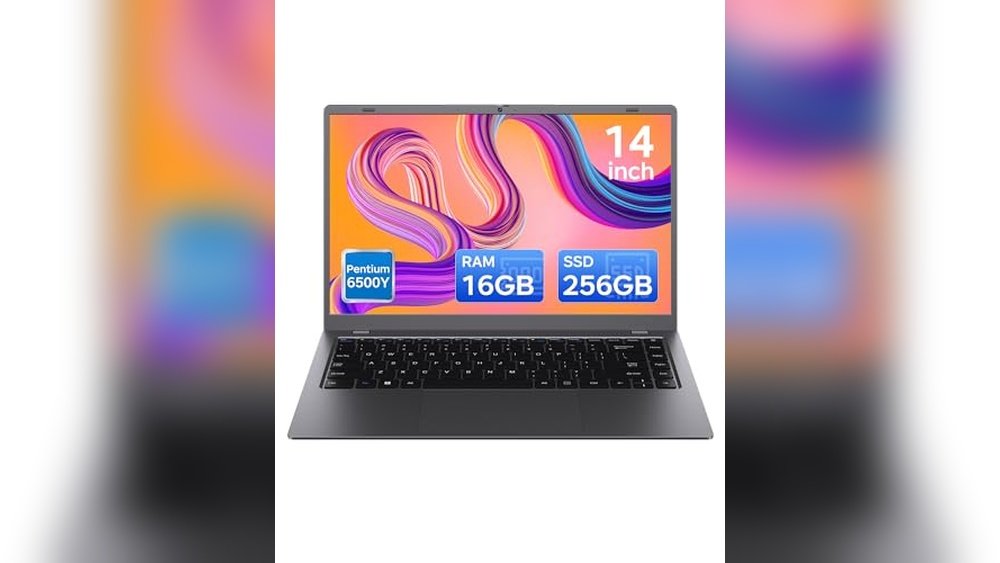
This TRHRO 14-inch laptop is designed to handle everyday tasks with ease, featuring a Pentium Gold 6500Y dual-core processor and 16GB of RAM. Its lightweight and compact build make it easy to carry on UK train commutes, keeping your work and study needs covered without adding bulk. The 256GB SSD storage ensures quick file access and smooth operation.
Using this laptop feels straightforward and efficient, especially when juggling multiple applications or attending online meetings. Its anti-glare FHD IPS display reduces eye strain during long hours, and the range of connectivity options, including dual Type-C ports and HDMI, keeps you connected wherever your commute takes you.
Key Advantages for Commuters
- Lightweight and portable, ideal for train travel
- Responsive Pentium Gold CPU for daily tasks
- Generous 16GB RAM supports smooth multitasking
- Fast 256GB SSD storage reduces load times
- Clear 14″ anti-glare FHD IPS screen for comfortable viewing
- Multiple ports including dual Type-C and HDMI for versatile connectivity
- Built-in webcam and microphone for professional video calls
Considerations Before Buying
- Processor is suitable for basic to moderate workloads, not heavy computing
- Weight of 3.5 pounds may be heavier than ultra-light alternatives
- Battery life details are not specified, which may affect long train journeys
Who This Laptop Works Best For
This laptop suits remote commuters who need a dependable device for business, study, or entertainment without carrying too much weight. It removes the hassle of slow performance and limited connectivity by providing ample RAM and multiple ports.
To maximize your experience, pair it with cloud storage for easy access to files during travel. Its reliable connectivity and clear display give peace of mind during video meetings and online classes, making your train commute more productive.
| Best for | Why |
|---|---|
| Students attending online classes | Anti-glare screen and webcam support comfortable, clear virtual learning |
| Business commuters on UK trains | Multiple ports and reliable Wi-Fi enable seamless work on the go |
| Users needing fast multitasking | 16GB RAM ensures smooth switching between apps and tasks |
| Those wanting budget-friendly portability | Affordable price with lightweight design and solid specs |
Hp Ultra Slim 14 Laptop
This HP Ultra Slim 14 Laptop is one of the Best Laptops for Remote Commuters on Uk Trains, offering a lightweight design and solid performance for work on the go.
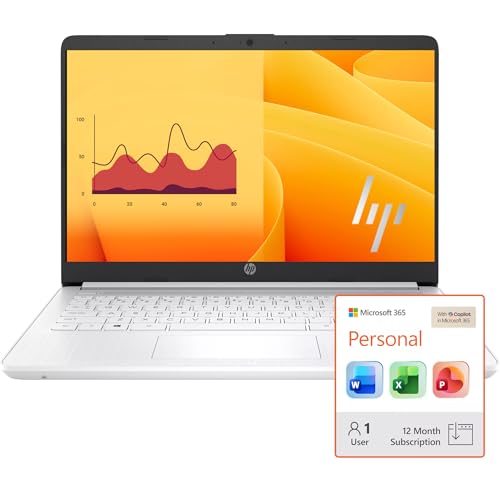
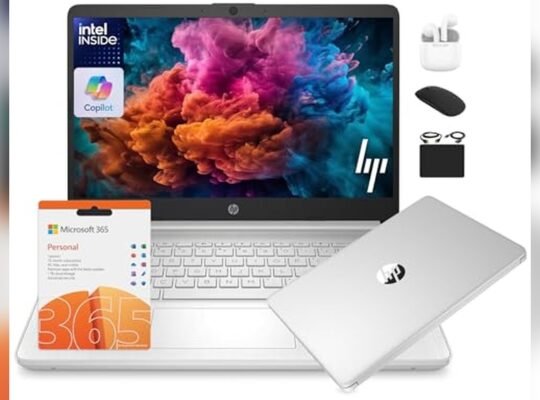
This is a compact and lightweight laptop designed for students and business users who need portability without sacrificing essential features. It includes a 1-year Office 365 subscription and a combination of cloud and local storage, helping remote commuters keep their work accessible anywhere.
Using this laptop on UK trains feels straightforward thanks to its bright 14-inch HD display and efficient Intel quad-core processor. Its slim profile and reasonable weight make it easy to carry and use comfortably in tight spaces like train seats or tables.
Key Advantages for Mobile Use
- Lightweight and slim for easy transport during commutes
- Includes 1-year Office 365 subscription for productivity on the move
- Ample combined storage with 1TB cloud and 64GB local drive
- Intel Quad-Core processor supports multitasking efficiently
- Multiple ports including USB-C and HDMI for versatile connectivity
- Windows 11 Home with option to switch out of S mode for flexibility
Considerations for Commuter Needs
- Display resolution is HD (1366 x 768), not Full HD
- 64GB onboard storage is limited without cloud access
- No earbuds included, so audio accessories need to be separate
Who This Works Best For
This laptop suits remote commuters who prioritize portability and essential productivity tools over high-end graphics or storage. It removes the hassle of carrying bulky devices and keeps your work synced with cloud storage.
To get the best experience, ensure a reliable internet connection to take full advantage of the included cloud storage and Office 365 features. It offers peace of mind with familiar Windows 11 and solid performance for daily tasks.
| Best for | Why |
|---|---|
| Students and business commuters | Compact size and Office 365 included for coursework and professional tasks |
| Train travellers with limited space | Lightweight design fits easily in small seating areas and trays |
| Users needing cloud storage | 1TB cloud storage keeps files accessible without large local drives |
| Basic multitasking needs | Intel quad-core CPU handles multiple apps reliably without overkill |
Lenovo V15 G2 Business Laptop
One of the Best Laptops for Remote Commuters on Uk Trains, offering a lightweight design and reliable performance for everyday tasks on the move.

The Lenovo V15 G2 is a traditional laptop designed for business and student users who need a straightforward device for daily tasks. It handles web browsing, word processing, and video streaming with ease, supported by an Intel Celeron dual-core processor and 8GB of RAM. Its 15.6″ Full HD screen delivers clear visuals, making it suitable for work or entertainment during commutes.
Using this laptop feels smooth and manageable, especially for those prioritizing portability. Weighing just about 3.78 pounds and slim in profile, it fits well in a commuter’s bag without adding bulk. The inclusion of Wi-Fi 6 ensures stable internet connections on trains, while the privacy shutter on the webcam adds peace of mind when not in use.
Key Benefits for Commuters
- Lightweight and slim design ideal for travel and daily transport
- 15.6″ anti-glare Full HD screen reduces eye strain during long use
- 8GB DDR4 RAM supports smooth multitasking between apps
- 256GB PCIe SSD offers fast storage access and enough space for essential files
- Wi-Fi 6 and Bluetooth 5.2 provide reliable wireless connectivity on the move
- Privacy shutter on webcam protects from unauthorized viewing
- Full-size keyboard with numeric keypad enhances typing comfort
Considerations Before Buying
- Intel Celeron processor may limit performance for demanding applications
- Basic integrated Intel UHD Graphics not suited for heavy gaming or graphic work
- Average merchant rating suggests checking seller reliability before purchase
My Practical Take
This Lenovo V15 G2 laptop fits best for remote commuters on UK trains who need a budget-friendly, portable device primarily for basic work and media consumption. It removes the hassle of carrying heavy or bulky machines while providing enough power to keep up with typical daily tasks.
To get the best experience, pair it with noise-cancelling headphones to enjoy clear audio from its Dolby speakers during noisy commutes. Its reliable wireless connectivity and privacy features also offer peace of mind when working in public spaces. Overall, it’s a practical and straightforward choice for anyone focused on mobility and simplicity.
| Best for | Why |
|---|---|
| Students and professionals commuting daily | Lightweight design and decent performance for school and office tasks |
| Users needing stable internet on the go | Wi-Fi 6 support ensures better connectivity on trains |
| Those who prioritize privacy | Built-in webcam shutter prevents unauthorized viewing |
| Budget-conscious buyers | Affordable price with essential features for everyday use |
Dell Inspiron 15 Business Laptop
One of the Best Laptops for Remote Commuters on Uk Trains, this Dell laptop balances power and portability for smooth work on the move.

This Dell Inspiron 15 Business Laptop is designed for professionals and students needing reliable performance while commuting. It features an Intel 10-Core i5-1334U processor that handles multitasking and business applications with ease, ideal for working on trains or in transit.
Using this laptop feels smooth and efficient thanks to its 15.6″ Full HD touchscreen and lightweight design. The upgraded 16GB RAM and fast 512GB SSD keep apps responsive, helping you stay productive without interruptions or delays.
Key Advantages for Commuters
- Powerful 10-Core Intel i5 processor for fast multitasking
- Bright 15.6″ FHD touchscreen with anti-glare for comfortable viewing
- Ample 16GB RAM and 512GB SSD for smooth performance and storage
- Lightweight and slim for easy carrying on trains and travel
- Wi-Fi 6 for faster, more stable internet connections on the go
- Pre-installed Windows 11 Pro for secure, professional use
- All-day battery life to avoid frequent recharging during commutes
Considerations Before Buying
- Not a touchscreen convertible; limited flexibility for tablet use
- Weight of 3.65 pounds may be heavier than ultra-portables
- No mention of webcam quality, which may affect video calls
Ideal Use and Practical Insights
This laptop is best for remote commuters who need dependable performance for business tasks, schoolwork, or creative projects while traveling on UK trains. It removes the hassle of slow loading times and weak connectivity, ensuring work stays uninterrupted.
To get the most out of it, pairing this laptop with a protective sleeve can keep it safe during transit. The reliable build and fast Wi-Fi 6 connectivity provide peace of mind, minimizing surprises and delays during your commute.
| Best for | Why |
|---|---|
| Business professionals | Handles multitasking and business apps smoothly on the move |
| Students commuting by train | Lightweight design and touchscreen ease studying and presentations |
| Remote workers | Long battery life and Wi-Fi 6 keep productivity steady without frequent charging |
| Content editors | Bright FHD display supports video editing and media tasks effectively |
Hp 14″ Ultralight Laptop
One of the Best Laptops for Remote Commuters on Uk Trains, this HP offers a lightweight design combined with reliable performance for on-the-go productivity.

This HP 14″ Ultralight Laptop is designed for students and business users who need a dependable device for everyday tasks. It features an Intel Celeron processor with upgraded 8GB DDR4 RAM, delivering smooth performance for web browsing, document editing, and media streaming. The 14-inch HD display with narrow bezels enhances the viewing experience without making the laptop bulky.
Using this laptop feels convenient and portable, thanks to its thin and lightweight frame that fits easily into backpacks. Whether you’re working remotely on a UK train or studying at a coffee shop, it offers consistent speed and responsiveness for your daily computing needs without added hassle.
Key Benefits for Mobile Users
- Lightweight and slim for easy transport during daily commutes
- Upgraded 8GB RAM handles multitasking smoothly
- 14-inch HD display with micro-edge design maximizes screen space
- Multiple ports including USB-C and microSD slot for versatile connectivity
- Includes 1 Year Office 365 for essential productivity tools
- Compact dimensions ideal for cramped spaces like trains or cafes
- Windows 11 S provides a secure and straightforward operating system
Considerations Before Buying
- Intel Celeron processor is suitable for basic tasks but not heavy workloads
- 192GB storage combines eMMC and SD card, which may limit high-capacity file storage
- Weight of 3.24 pounds is light but not the lightest in its class
Who This Fits Best
This laptop is ideal for remote commuters on UK trains who need a reliable, portable machine for everyday tasks without demanding software. It removes the stress of carrying heavy devices and the guesswork of handling multiple apps by offering enough RAM and good screen space.
For best results, keep your files organized on the combined storage options and take advantage of the multiple ports for quick data transfer. You’ll appreciate the consistent performance and peace of mind knowing you have a trusted brand with a one-year Office subscription included.
| Best for | Why |
|---|---|
| Students attending remote classes | Lightweight design and Office 365 support schoolwork and online learning |
| Remote workers on UK train commutes | Portable size and multiple ports enable productivity in tight spaces |
| Basic multimedia and browsing needs | Intel Celeron and 8GB RAM handle everyday applications smoothly |
| Budget-conscious buyers | Offers essential features and good value at a competitive price |
Acer Aspire 3 15.6″ Laptop
One of the Best Laptops for Remote Commuters on UK Trains, offering a slim design and reliable performance for work on the go.

The Acer Aspire 3 15.6″ Laptop is a traditional portable computer designed to meet the needs of commuters traveling on UK trains. Its slim and lightweight design makes it easy to carry, while the AMD Ryzen 3 7320U processor delivers enough power for everyday tasks and remote work.
Using this laptop on the move feels practical and straightforward, with a crisp Full HD display and solid battery life supporting productivity during long commutes. The built-in HD webcam and noise reduction technology enhance video calls, helping you stay connected without distractions.
Key Advantages for Mobile Use
- Light and thin design ideal for carrying on trains
- Sharp 15.6″ Full HD IPS screen with narrow bezels for clear visuals
- Reliable AMD Ryzen 3 processor for smooth multitasking
- Fast 8GB LPDDR5 memory and 128GB NVMe SSD for quick access and storage
- Enhanced webcam with noise reduction for better online meetings
- Wi-Fi 6 support ensures stable internet on crowded networks
Considerations for Commuters
- Storage is limited at 128GB, which may require external drives for larger files
- No mention of long battery life for extended use without charging
- Not a touchscreen, which may limit some use cases
When This Laptop Works Best
This laptop is well suited for remote workers who need a reliable and portable machine for everyday tasks like emails, documents, and video calls while commuting by train. It removes the hassle of carrying bulky devices and offers a consistent experience with its sharp display and clear audio features.
For best results, pairing it with cloud storage can help overcome the limited onboard storage. Its quiet design and lightweight build also provide peace of mind for frequent travelers who want a no-fuss device.
| Best for | Why |
|---|---|
| Light daily commuting | Thin and lightweight design makes it easy to carry on trains |
| Remote work with video calls | HD webcam with noise reduction improves communication quality |
| Basic productivity tasks | AMD Ryzen 3 processor handles emails, documents, and browsing smoothly |
| Stable internet usage | Wi-Fi 6 support ensures better connection on crowded train networks |
Dell Latitude 3190 2-in-1 Laptop
A compact and versatile option among the Best Laptops for Remote Commuters on Uk Trains, offering reliable performance in a small form factor.

The Dell Latitude 3190 is a small 2-in-1 laptop designed for users needing a practical and portable device. Its 11.6-inch touchscreen and quad-core Intel Celeron processor provide enough power for everyday tasks while fitting easily into a commuter’s bag.
Using this laptop on UK trains feels straightforward and adaptable, thanks to its lightweight design and multi-touch screen. It keeps you productive without adding bulk or complexity, letting you focus on your work or entertainment during travel.
Key Advantages for On-the-Go Use
- Compact 11.6″ touchscreen fits well in tight spaces like train seats
- Lightweight at 4.39 pounds for easy carrying throughout the commute
- Windows 11 Pro offers familiar and secure software environment
- Solid state drive ensures quick startup and data access
- Multiple ports including HDMI and USB 3.1 support essential connectivity
- Renewed model offers value without sacrificing functionality
Considerations for Commuter Needs
- Processor is modest and may not suit heavy multitasking or demanding apps
- Screen resolution is standard HD, not Full HD or higher
- Limited RAM at 4GB restricts extensive background tasks
When This Laptop Works Well
This model is ideal for commuters who prioritize portability and basic productivity over high-end performance. It removes the hassle of carrying bulky gear and offers enough power to manage emails, documents, and light browsing during train rides.
To get the best from this laptop, focus on cloud-based apps and lightweight software to keep it running smoothly. Its reliable build and Windows 11 Pro security provide peace of mind when working remotely. It’s a practical choice for those who value convenience and simplicity on the move.
| Best for | Why |
|---|---|
| Light daily work tasks | Processor and RAM handle basic office apps and browsing efficiently |
| Commuters with limited space | Small size and touchscreen fit well in cramped train environments |
| Users needing quick startups | 128GB SSD reduces boot and load times for faster workflow |
| Budget-conscious buyers | Renewed model offers affordability without major compromises |
Hp 14″ Portable Laptop
This HP 14″ Portable Laptop stands out among the Best Laptops for Remote Commuters on Uk Trains by offering reliable performance and essential ports for seamless connectivity on the go.

This HP 14″ Portable Laptop is designed for students and business users who need a compact, easy-to-carry device for remote work or study. Its 16GB DDR4 RAM and Intel Quad-Core N4120 processor provide smooth multitasking for everyday tasks. The 64GB eMMC storage ensures quick startup and file access without unnecessary delays.
Using this laptop on UK train commutes feels straightforward and dependable. The 14-inch HD display offers clear visuals, while the built-in webcam and various ports like RJ-45 and HDMI support connectivity needs without hassle. It’s light enough to carry comfortably and runs Windows 11 Home, making it familiar and user-friendly for most users.
Key Features for Mobile Productivity
- Upgraded 16GB DDR4 RAM for smooth multitasking on the move
- Compact 14″ screen with micro-edge design for better viewing in tight spaces
- Variety of ports including USB-C, HDMI, and RJ-45 for flexible connectivity
- Fast boot-up with 64GB eMMC storage ideal for quick access
- Preloaded with 1 Year Office 365 for productivity on the go
- Lightweight design at just over 3.3 pounds for easy transport
Considerations Before Buying
- Screen resolution is HD (1366 x 768), not Full HD, which may affect visual clarity
- Storage capacity at 64GB eMMC is limited for large files or extensive media libraries
- Processor is an Intel Celeron, suitable for basic tasks but not heavy computing
When This Laptop Makes Sense
This laptop is well-suited for commuters who need a dependable device for browsing, document editing, and video calls while traveling on UK trains. It removes the worry of sluggish performance during multitasking thanks to its 16GB RAM and quick storage. To maximize your experience, consider using cloud storage for files to offset the limited onboard capacity.
With reliable connectivity options and a familiar Windows 11 interface, it minimizes surprises and supports steady productivity throughout your commute. It’s a practical choice for those who prioritize portability and essential features without overspending.
| Best for | Why |
|---|---|
| Students commuting on UK trains | Lightweight design and sufficient RAM for note-taking and research |
| Business users needing connectivity | Includes HDMI and RJ-45 ports for presentations and wired internet |
| Remote workers with basic multitasking needs | Intel Quad-Core CPU and 16GB RAM handle standard office tasks smoothly |
| Budget-conscious commuters | Affordable price with essential features and Office 365 included |
Lenovo V15 15.6″ Laptop
This Lenovo V15 laptop is one of the Best Laptops for Remote Commuters on UK Trains, offering a lightweight design and solid multitasking capabilities for daily tasks on the go.

The Lenovo V15 is a traditional laptop designed for business and student use, handling everyday tasks like browsing, word processing, and video watching with ease. Its 15.6″ Full HD anti-glare display helps reduce eye strain during long working sessions, making it a practical choice for commuters.
Using this laptop feels straightforward and reliable, thanks to its 32GB DDR4 RAM that supports smooth multitasking and a fast 1TB PCIe SSD for ample storage. Lightweight and equipped with WiFi 6 and Bluetooth 5.2, it stays connected efficiently on UK trains without unnecessary hassle.
Key Advantages for Commuter Laptops
- Lightweight design suitable for carrying on daily train commutes
- Large 32GB RAM enables smooth multitasking on the move
- Fast 1TB PCIe SSD for quick file access and plenty of storage
- 15.6″ Full HD anti-glare screen reduces reflections in varied lighting
- WiFi 6 and Bluetooth 5.2 support stable connectivity
- Multiple ports including USB-C and HDMI for versatile connections
- Privacy shutter on webcam enhances security during travel
Considerations for Remote Train Use
- Intel Celeron processor may limit heavy multitasking or gaming
- 7 pounds weight is moderate but may feel heavy for very long trips
- Windows 11 Home edition may require updates or settings adjustment
Why This Model Works Well on UK Trains
This Lenovo V15 is best for remote commuters who need a dependable, easy-to-carry laptop for everyday tasks like email, document editing, and streaming. It removes the stress of lag and slow storage, letting you stay productive without frequent interruptions.
To get the best use, pair it with a compact carrying case and a portable charger to extend working hours. You gain peace of mind knowing the anti-glare screen and privacy shutter protect your eyes and data privacy during crowded rides.
For anyone who values simplicity and solid performance without overpaying, this model strikes a good balance and fits easily into a commuter lifestyle.
| Best for | Why |
|---|---|
| Students and business users | Handles common productivity apps smoothly with ample RAM and storage |
| Commuters on UK trains | Lightweight with anti-glare screen and privacy webcam for travel conditions |
| Users needing quick access to files | Fast 1TB PCIe SSD reduces load times and improves responsiveness |
| Those requiring versatile connectivity | Multiple USB ports, HDMI, and Ethernet support various devices and networks |
Ae86 15.6″ Slim Laptop
One of the Best Laptops for Remote Commuters on Uk Trains, offering a lightweight design and reliable performance for on-the-go productivity.

The AE86 15.6″ Slim Laptop is a lightweight notebook designed for everyday tasks like remote work, browsing, and streaming. Powered by an Intel Celeron N4000 processor and equipped with 12GB RAM and a 256GB SSD, it offers smooth multitasking and fast boot times without weighing you down during commutes.
Using this laptop on a UK train feels comfortable thanks to its slim profile and vibrant Full HD display. The strong dual-band WiFi connectivity and long-lasting battery help maintain productivity without frequent interruptions, making it a dependable companion for travel and work.
Key Benefits for Mobile Users
- Lightweight and slim design ideal for commuting
- Clear Full HD 15.6” display for comfortable viewing
- Fast start-up and multitasking with 12GB RAM and SSD
- Reliable wireless connections via dual-band WiFi and Bluetooth
- Multiple ports including Mini HDMI for versatile connectivity
- Long battery life supports extended work sessions away from power outlets
Considerations for Buyers
- Processor suited for everyday tasks but not heavy computing
- Screen size may be less portable for very tight spaces
- Limited to Bluetooth 4.2, not latest version
Who This Works Well For
This laptop is best for remote commuters who need a reliable, portable device for basic office tasks and media consumption on UK trains. It removes the hassle of slow startups and unreliable wireless connections during travel.
To get the best experience, use the Mini HDMI port to connect to larger screens when working from cafés or temporary offices. Its lightweight design offers peace of mind for those frequently on the move, ensuring fewer surprises with battery life and connectivity.
For anyone prioritizing portability and consistent daily performance without overspending, this AE86 model fits naturally into a travel-focused workflow.
| Best for | Why |
|---|---|
| Daily remote work on trains | Lightweight with reliable WiFi and long battery life |
| Students attending online classes | Sharp Full HD display and fast multitasking capabilities |
| Business travelers | Slim design with multiple ports including Mini HDMI |
| Home office users with limited space | Compact footprint and quick boot times |
Understanding Your Needs Before Choosing A Laptop
When selecting a laptop from this range, consider how you will primarily use the device. For tasks like web browsing, document editing, and streaming, entry-level processors and moderate RAM will suffice. For more demanding applications such as multitasking, video editing, or gaming, prioritize higher RAM and faster processors.
Portability and screen size are also important. Smaller, lighter laptops are easier to carry but may have less screen real estate, which can affect productivity and comfort during extended use.
Key Factors To Evaluate In Business And Student Laptops
Processor and Performance
Look for laptops with processors that match your workload. Intel Pentium and Celeron models handle basic tasks well, while Intel Core i5 or AMD Ryzen 3 processors offer better performance for multitasking.
Memory and Storage
16GB RAM is ideal for smooth multitasking, but 8GB can be sufficient for everyday use. SSD storage provides faster boot times and file access compared to HDDs. Consider your storage needs carefully.
Display Quality and Size
Full HD displays with IPS panels improve viewing angles and clarity, important for long hours of work or study. Screen sizes between 14 and 15.6 inches balance portability and usability.
Connectivity Options
Ensure the laptop has the necessary ports for your accessories, such as USB Type-C, HDMI, and card readers. Reliable Wi-Fi and Bluetooth versions support stable connections.
Common Buyer Concerns And How To Address Them
Battery Life Expectations
Battery life varies by model and usage. Laptops with energy-efficient processors tend to last longer on a single charge. If mobility is critical, check manufacturer estimates and user reviews for real-world performance.
Weight and Portability
Lighter laptops around 3 pounds or less are easier to carry daily. Heavier models may offer larger screens or more powerful components but can be cumbersome for frequent travel.
Operating System and Software
Most laptops come with Windows 11 Home or Pro. Some models include Office 365 subscriptions, which can add value for students and professionals. Consider your software needs when choosing.
Build Quality and Durability
Look for laptops with solid construction and features like spill-resistant keyboards or privacy shutters on webcams if you anticipate heavy use or travel.
Setup And Usage Tips For New Laptop Owners
After purchase, update your operating system and drivers to ensure security and optimal performance. Install only necessary applications to maintain speed and avoid clutter. Use a laptop sleeve or case to protect the device during transportation.
Regularly back up important files and consider using cloud storage for easy access and added security.
Frequently Asked Questions
What is the ideal amount of RAM for student laptops?
For most students, 8GB of RAM is sufficient for daily tasks. However, 16GB provides smoother multitasking and better performance for demanding applications.
Are SSDs necessary in modern laptops?
SSDs significantly improve boot times and data access speeds compared to traditional hard drives, making them a worthwhile investment for most users.
How important is the display quality?
Display quality affects comfort and productivity. An IPS panel with Full HD resolution offers better colors and viewing angles, reducing eye strain during prolonged use.
Can I upgrade the RAM or storage later?
Some laptops allow upgrading RAM and storage, but many ultrabooks have soldered components. Check the specifications before purchase if upgradability is important to you.
Is Windows 11 suitable for all users?
Windows 11 is designed for modern hardware and offers enhanced security and features. It is generally suitable for most users, but verify software compatibility if you use specialized programs.
Final Considerations
Choosing the right laptop requires balancing performance, portability, and features based on your specific needs. Consider how you will use the device daily, the importance of battery life, and whether you need advanced connectivity options. Each laptop reviewed has strengths that cater to different priorities. Taking time to assess your requirements will help you feel confident in your selection and ensure a satisfying experience with your new laptop.