
Finding The Right Laptop For Elderly Users
Choosing a laptop for elderly users can be a challenge. Many have struggled with small text, complex features, or heavy devices that are hard to carry. It’s common to want a device that’s easy to use, has large and clear displays, and remains portable enough for everyday use.
The variety of options available adds to the confusion. Some laptops focus on screen size but may sacrifice portability. Others are lightweight but have smaller screens or limited performance. There are also differences in battery life, ease of navigation, and built-in tools that matter for daily tasks.
This guide will help you understand what to look for when selecting a laptop that balances large text and easy portability. It aims to make the decision simpler by focusing on what truly matters for elderly users, without getting lost in technical details.
What Matters Most In These Laptops
When picking a laptop for seniors, comfort and usability are key. A bigger screen with clear, anti-glare display helps reduce eye strain. At the same time, the laptop should not be too heavy or bulky to carry around the home or on trips. Battery life also plays a role to avoid frequent charging.
Simple and familiar operating systems with reliable performance help prevent frustration. Features like well-sized keyboards, good audio quality, and easy connectivity options can improve everyday use. It’s also worth considering pre-installed software that assists with common tasks.
Common Mistakes To Avoid
Many buyers focus too much on specs that don’t impact daily comfort, like high-end processors or extra storage, which may not be necessary. Others pick devices that are visually appealing but difficult to handle due to weight or small screens. Overlooking battery life or ignoring the importance of screen clarity can lead to a poor experience.
Understanding the balance between screen size, portability, and ease of use will help avoid these pitfalls.
Below, you’ll find a carefully selected set of laptops that cater to different needs and preferences, all suitable for elderly users seeking large text and easy portability. Each option offers a thoughtful mix of features to suit various daily routines and comfort levels.
Sgin 18.5 Inch Windows Laptop
This model stands out among the Best Laptops for Elderly Users (Large Text + Easy Portability) thanks to its large 18.5-inch screen and straightforward design for effortless use.

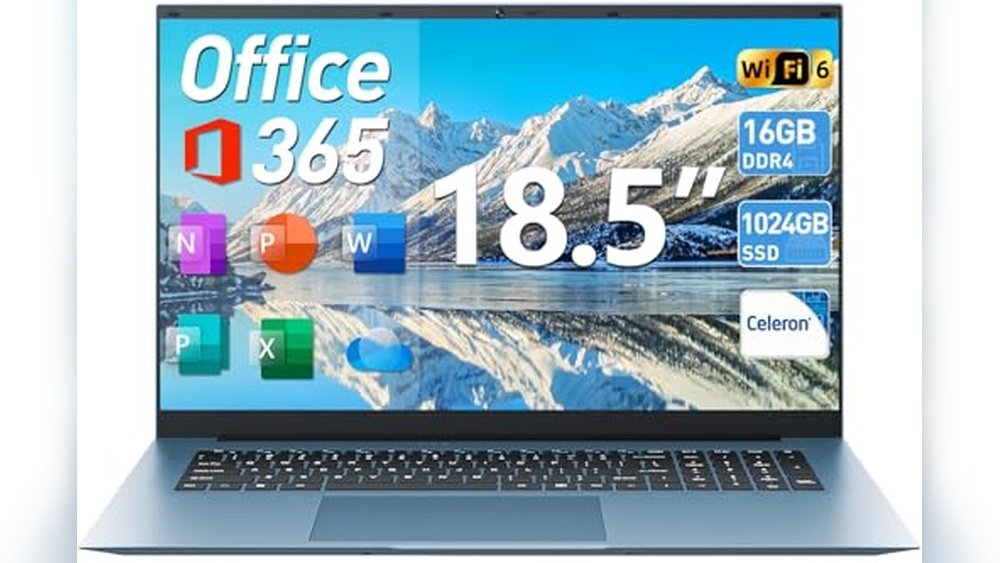
The SGIN 18.5 Inch Windows Laptop is designed to meet the needs of users who require larger text and easy navigation. Its anti-glare Full HD display reduces eye strain, making it suitable for extended reading and work sessions. The built-in Office 365 suite supports common tasks like document editing and presentations without extra setup.
Using this laptop feels stable and comfortable thanks to its reliable Windows 11 system and quiet cooling. Its larger screen size means less squinting and fewer errors, helping users stay confident and productive during daily tasks.
Key Benefits for Senior Users
- Large 18.5-inch anti-glare screen eases reading and viewing
- Pre-installed Office 365 for familiar work and school applications
- Strong 16GB RAM and fast 1024GB SSD for smooth multitasking
- Long-lasting 7000mAh battery supports up to 8 hours unplugged
- WiFi 6 and Bluetooth 5.2 ensure stable wireless connections
- Multiple ports including HDMI and USB 3.2 for easy device connections
- Quiet dual cooling fans reduce distraction during use
Considerations Before Buying
- Weighs 6 pounds, which may be less portable than smaller laptops
- Powered by an entry-level Celeron N5095 processor, not suited for heavy gaming or video editing
- Traditional laptop form factor may be bulkier than tablets or convertibles
Who This Works For
This laptop fits elderly users who prioritize screen size and easy readability over ultra-lightweight portability. It removes the frustration of small fonts and complex setups, offering straightforward tools for work and communication. To get the best experience, adjust the display settings for maximum text size and use the included Office apps for daily tasks.
Its reliable battery life and quiet operation provide peace of mind during extended use, making it a dependable choice for home or school use. If you prefer a no-nonsense laptop that balances large visuals with solid performance, this model is worth considering.
| Best for | Why |
|---|---|
| Users needing large text and clear visuals | 18.5-inch anti-glare Full HD screen reduces eye strain |
| Everyday work and school tasks | Pre-installed Office 365 supports documents and presentations |
| Those valuing longer unplugged use | 7000mAh battery lasts up to 8 hours without charging |
| Users wanting simple connectivity | Includes HDMI, USB 3.2, and memory card slots for peripherals |
Hp 14″ Lightweight Laptop
A solid choice among Best Laptops for Elderly Users (Large Text + Easy Portability) thanks to its lightweight design and clear HD screen.

This HP 14″ Lightweight Laptop is designed to meet everyday computing needs such as business tasks, studying, and entertainment, making it suitable for elderly users who prefer simplicity and portability. Its Intel Celeron processor with 8GB RAM ensures smooth performance for common applications without overwhelming complexity.
Using this laptop feels comfortable thanks to its micro border HD screen and a keyboard designed for ease of typing. The long 12-hour battery life means less worry about charging, and the lightweight frame makes it easy to carry around without strain.
Key Advantages for Senior Users
- Lightweight at just 3.24 pounds for easy portability.
- 12-hour battery life supports extended use without frequent charging.
- Clear HD screen with a micro border enhances readability.
- Comfortable keyboard reduces typing fatigue.
- Built-in webcam and microphone for seamless video calls.
- Includes 1-year Microsoft 365 subscription for productivity tools.
- Multiple ports for connecting various devices.
Considerations Before Buying
- Limited storage capacity with 64GB eMMC may require external storage for large files.
- Intel Celeron processor is suitable for basic tasks but not for heavy multitasking or gaming.
- Screen size is 14 inches, which is large but may not be enough for users needing very large text without adjustments.
Who This Works Well For
This laptop fits elderly users who want a straightforward device with large enough display and easy portability for daily tasks. It removes the hassle of constant charging and complicated settings, making computing less stressful.
To get the best experience, adjusting text size settings can help improve readability further. Its reliable battery and lightweight design give peace of mind for use at home or on the go.
| Best for | Why |
|---|---|
| Basic computing and web browsing | Smooth performance with 8GB RAM and Intel Celeron processor for daily tasks |
| Video calls and online learning | Integrated webcam and microphone make communication easy |
| Portable use on the go | Lightweight design and long battery life support easy transport and extended use |
| Users needing simple productivity tools | Includes Microsoft 365 subscription for common office applications |
Hp Chromebook 14 Mineral Silver
This laptop stands out among the Best Laptops for Elderly Users (Large Text + Easy Portability) with its clear 14-inch HD display and lightweight design for effortless use and transport.

The HP Chromebook 14 Mineral Silver is a traditional laptop built for everyday home, work, and school use. Its 14-inch HD anti-glare display reduces eye strain, making it easier to read text and view content. Powered by an Intel Celeron N4120 processor with 4 GB RAM and 64 GB eMMC storage, it offers a balance of performance and responsiveness for simple tasks.
Using this laptop feels straightforward and reliable, thanks to its thin, lightweight design and long battery life. The portable form makes moving it between rooms or carrying it on trips simple, while the Chrome OS keeps the experience consistent and easy to navigate for elderly users.
Key Benefits for Ease and Portability
- Large 14-inch anti-glare HD display designed for clear, comfortable viewing
- Thin and lightweight design weighing just 3.24 pounds for easy carrying
- Long battery life supports extended use without frequent charging
- Intel Celeron N4120 quad-core processor balances power and efficiency
- 4 GB RAM ensures smooth multitasking for everyday apps
- 64 GB flash-based eMMC storage provides reliable space for files
- Chrome OS offers a simple and secure user interface
Considerations for This Laptop Choice
- Screen resolution is HD (1366 x 768), not Full HD or higher
- Limited storage may not suit users needing large local files
- No touchscreen feature, which some elderly users might prefer
- Not designed for heavy gaming or demanding software applications
Who This Laptop Works Well For
This HP Chromebook suits elderly users who want a straightforward, portable laptop with a large and clear screen for reading and browsing. It removes the hassle of complex setups with Chrome OS and offers dependable performance for common tasks like video calls, emailing, or watching videos.
For best results, pairing it with an external mouse can enhance navigation ease. Its reliable battery life and lightweight build provide peace of mind for use around the home or on the go. This laptop fits those valuing simplicity and portability over power or high-end features.
| Best for | Why |
|---|---|
| Reading and browsing | Large anti-glare 14-inch HD screen reduces eye strain |
| Portable use at home or travel | Lightweight and thin design makes carrying effortless |
| Basic work and communication | Efficient Intel processor and Chrome OS enable smooth everyday tasks |
| Users new to laptops | Simple Chrome OS interface reduces complexity and learning curve |
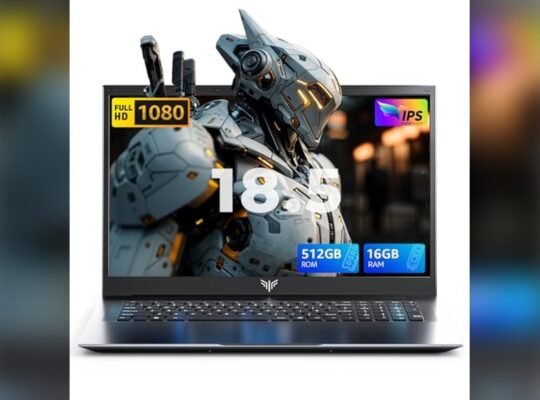
Mallrace 18.5 Inch Laptop
This laptop stands out among Best Laptops for Elderly Users (Large Text + Easy Portability) by offering a large 18.5-inch screen and reliable battery life for comfortable daily use.

The MALLRACE 18.5 Inch Laptop is designed for users who need a larger display combined with smooth performance for everyday tasks. Its full HD IPS screen ensures clear, bright visuals that make reading and navigation easier, which is crucial for elderly users. The laptop also features an Intel N150 quad-core processor and ample 16GB RAM to handle multiple applications without lag.
Using this laptop feels stable and responsive, thanks to its large battery that supports long hours of use without frequent charging. The lightweight design, despite the big screen, helps with portability, making it easier to carry around the house or on short trips. Video calls and audio are clear, supporting easy communication with family or colleagues.
Key Benefits for Elderly Users
- Large 18.5-inch Full HD IPS screen for easy-to-read text and clear visuals
- Long-lasting 8000mAh battery reduces worry about frequent charging
- Intel N150 processor with 16GB RAM ensures smooth multitasking
- Built-in front camera and microphone for clear video calls
- Lightweight and portable design despite larger size
- Stable network connectivity with RJ45 port and WiFi 5
- Reliable Windows 11 OS for familiar and secure use
Considerations Before Buying
- 18.5-inch size may be less convenient for users needing ultra-light travel options
- Weight of 2.66 kg could be heavy for some elderly users to carry long distances
- No touchscreen functionality included
Who This Works Well For
This laptop fits elderly users who prioritize a large, easy-to-see screen and steady performance for tasks like reading documents, browsing, or video chatting. It removes the stress of battery anxiety by offering a large capacity power source that lasts through extended use.
If you want a reliable device that balances screen size and portability, this model is a sensible choice. To get the best experience, keep the device connected to stable WiFi or Ethernet for smooth communications and streaming. The overall design offers peace of mind with dependable hardware and clear visuals.
| Best for | Why |
|---|---|
| Users needing large, readable screens | The 18.5-inch Full HD IPS display enhances visibility for reading and viewing |
| Long sessions away from power outlets | 8000mAh battery capacity supports extended use without frequent charging |
| Video calling with family or colleagues | Built-in 2.0MP camera and microphone ensure clear communication |
| Stable wired and wireless connectivity | RJ45 port and WiFi 5 provide reliable network access |
Auusda 16″ I3 Laptop
This model stands out among Best Laptops for Elderly Users (Large Text + Easy Portability) with its large 16″ display and lightweight design for comfortable daily use.
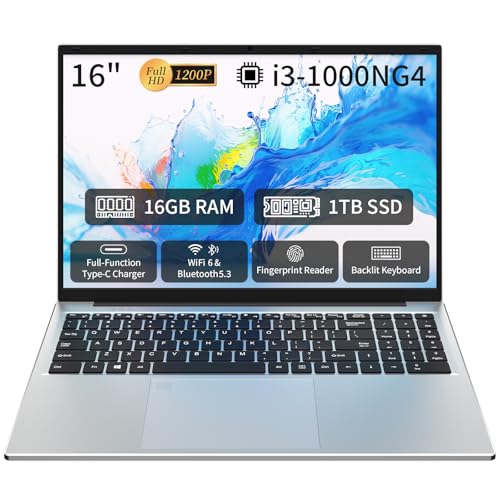
This Auusda 16″ i3 Laptop is a traditional laptop designed to deliver smooth multitasking with its Intel i3 processor, 16GB RAM, and large 1TB SSD storage. It suits elderly users who need clear visuals and reliable performance for everyday tasks like browsing, video calls, and document handling.
Using this laptop feels straightforward and dependable, thanks to its vivid 16-inch Full HD screen that offers large text display and an easy-to-use backlit keyboard. Its lightweight build at under 4 pounds allows for effortless portability around the home or on the go.
Key Advantages for Elderly Users
- Large 16″ Full HD screen enhances readability with crisp visuals
- Lightweight and slim design supports easy portability
- Backlit keyboard aids typing in low light settings
- Fingerprint unlock adds secure and quick access
- WiFi 6 and Bluetooth 5.3 improve wireless connectivity stability
- Long battery life supports extended use without frequent charging
- Pre-installed Windows 11 Pro offers familiar, user-friendly interface
Considerations Before Buying
- Processor is Intel i3, suitable for everyday tasks but not demanding software
- Traditional laptop size may be larger than ultra-portable tablets
- No touchscreen functionality which some may prefer
Who This Serves Well
This laptop is ideal for elderly users who prioritize a large, clear display and easy portability without complicated features. It removes the stress of slow systems by offering smooth multitasking and quick startup.
To get the best experience, adjust the display scaling for even larger text and use the backlit keyboard for comfortable typing in all lighting conditions. Its reliability and security features like fingerprint login provide peace of mind for daily use.
Overall, it’s a solid choice for anyone who wants a straightforward, dependable laptop without extra complexity.
| Best for | Why |
|---|---|
| Reading and browsing | Large 16″ display makes text easier to see and reduces eye strain |
| Video calls and online meetings | Stable WiFi 6 connection ensures smooth communication |
| Portability around the house | Lightweight design under 4 pounds is easy to carry |
| Secure login and quick access | Fingerprint sensor simplifies sign-in process |
Acer Aspire Go 15 Laptop
This Acer model is one of the Best Laptops for Elderly Users (Large Text + Easy Portability) thanks to its clear 15.6″ Full HD screen and light 3.8-pound design.

The Acer Aspire Go 15 is a traditional laptop designed for everyday use, ideal for seniors who want a straightforward computing experience. It features a 15.6-inch Full HD IPS display that provides large, clear text and visuals, helping reduce eye strain. With Windows 11 Home in S Mode and fast Wi-Fi 6 connectivity, it supports smooth browsing and basic tasks.
Using this laptop feels reliable and manageable thanks to its lightweight 3.8-pound frame, making it easy to carry from room to room or on short trips. The inclusion of Acer’s Copilot AI assistant simplifies multitasking, which can help users feel more confident navigating different applications without frustration.
Key Benefits for Elderly Users
- Large 15.6″ Full HD screen with IPS technology for clear and sharp visuals
- Lightweight design at under 4 pounds for easy portability
- Copilot AI assistant for simplified multitasking and quick help
- Long battery life to reduce frequent charging interruptions
- Dual USB Type-C ports and HDMI for flexible device connections
- Windows 11 Home in S Mode ensures secure and user-friendly interface
- Acer BluelightShield reduces eye strain during extended use
Considerations Before Buying
- Storage is limited to 128GB UFS, which may require external drives for larger files
- Intel Core 3 processor is suitable for basic tasks but not demanding software
- Screen size and resolution are fixed; no touchscreen option available
Why This Fits Elderly Users Well
This laptop is a solid choice for seniors who prioritize readable text and straightforward use without complex features getting in the way. It removes the stress of complicated setups by offering a clear display and simple AI support. For best results, setting up the Copilot key early helps streamline daily tasks and reduce confusion.
The reliable battery life and lightweight design offer peace of mind for those who want consistent performance with fewer surprises. It’s a practical, no-fuss device that balances ease of use with essential modern features.
| Best for | Why |
|---|---|
| Users needing large, clear screen text | 15.6″ Full HD IPS display enhances readability and reduces eye strain |
| Portability-focused seniors | Lightweight 3.8-pound design makes it easy to carry and handle |
| Basic everyday computing | Intel Core 3 and Windows 11 S Mode support standard tasks without complexity |
| Users wanting AI assistance | Copilot key offers quick help across apps for improved productivity |
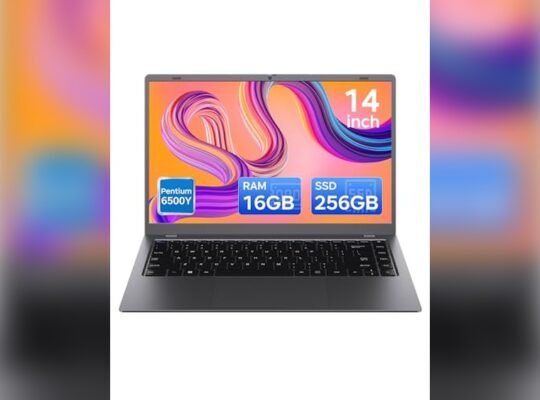
Maxvelth Maxbook14 Laptop
A reliable choice among Best Laptops for Elderly Users (Large Text + Easy Portability) offering a clear 1080P screen and light design for comfortable daily use.

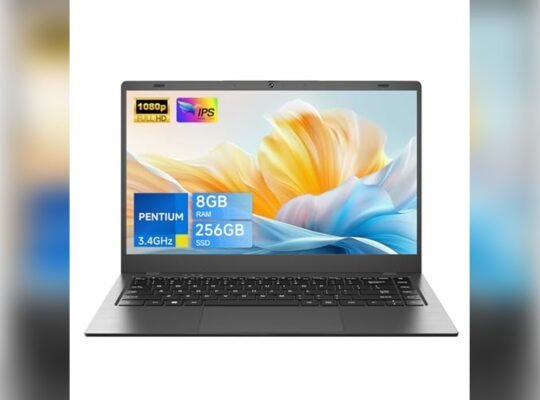
The MAXVELTH MaxBook14 Laptop is a traditional laptop designed to handle everyday tasks smoothly with its Gold Pentium Processor and 8GB RAM. Its 1080P IPS FHD screen displays crisp and clear images, making it easier to read and view content without strain. Storage is ample with a 256GB SSD that can be expanded, fitting various user needs.
Using this laptop feels straightforward with a user-friendly interface and a large battery that supports mobility throughout the day. The lightweight design and multiple ports provide convenience for users who need easy access and portability, helping them stay connected and productive without complication.
Key Benefits for Elderly Users
- Clear 1080P IPS screen for easy reading and viewing
- Lightweight at 3.5 pounds for comfortable portability
- Long-lasting 5000mAh battery supports extended use
- Multiple expansion ports for flexible connectivity
- English default with additional language support
- Expandable SSD storage for growing file needs
- Anti-theft lock hole for added security
Considerations Before Buying
- Processor suited for daily tasks but not heavy computing
- Moderate battery capacity compared to high-end models
- Screen size and dimensions may not suit all portability preferences
Who This Laptop Suits Well
This laptop is ideal for elderly users who prioritize large, clear text and easy portability in their daily computing. It removes the hassle of complicated setups by offering a simple user experience and reliable performance for common tasks like browsing, emailing, and video watching.
To get the best from this device, users should take advantage of its multiple USB and Type-C ports to connect preferred accessories easily. The peace of mind comes from its security features and dependable battery life, making it a practical and safe choice for everyday use.
| Best for | Why |
|---|---|
| Reading and Video Viewing | High-resolution IPS screen offers clear visuals and wide viewing angles |
| Portability Needs | Lightweight design makes it easy to carry around the house or on trips |
| Simple Everyday Tasks | Gold Pentium Processor handles browsing, office work, and media smoothly |
| Secure Usage | Includes an anti-theft lock hole for physical security |
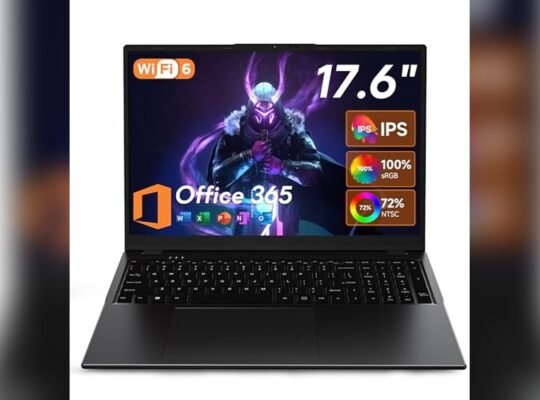
Sgin 18.5″ Windows Laptop
This model stands out among Best Laptops for Elderly Users (Large Text + Easy Portability) with its large 18.5-inch anti-glare screen and light design.

The SGIN 18.5″ Windows Laptop offers a large, clear display that helps elderly users see content easily without straining their eyes. It features a powerful Celeron N5095 quad-core processor and 16GB RAM, which supports smooth multitasking and everyday tasks like browsing, emailing, and video calls.
Using this laptop feels straightforward and dependable, with Windows 11 providing a familiar interface. The device’s quiet cooling system and long-lasting battery allow users to work or enjoy entertainment comfortably for hours without interruptions.
Key Benefits for Senior Users
- Large 18.5-inch anti-glare screen reduces eye strain with clear, wide-angle visuals
- Generous 16GB RAM and 1024GB SSD support smooth performance and ample storage
- Pre-installed Office 365 subscription helps with everyday documents and communication
- Long battery life up to 8 hours allows portable use without frequent charging
- Multiple ports including HDMI and USB 3.2 for easy connection of peripherals
- WiFi 6 and Bluetooth 5.2 ensure stable and fast wireless connectivity
Considerations Before Buying
- The 18.5-inch size may be less convenient for those needing ultra-light or highly compact laptops
- Processor is suitable for daily use but not designed for heavy gaming or advanced editing
- Gray color and traditional laptop design may appeal less to users seeking modern aesthetics
Who This Works Well For
This laptop is well suited for elderly users who value a larger screen for easier reading and straightforward operation for daily tasks. It removes the frustration of small text and laggy performance, making computing more accessible and less stressful.
A simple tip is to adjust the display settings for larger text and icons to maximize comfort. The reliable battery and quiet fans provide peace of mind for extended use, while the pre-installed Office 365 helps with familiar software needs. It’s a practical, no-fuss choice for steady and comfortable computing.
| Best for | Why |
|---|---|
| Elderly users needing large, clear text | 18.5″ anti-glare screen offers wide viewing and less eye strain |
| Users wanting easy portability without frequent charging | 7000mAh battery supports up to 8 hours of use on the go |
| Those requiring familiar productivity tools | Includes 1-year Office 365 for Word, Excel, and PowerPoint |
| People who use multiple devices | HDMI, USB 3.2, and WiFi 6 enable seamless connectivity |
Hp Chromebook 14 Lightweight Laptop
An excellent choice among Best Laptops for Elderly Users (Large Text + Easy Portability) thanks to its clear 14” HD display and easy-to-carry design.
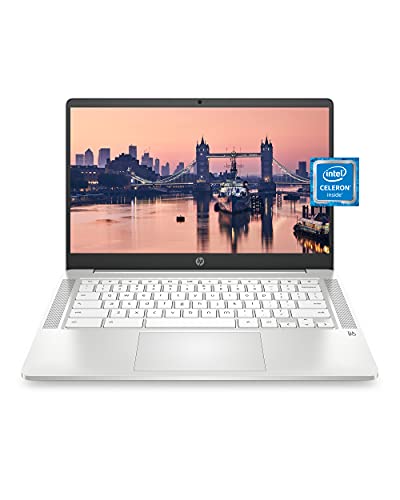
The HP Chromebook 14 is a traditional laptop designed to offer simplicity and portability for everyday tasks. It features a 14” HD anti-glare display that makes reading and viewing content easier, ideal for users who need larger text and clear images. The lightweight design helps reduce strain when carrying it around.
Using this laptop feels straightforward and smooth, with enough power to handle browsing, video calls, and media playback. Its long battery life means fewer interruptions, giving users confidence to work or relax without constantly searching for a charger.
Key Benefits for Senior Users
- Large 14” HD anti-glare display for comfortable viewing
- Lightweight at just 3.24 pounds for easy portability
- Long battery life up to 13.5 hours supports extended use
- Simple Chrome OS interface reduces technical complexity
- Quiet dual microphones and webcam enhance video calls
- 32 GB storage with 4 GB RAM ensures smooth everyday use
Considerations Before Buying
- Limited storage capacity may require cloud use for files
- Screen resolution is HD, not Full HD or higher
- Not designed for heavy multitasking or demanding software
Who This Works Well For
This laptop suits elderly users who prioritize clear, large text and easy portability for daily tasks like browsing, emails, and video chatting. It removes the stress of complex setups thanks to Chrome OS’s simplicity. To get the best experience, pairing it with a stable internet connection will help with cloud storage and streaming.
Its reliable battery life offers peace of mind for users who dislike frequent charging. For someone who values straightforward technology that just works, this HP Chromebook is a solid, practical choice.
| Best for | Why |
|---|---|
| Video calling with family | Clear webcam and dual mics enhance communication quality |
| Reading and browsing | Large, anti-glare 14” HD screen reduces eye strain |
| Lightweight portability | Easy to carry around at just over 3 pounds |
| Simple, secure usage | Chrome OS minimizes maintenance and security worries |
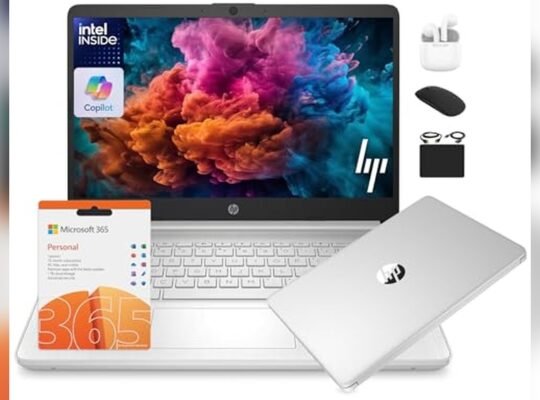
Hp 14 Willow Green Laptop
This HP 14 laptop is one of the Best Laptops for Elderly Users (Large Text + Easy Portability) thanks to its clear 14-inch HD screen and light design for easy carrying.

The HP 14 Willow Green Laptop offers a straightforward computing experience with a 14-inch HD anti-glare display that helps reduce eye strain, ideal for elderly users who appreciate larger text. It comes with a 13th Gen Intel N150 processor and 16GB of RAM, which supports smooth multitasking without lag.
Using this laptop feels comfortable due to its lightweight design at just over 3 pounds, making it easy to carry around. The included accessories like wireless earbuds and an external 500GB drive add convenience, while Windows 11 Home in S Mode provides a secure environment that’s simple to switch out of if needed.
Key Benefits for Elderly Users
- Large 14-inch HD screen with anti-glare for easier viewing outdoors or in bright rooms
- Lightweight and slim design supports easy portability without strain
- Strong 16GB RAM for smooth handling of multiple apps and browser tabs
- Secure Windows 11 Home in S Mode reduces risk of malware and phishing
- Includes practical 6-in-1 accessory kit for everyday use and connectivity
- 720p HD camera and dual microphones for clear video calls and remote learning
- Generous storage combining fast 128GB UFS and 500GB external drive
Considerations for Buyers
- Screen is HD, not Full HD, so image sharpness is good but not top-tier
- Windows 11 S Mode may require switching out for some software installations
- Battery life specifics are not detailed, so plan for regular charging
Who This Suits Best
This laptop is well-suited for elderly users who want a larger, easy-to-see screen combined with a lightweight design that makes moving it around simple. It removes the hassle of lag or slow response thanks to its capable processor and ample RAM, helping users stay productive or entertained without frustration.
For better results, switching out of Windows 11 S Mode early will allow installation of preferred apps without limitation. The included accessory kit and Microsoft Office 365 subscription also add value and simplify setup.
Overall, this HP model offers a reliable, secure, and user-friendly experience that minimizes surprises and technical stress for older adults.
| Best for | Why |
|---|---|
| Users needing larger screen text | 14-inch HD anti-glare display improves readability and reduces eye strain |
| Those valuing portability | Lightweight design (3.24 lbs) is easy to carry around the home or on trips |
| Video call and remote learning | 720p HD camera with dual microphones ensures clear communication |
| Secure everyday use | Windows 11 Home in S Mode offers protection against malware and phishing |
Key Considerations When Choosing A Traditional Laptop
Understanding your primary needs helps narrow down the best laptop choice. Consider what tasks you will perform most often, such as office work, multimedia consumption, or light gaming. This influences the importance of processor power, memory size, and storage type.
Performance vs. Portability
Laptops with larger screens and more powerful processors usually weigh more and have shorter battery life. Smaller, lightweight models offer better portability but may compromise on performance or screen size. Balance these factors based on your mobility requirements.
Storage and Memory
Solid-state drives (SSD) provide faster boot times and file access compared to traditional hard drives. For multitasking and smooth operation, aim for at least 8GB of RAM. If you handle large files or multiple applications, higher storage and memory are beneficial.
Display and Build Quality
Look for full HD screens with anti-glare properties for comfortable viewing. Consider build features like keyboard quality, webcam placement, and available ports to ensure the laptop fits your daily use scenarios.
Common Buyer Concerns And Clarifications
Is a Quad-Core Processor Necessary?
Quad-core processors provide better multitasking and faster processing for demanding applications. However, if your usage mostly involves web browsing, office tasks, or streaming, dual-core processors may suffice.
How Important Is Battery Life?
Battery life varies widely. If you often work remotely or travel, prioritize laptops offering at least 8-12 hours of use to avoid frequent charging interruptions.
What About Software and Operating Systems?
Windows 11 is common in these laptops, offering compatibility with most applications. Chromebooks run Chrome OS, suitable mainly for cloud-based tasks and lighter use.
Are Warranty and Customer Support Worth Considering?
Reliable warranty coverage and responsive customer support add peace of mind. Check the duration and terms, especially if you depend heavily on your device for work or study.
Decision Checklist For Selecting Your Laptop
- Define your primary use: work, study, entertainment, or all three.
- Choose a screen size balancing visibility and portability (14 to 18.5 inches are common options).
- Evaluate processor options based on performance needs and budget.
- Ensure sufficient RAM (8GB or more recommended for multitasking).
- Consider storage type and capacity: SSD for speed, capacity based on file size needs.
- Check connectivity options including USB ports, HDMI, and WiFi standards.
- Confirm battery life aligns with your usage patterns.
- Review warranty and seller reputation for support reliability.
Setup And Maintenance Tips
After purchase, properly setting up your laptop enhances its performance and lifespan.
Initial Setup
Install all system updates and security patches before use. Activate any included software subscriptions, such as Office 365 or Microsoft 365.
Regular Maintenance
Keep the operating system and applications updated. Perform periodic disk cleanup and antivirus scans. Use a cooling pad if you frequently run intensive tasks to prevent overheating.
Battery Care
Avoid keeping the laptop plugged in constantly. Let the battery discharge occasionally to maintain battery health over time.
Frequently Asked Questions
Can I upgrade the RAM or storage on these laptops?
Some models allow RAM or storage upgrades, while others have fixed components. Check the product specifications or consult the manufacturer to confirm upgrade options.
Are these laptops suitable for gaming?
Traditional laptops in this category are generally designed for productivity and media consumption, not high-end gaming. Light or casual games may run fine, but intensive gaming requires specialized hardware.
What is the difference between Windows laptops and Chromebooks?
Windows laptops run a full desktop OS supporting a wide range of software. Chromebooks run Chrome OS, which is optimized for web-based applications and cloud storage, with limited offline functionality.
How do I choose between different screen sizes?
Choose larger screens for better visibility and multitasking, but note that they add weight and reduce portability. Smaller screens improve mobility but may strain eyes during extended use.
Is WiFi 6 necessary for everyday use?
WiFi 6 offers improved speed and stability but is only beneficial if your router supports it. For basic internet tasks, previous WiFi versions remain adequate.
Final Thoughts On Selecting A Traditional Laptop
Traditional laptops offer a range of features balancing performance, portability, and price. Your choice should align with your primary tasks and lifestyle. Considering processor speed, memory, storage, and battery life will help you find a device that meets your needs without unnecessary extras. Taking time to compare options carefully reduces decision friction and ensures satisfaction with your laptop investment.