

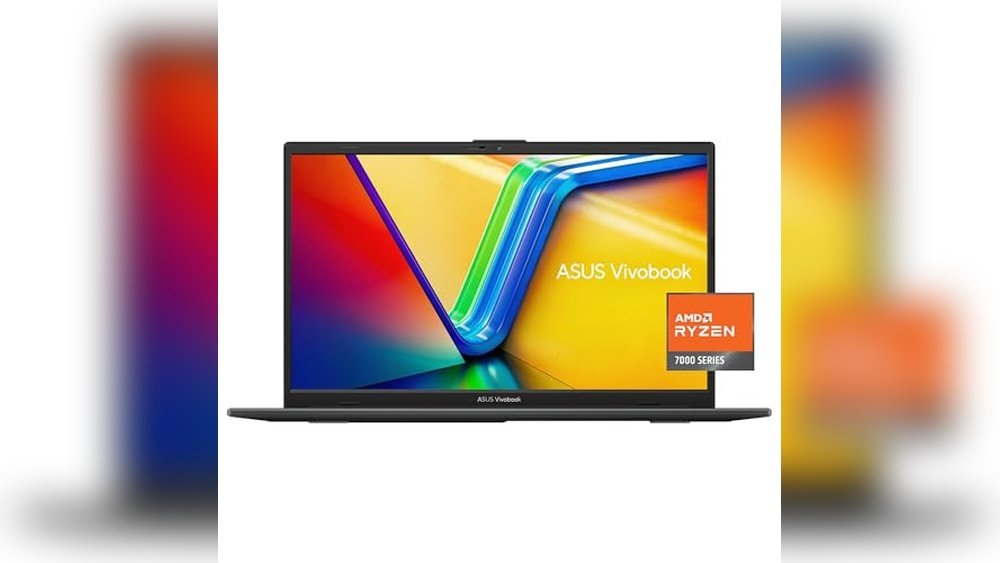
Finding The Right Laptop For Travel Vlogging
When you’re on the road capturing your adventures, carrying the right laptop makes all the difference. You want something light enough to travel with but powerful enough to handle video editing and multitasking. It’s a balancing act between weight and performance.
Choosing the best laptop for travel vloggers can be confusing. Many models offer decent specs but vary widely in size, weight, and speed. Some are super portable but lack the power needed for smooth editing. Others deliver strong performance but can be bulky and tiring to carry around. Price and durability add more complexity to the decision.
This article will help you understand what to consider when looking for a laptop that fits your travel and workflow needs. We’ll focus on the trade-offs between portability and processing ability without getting lost in technical jargon.
What Matters Most For Travel Vloggers
For travel vloggers, the laptop should be easy to carry and quick to respond. Battery life and build quality also matter since you might be working in different environments. Storage size is important, but cloud options can help reduce the need for massive onboard space. Connectivity and screen quality matter for editing and reviewing footage on the go.
Common Pitfalls To Avoid
Many buyers focus too much on specs like processor model or RAM size without considering how those translate into real-world use. A heavier laptop with high specs might slow you down during travel. Conversely, an ultra-light laptop might struggle with video editing tasks. Also, price doesn’t always equal better experience—sometimes mid-range options provide the best balance.
Keep your priorities clear: decide whether you value weight or performance more. Knowing this will guide your choice and help you avoid regrets later.
Below, you’ll find a selection of laptops chosen for their balance of weight and performance. These options suit different budgets and needs, making it easier to pick one that fits your travel vlogging style.
Asus Vivobook Go 15.6” Slim Laptop
Among the Best Laptops for Travel Vloggers (Weight Vs Performance), this ASUS Vivobook offers a solid balance of lightweight design and essential computing power.

This ASUS Vivobook Go is a traditional laptop designed to meet daily browsing and productivity needs with a slim profile and a 15.6” FHD NanoEdge display. It packs an AMD Ryzen 3 7320U quad-core processor paired with 8GB DDR5 RAM and a 128GB SSD, offering reliable speed and storage for travel vloggers on the move.
Using this laptop feels straightforward and efficient, with fast connectivity options like Wi-Fi 5 and Bluetooth 5.1 to keep devices linked easily. Its lightweight build at 4.75 pounds and military-grade durability help ensure it withstands travel rigors without adding unnecessary bulk.
Key Advantages for Travel Vloggers
- Lightweight at 4.75 pounds, easy to carry on trips
- 15.6” slim bezel display provides ample screen space without extra weight
- Fast charging minimizes downtime between uses
- Military-grade durability supports travel stress and handling
- Integrated AMD Radeon Graphics suitable for basic editing tasks
- Clear sound quality with SonicMaster speakers and array microphone
Considerations Before Buying
- 128GB storage may fill quickly for heavy video files
- Processor designed for essential performance, not intensive editing
- No touchscreen or high-refresh-rate display for advanced media work
My Practical Take
This laptop is best for vloggers prioritizing portability and dependable performance for everyday tasks rather than heavy video editing. It removes the hassle of carrying bulky gear while still offering a clear, vibrant display and solid battery life with fast charging.
To get the most out of this device, use external storage for large media files to avoid space constraints. Its durable build gives peace of mind when traveling through varied environments, making it a reliable companion for content creators on the go.
| Best for | Why |
|---|---|
| Lightweight travel laptops | Easy to carry without sacrificing screen size |
| Basic video editing and blogging | Essential performance with integrated graphics |
| Durable devices for frequent travelers | Military-grade build withstands rough handling |
| Quick setup and connectivity | Wi-Fi 5 and Bluetooth 5.1 for seamless device connections |
Asus Vivobook Go 15.6 Slim Laptop
This ASUS Vivobook Go balances weight and performance, making it one of the Best Laptops for Travel Vloggers (Weight Vs Performance) who need portability without sacrificing speed.

The ASUS Vivobook Go 15.6 Slim Laptop is a lightweight traditional laptop designed to deliver efficient performance for travel vloggers who need a dependable device on the go. Powered by the AMD Ryzen 5 7520U processor, it handles everyday tasks smoothly while maintaining longer battery life. Its 15.6” NanoEdge display ensures clear visuals without adding bulk.
Using this laptop feels easy and consistent, with enough memory and storage to run multiple applications without lag. The slim design and moderate weight make it convenient to carry, so you can focus on your creative work without being weighed down.
Key Advantages for Mobile Creators
- Lightweight at 3.59 pounds, ideal for carrying during travel.
- Efficient AMD Ryzen 5 processor balances speed and battery life.
- Generous 8GB memory supports smooth multitasking.
- 512GB storage provides ample space for video files and documents.
- 15.6” NanoEdge display delivers vibrant visuals in a slim design.
- Wi-Fi 5 and Bluetooth 5.1 ensure stable wireless connections.
- Sound quality enhanced by SonicMaster technology for clear audio.
Considerations Before Buying
- Display brightness of 250 nits may be less effective in very bright outdoor conditions.
- Processor suited for light gaming and general use, not high-end video editing.
- Weight is moderate; lighter ultrabooks may offer more portability but less power.
Who This Fits Best
This laptop is well-suited for travel vloggers who prioritize a balance between portability and reliable everyday performance. It removes the hassle of carrying heavy gear while ensuring you have enough power to edit and manage your content on the go.
To get the most out of it, keep your software updated and organize your storage regularly for smooth operation. Its military-grade durability adds peace of mind for frequent travelers facing various environments.
| Best for | Why |
|---|---|
| Travel vloggers needing solid battery life | Efficient AMD Ryzen 5 processor extends usage without frequent charging |
| Users carrying laptops frequently | Lightweight design reduces travel burden |
| Multitasking on the road | 8GB memory supports smooth running of multiple apps |
| Content creators wanting reliable audio | SonicMaster sound improves audio playback and recording quality |
Asus Vivobook Go Slim 15.6”
This ASUS Vivobook Go Slim balances weight and performance perfectly, making it one of the Best Laptops for Travel Vloggers (Weight Vs Performance) looking for portability without sacrificing essential features.

This ASUS Vivobook Go Slim is a thin and portable laptop designed for everyday tasks and student study, featuring an Intel Dual Core N4500 processor and 4GB RAM. It runs Windows 11 in S mode, which enhances security and performance while maintaining simplicity. Its 15.6” Full HD display offers clear visuals without adding bulk.
Using this laptop feels light and straightforward, ideal for vloggers who travel often and need reliable performance without carrying heavy gear. The modest weight of 3.46 pounds makes it easy to pack and carry, while the balance of specs supports smooth basic editing and content management on the go.
Key Advantages for Travel Vloggers
- Lightweight design at 3.46 pounds for easy portability.
- 15.6” Full HD display delivers sharp and clear visuals.
- Intel Celeron N4500 processor offers decent performance for entry-level editing and multitasking.
- Windows 11 in S mode provides enhanced security and a smooth user experience.
- 128GB SSD for faster boot times and quick access to files.
- Affordable price point ideal for budget-conscious vloggers.
Considerations Before Buying
- 4GB RAM limits multitasking and heavy editing workflows.
- Intel HD Graphics suitable only for basic multimedia tasks, not demanding video effects.
- Modest 220 nits brightness may struggle in very bright outdoor settings.
Where This Laptop Works Best
This laptop suits vloggers who prioritize carrying light gear and mainly do simple editing or content review on the road. It removes the stress of lugging heavy equipment while giving enough performance for essential tasks. To get the best from it, keep background apps minimal and use cloud storage to manage limited local space.
Its reliable Windows 11 environment and solid battery life add peace of mind for travel days. If you value straightforward, no-fuss computing with portability, this ASUS model fits well into that lifestyle.
| Best for | Why |
|---|---|
| Travel vloggers needing lightweight laptops | Weighs only 3.46 pounds, easy to carry in backpacks or carry-ons. |
| Basic video editing and content management | Intel Dual Core processor and SSD provide smooth handling of entry-level editing tasks. |
| Budget-conscious buyers | Affordable pricing with essential features for travel use. |
| Users prioritizing security and simplicity | Windows 11 Home in S mode offers enhanced security and user-friendly interface. |
Asus Vivobook Go 14 Linux Ubuntu
A strong contender in the Best Laptops for Travel Vloggers (Weight Vs Performance) category, offering lightweight portability without sacrificing everyday usability.
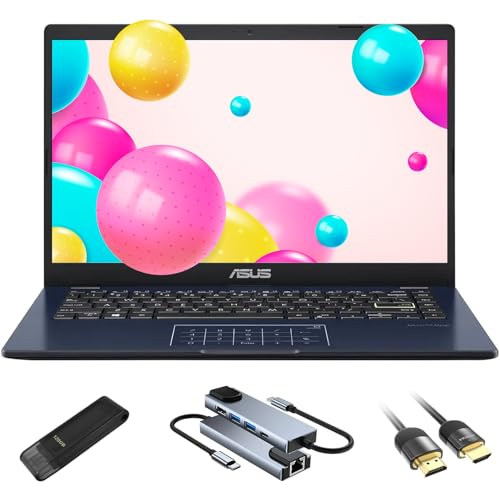
The ASUS Vivobook Go 14 Linux Ubuntu is a lightweight 14-inch laptop designed for users who need a secure and easy-to-use device for everyday tasks. It features a dual storage system with eMMC and SSD plus useful accessories that enhance connectivity. The Intel Celeron processor balances performance and energy efficiency, making it a practical choice for students and casual users.
Using this laptop feels smooth and straightforward, especially for browsing, streaming, and basic productivity. Its compact size and light weight make it easy to carry during travel, while the lay-flat hinge and numeric keypad add convenience for on-the-go work or collaboration.
Key Advantages for Mobile Creators
- Very portable at just 2.87 lbs, fitting easily in backpacks or briefcases for travel.
- Comes with Linux Ubuntu OS for a clean, secure, and bloat-free experience.
- Dual storage setup with 128GB eMMC and 128GB SSD plus an extra USB flash drive.
- Built-in numeric keypad speeds up data entry during editing or planning.
- Full HD 14-inch display offers sharp visuals without adding bulk.
- Energy-efficient Intel Celeron processor extends battery life for longer use.
- Includes a 5-in-1 docking station and HDMI cable for versatile connectivity.
Considerations Before Buying
- Intel Celeron N4500 is best suited for light tasks, not intensive video editing.
- Limited RAM at 4GB may restrict multitasking with heavier applications.
- Weight listed as 5.0 pounds in specs conflicts with product description of 2.87 lbs; actual portability should be verified.
Who This Laptop Works For
This laptop is ideal for travel vloggers who prioritize portability and basic performance over heavy video processing power. It removes the hassle of carrying bulky equipment and offers a secure, easy-to-navigate operating system that saves setup time.
To get the best experience, pairing it with cloud storage or external drives can help manage larger files efficiently. The compact design and accessories provide peace of mind for reliable connectivity and productivity wherever you go.
| Best for | Why |
|---|---|
| Travel vloggers needing lightweight gear | Compact size and low weight fit easily in travel bags without strain |
| Users valuing secure, bloat-free OS | Linux Ubuntu offers privacy and smooth navigation with open-source apps |
| Students and casual content creators | Efficient processor and numeric keypad support everyday tasks and data entry |
| Those needing versatile connectivity | Included docking station and HDMI cable expand usability on the go |
Asus Vivobook Go 12 Laptop
Among the Best Laptops for Travel Vloggers (Weight Vs Performance), this ultra-thin ASUS Vivobook Go 12 balances portability with reliable daily use power.

The ASUS Vivobook Go 12 is a compact, lightweight laptop designed for travel vloggers who need a portable device for editing and managing content on the go. It features an 11.6-inch HD slim display and runs on an efficient Intel Celeron N4020 processor, making it suitable for basic tasks and light multitasking.
Using this laptop feels convenient thanks to its slim profile and low weight of just 2.31 pounds, which makes carrying it during travels easy and comfortable. Its Windows 11 in S mode ensures a streamlined user experience focused on security and performance stability for everyday use.
Key Advantages for Mobile Creators
- Ultra-thin and lightweight for easy portability during travel
- Efficient Intel Celeron processor balances power and battery life
- Windows 11 in S mode enhances security and smooth operation
- Comes with one year of Office 365 Personal for productivity
- Compact 11.6-inch HD screen ideal for basic editing and previewing
Considerations for Travel Use
- Limited storage with 64GB eMMC may require external drives
- 4GB RAM suits light tasks but not intensive video editing
- Lower screen resolution may affect detailed visuals
Who This Laptop Works For
This laptop fits travel vloggers who prioritize lightness and ease over heavy editing power, perfect for managing footage and simple edits during trips. It removes the hassle of carrying bulky gear and the stress of battery drain with its efficient design. For better workflow, pairing it with cloud storage or external drives is recommended to handle larger files smoothly.
With its reliable Windows environment and portable form, it offers peace of mind that your work won’t be interrupted by unexpected slowdowns. If you value convenience and a no-fuss setup, this ASUS Vivobook Go 12 might be a solid travel companion.
| Best for | Why |
|---|---|
| Light editing on the go | Compact size and Windows 11 in S mode ensure smooth basic workflows |
| Frequent travelers | Weighs just 2.31 lbs, easy to pack and carry |
| Budget-conscious vloggers | Affordable price with included Office 365 subscription |
| Content preview and organization | 11.6-inch HD display fits quick reviews without bulk |
Asus Vivobook Go 14
A top pick among Best Laptops for Travel Vloggers (Weight Vs Performance) for its slim design and balanced processing power.

The ASUS Vivobook Go 14 is an ultra-thin laptop designed to meet the needs of travelers who value portability without sacrificing essential performance. Its efficient Intel Celeron N4020 processor and 14-inch Full HD display make it suitable for on-the-go content management and basic editing tasks.
Using this laptop feels light and convenient thanks to its slim 0.72-inch profile and weight of just under 3 pounds. It runs Windows 11 in S mode with Microsoft 365 included, providing a smooth and familiar experience for vloggers handling everyday tasks and travel documentation.
Key Advantages for Mobile Creators
- Lightweight and slim for easy packing and travel convenience
- Full HD 14” screen offers clear visuals for editing and review
- Includes Microsoft 365 for productivity right out of the box
- Windows 11 in S mode ensures security and efficient system operation
- NumberPad feature adds typing efficiency without extra bulk
- Affordable price point for budget-conscious vloggers
- Decent battery life supporting mobile use
Considerations for Power Users
- Intel Celeron N4020 is modest, not suited for heavy video editing
- Limited 64GB eMMC storage may require external drives for large files
- 4GB RAM restricts multitasking with demanding apps
Who This Works Well For
This laptop fits travel vloggers who prioritize light gear and mostly handle video uploads, lightweight editing, and content management while traveling. It removes the hassle of carrying bulky equipment and offers a reliable tool for everyday productivity.
To get the most from this laptop, pairing it with cloud storage or external drives helps manage limited onboard space. Its portability and included software provide peace of mind for consistent, no-fuss use on the road.
| Best for | Why |
|---|---|
| Lightweight travel setups | At under 3 pounds, it’s easy to carry during trips |
| Basic video editing and uploads | Processor and RAM handle simple editing without lag |
| Vloggers needing productivity apps | Includes Microsoft 365 for documents and planning |
| Budget-conscious buyers | Affordable price with essential features |
Choosing The Right Asus Vivobook Go Laptop For You
When selecting a Vivobook Go model, consider what fits your daily needs and usage patterns. For basic tasks like browsing, streaming, and document editing, models with Intel Celeron or AMD Ryzen 3 processors and 4GB to 8GB RAM offer adequate performance. If you plan to multitask or use more demanding applications, Ryzen 5 variants with larger storage may be more suitable.
Screen size and portability are also important. The 11.6” and 12” models are lighter and more compact for frequent travel, while 14” and 15.6” laptops provide larger displays better for extended work sessions. Battery life and build quality, including military-grade durability, are consistent strengths across the series.
Understanding Common Buyer Considerations
Performance Expectations
These laptops are designed for everyday productivity rather than intensive gaming or professional-grade software. Expect smooth handling of web browsing, office applications, and media playback. Integrated graphics support light creative work but are not meant for heavy graphics tasks.
Storage and Memory Choices
Storage options range from 64GB eMMC to 512GB SSD. Choose based on your file storage needs; smaller storage suits cloud-based workflows, while larger SSDs help if you keep many files locally. RAM sizes typically start at 4GB, which is minimal but enough for basic use, while 8GB is recommended for better multitasking.
Operating System Differences
Most models come with Windows 11 Home in S mode, which provides a streamlined and secure experience but limits app installations to the Microsoft Store. One model runs Linux Ubuntu, ideal for users comfortable with open-source environments and needing a lightweight OS alternative.
Common Buyer Questions About Vivobook Go Laptops
Are these laptops suitable for students?
Yes, Vivobook Go laptops are well-suited for students who need reliable devices for note-taking, research, and online classes. Their portability and battery life make them convenient for school use.
Can I upgrade the RAM or storage later?
Most Vivobook Go models have fixed RAM to keep the slim design, but some may allow storage upgrades through accessible SSD slots. Check the specific model’s manual for upgrade options.
How does Windows 11 in S mode affect usability?
Windows 11 in S mode enhances security and speed by restricting app installations to the Microsoft Store. You can switch out of S mode if you need to install software from other sources.
Is the build quality durable for travel?
Yes, these laptops often feature military-grade durability certifications, making them more resistant to shocks and daily wear, suitable for commuters and travelers.
What connectivity options are available?
These laptops support Wi-Fi 5 and Bluetooth 5.1, enabling stable wireless connections. Ports vary by model but typically include USB, HDMI, and audio jacks for versatile connectivity.
Tips For Setting Up And Maintaining Your Vivobook Go Laptop
After purchase, ensure your laptop is updated to the latest Windows or Linux version for security and performance improvements. Use the included power adapter to avoid battery issues and keep your device on a hard, flat surface for proper ventilation. Regularly clean the keyboard and screen with appropriate materials to maintain usability and appearance.
Final Thoughts On Asus Vivobook Go Series
The ASUS Vivobook Go line offers a balanced mix of portability, performance, and affordability for everyday computing needs. By understanding your usage priorities and the trade-offs between processing power, storage, and display size, you can select a model that fits your lifestyle. These laptops provide dependable options for students, professionals, and casual users alike, with thoughtful features that support daily productivity without unnecessary complexity.









