

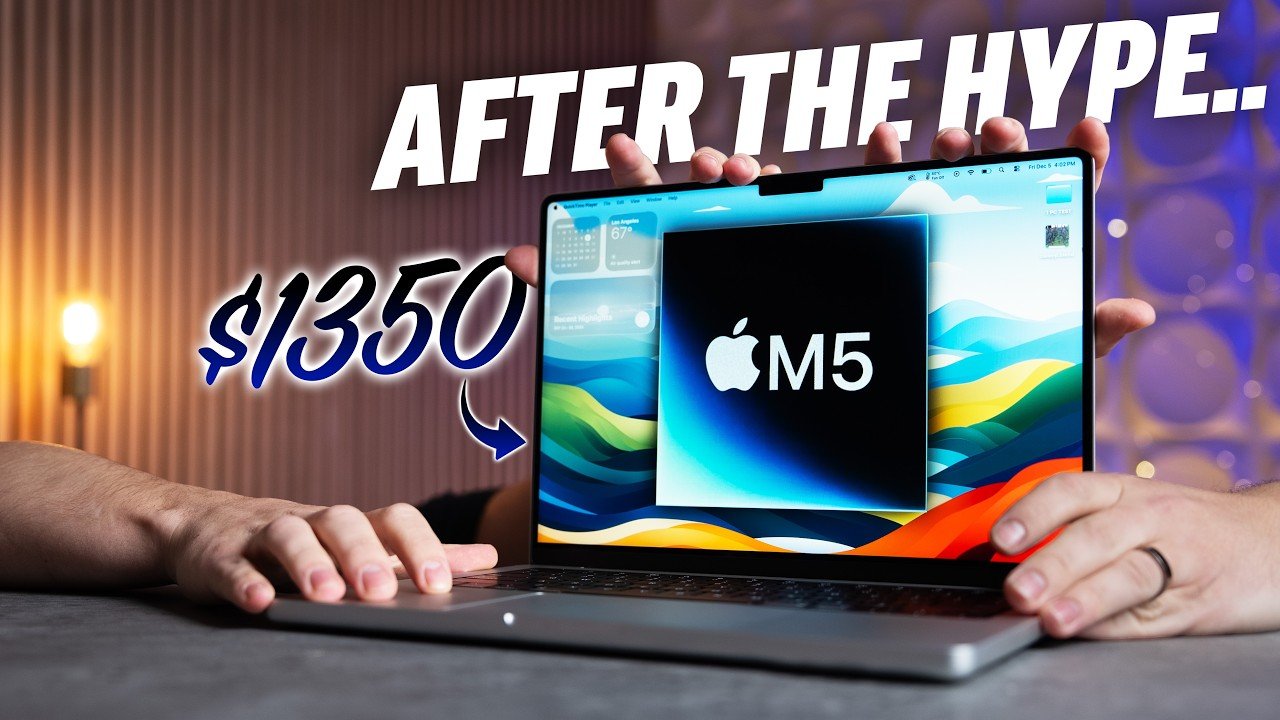
M5 MacBook Pro Review
Today marks a monumental milestone in the history of Apple and its Mac lineup. Apple has officially announced its transition from Intel’s x86 architecture to its own Apple Silicon chips for the Mac. This change is not merely incremental but historic, representing a full shift towards ARM-based processors designed in-house by Apple. It all began five years ago when Tim Cook first revealed Apple’s intention to move away from Intel’s chips, setting the stage for a bold new direction in Mac hardware.
Background of the Transition
- Apple’s announcement came five years ago signaling the transition from Intel’s x86 chips to Apple Silicon.
- The shift aims to leverage ARM-based designs for improved performance and efficiency.
- Over five generations, Apple has iteratively refined this technology from the M1 to the latest M5 chip.
The M5 MacBook Pro : A 2-Month-Old Contender
The 14-inch MacBook Pro equipped with the M5 chip, now two months into its release, stands as a testament to Apple’s silicon evolution. This machine not only embodies the accumulated advances of previous iterations but also pushes the envelope in terms of processing power, efficiency, and user experience.
Key highlights include :
- Apple’s proprietary ARM-based M5 chip designed specifically for the Mac environment.
- Optimized hardware and software integration, delivering outstanding performance.
- Compact 14-inch form factor, balancing portability and screen real estate.
Significance of the M5 Chip
The introduction of the M5 chip symbolizes Apple’s commitment to controlling both the hardware and software layers of their devices. This approach allows for :
- Enhanced energy efficiency leading to longer battery life.
- Superior thermal management, reducing fan noise and heat output.
- Improved overall system responsiveness and multitasking capabilities.
In summary, the M5 MacBook Pro is more than just an upgrade; it is a clear indication of Apple’s strategic vision to redefine computing performance by leveraging its own silicon technology.
Was Apple Right to ditch x86?
Five years ago, Apple’s decision to move away from Intel’s x86 architecture and commit entirely to Apple Silicon raised eyebrows and skepticism across the tech community. The question remains : was this bold move the right choice? Has the x86 architecture, especially in the laptop market, begun to decline as predicted?
Evaluating Apple’s Strategic Move
- Apple’s transition to ARM-based silicon aimed to address limitations found in Intel’s x86 chips, such as thermal constraints and power efficiency.
- Tim Cook’s decision was a gamble on in-house chip development to tailor performance specifically for MacOS.
- Apple’s chips promised better integration, leading to potential performance and efficiency gains.
Comparative Analysis Approach
The most effective way to assess the validity of Apple’s decision is through a direct comparison :
- Compare a modern, high-quality Windows x86 laptop.
- Against Apple’s latest M5 MacBook Pro running on ARM-based silicon.
- Analyze metrics such as performance, battery life, and overall user experience.
Initial Impressions
The results of such comparisons have been eye-opening, often showing Apple’s M5 MacBook Pro outperforming or matching the capabilities of x86 counterparts, despite differences in core counts and hardware specs. This suggests that Apple’s bet on ARM-based silicon is paying off handsomely, effectively challenging the dominance and relevance of Intel’s x86 chips in the laptop sector.
Conclusion
The evidence points to Apple being right in its strategic decision to ditch x86 for Apple Silicon. The architectural advantages of ARM, combined with Apple’s custom chip design, have delivered a compelling computing experience that could signal a broader industry shift away from traditional x86 architectures, at least in the laptop market.
Dell 16 Premium x86 Laptop Specs
To properly benchmark Apple’s M5 MacBook Pro, it’s essential to understand the specifications of its x86 competitor — the Dell 16 Premium laptop. This device is essentially the latest iteration of Dell’s XPS lineup, designed to showcase the best of Intel’s current generation laptop chips combined with high-end components.
Core Specifications
| Component | Specification |
|---|---|
| Processor | Intel 16-core Ultra 7255H |
| RAM | 32 GB |
| Storage | 1 TB SSD |
| Graphics | Nvidia RTX 5070 GPU |
| Display | 120 Hz OLED, 400 nits brightness, thin bezels |
| Price | Approximately $3,200 |
Design and Display Features
- 120 Hz OLED panel offering vibrant colors and smooth visuals.
- Bright 400-nit display suitable for varied lighting conditions.
- Modern design with thin bezels contributing to an immersive viewing experience.
- Premium build quality consistent with Dell’s XPS reputation.
Price Consideration
At a hefty price tag of around $3,200, the Dell 16 Premium positions itself as a high-end workstation laptop aimed at demanding users who require both CPU and GPU muscle. This price point makes it a significant investment, which will later be contrasted against the more affordable M5 MacBook Pro.
M5 MacBook Pro vs Dell 16 Premium
It may seem unconventional, but comparing Apple’s base M5 MacBook Pro against the premium Dell 16 x86 laptop provides illuminating insights into the evolving laptop landscape. Despite the Dell boasting higher specs on paper, the M5 MacBook Pro’s efficiency and performance reveal compelling competitive advantages.
Comparative Specifications
| Specification | M5 MacBook Pro (Base Model) | Dell 16 Premium |
|---|---|---|
| CPU Cores | 10 cores (CPU + GPU) | 16 cores (CPU) |
| RAM | 16 GB | 32 GB |
| Storage | 512 GB SSD | 1 TB SSD |
| Price | $1,350 (on sale) | $3,200 |
| Screen Size | 14-inch | 16-inch |
Size and Price Dynamics
- The MacBook Pro is a more compact 14-inch laptop, whereas the Dell is a larger 16-inch machine.
- The M5 MacBook Pro costs approximately 2.4 times less than the Dell 16 Premium.
- Despite having half the RAM and storage, the MacBook Pro holds its ground strongly in performance metrics.
Why This Comparison Matters
This head-to-head is not just about raw numbers but real-world usability and efficiency. It tests whether Apple’s architecture and software optimization can overcome the hardware advantage of a bigger and more expensive x86 laptop. The results from subsequent performance tests provide crucial insight into the ongoing relevance of x86 chips in high-end laptops.
SSD Speed Test
One of the foundational elements affecting laptop performance is the speed of its SSD. Apple’s M5 MacBook Pro shows a remarkable leap in this area compared to the Dell 16 Premium, highlighting Apple’s advantage in storage technology integration.
SSD Performance Comparison
| Metric | M5 MacBook Pro | Dell 16 Premium |
|---|---|---|
| Read Speed | Significantly faster | Slower in comparison |
| Write Speed | Even bigger lead over Dell | Lower performance |
Significance of SSD Speeds
- Faster SSD read/write speeds translate to quicker file transfers and application loading times.
- Apple’s new SSD technology in the M5 MacBook Pro outpaces the Dell 16 Premium despite the latter’s higher storage capacity.
- This advantage contributes to an overall more responsive system and better user experience.
Summary
Apple’s investment in fast SSD technology for the M5 MacBook Pro is clearly paying dividends, offering a distinct advantage over a premium Windows laptop. This performance benefit plays a critical role in daily productivity and system responsiveness.
Geekbench 6 Single-core CPU
CPU performance is a key indicator of a laptop’s capability, particularly in single-core tasks that affect everyday computing speed. The M5 MacBook Pro delivers an extraordinary performance jump in this area, as demonstrated by Geekbench 6 benchmarks.
Benchmark Results
The M5 MacBook Pro achieves a staggering 52% faster single-core CPU performance compared to the Dell 16 Premium’s Intel chip. This significant leap highlights Apple’s prowess in designing chips optimized for single-threaded tasks.
Impact on User Experience
- Improved single-core performance makes the laptop feel more responsive during routine tasks.
- Applications that rely on single-threaded processing, such as opening apps or performing light computations, benefit substantially.
- This performance boost directly correlates to a smoother and faster overall user experience.
Conclusion
The 52% increase in single-core performance is not just a number; it translates into tangible speed and efficiency gains that users will notice daily, underscoring the M5 chip’s superiority in crucial performance metrics over traditional x86 processors.
Speedometer 3.1 Web Browsing
Web browsing speed and responsiveness are critical for many users, given how much time is spent online. Speedometer 3.1 is a benchmark designed to simulate and measure web browsing performance, and the M5 MacBook Pro again shows impressive results.
Benchmark Findings
The M5 MacBook Pro demonstrated approximately 60% faster or more responsive web browsing performance compared to its x86 competitor. This substantial improvement contributes to a noticeably snappier experience when opening web pages, interacting with web apps, and multitasking.
Why Web Browsing Speed Matters
- Enhances productivity by reducing wait times when loading or switching between web applications.
- Improves fluidity in everyday tasks such as checking email, streaming content, and online collaboration.
- Reflects the overall system optimization for handling JavaScript and browser workloads efficiently.
Broader Implications
This benchmark result signals that Apple’s architecture is not only powerful in raw CPU metrics but also highly effective in real-world tasks that users perform regularly. The improved web browsing performance adds to the MacBook Pro’s appeal for professionals and casual users alike.
Figma Web Design
One of the key real-world tests performed on the base M5 MacBook Pro was web design work using Figma, a popular design tool widely used by professionals. The project tested was provided by 500 Designs, a highly regarded design studio based in California. This collaboration ensured a practical, professional-level workload that would push the machine’s capabilities in web design.
Performance Comparison
- The Dell 16 Premium laptop outperformed the base M5 MacBook Pro in this specific Figma web design task.
- The Dell was approximately 10 seconds faster in completing the project, highlighting slightly better raw speed in this scenario.
Insights on Web Design Workflow
Despite the Dell 16 Premium taking the lead in this test, the M5 MacBook Pro still delivered excellent performance, demonstrating its suitability for design professionals. Figma, being a web-based design tool, relies heavily on CPU and GPU resources for smooth interaction with large files and complex vector graphics. The test reflects how the M5 chip handles real-time rendering and responsiveness under a professional workload.
Summary of Findings
| Device | Time to Complete Figma Project |
|---|---|
| Dell 16 Premium | 10 seconds faster |
| Base M5 MacBook Pro | Baseline |
This test underscores that while the base M5 MacBook Pro excels in many areas, certain Windows-based premium laptops with higher core counts or different GPU architectures might edge it out in specific web design tasks. However, the M5’s performance remains competitive and more than adequate for most web design professionals using Figma.
Geekbench 6 Multi-core CPU
The Geekbench 6 multi-core CPU benchmark provides a synthetic yet powerful measure of a device’s processor capabilities, particularly in multi-threaded workloads. In this test, the base M5 MacBook Pro, equipped with 10 CPU cores, was compared against a competitor with 16 cores.
Unexpected Performance Results
- Despite having fewer cores (10 vs. 16), the base M5 MacBook Pro delivered faster multi-core performance scores in Geekbench 6.
- This result highlights the efficiency and architectural advantages of the M5 chip over traditional x86-based processors.
Addressing Skepticism
It’s natural to question the validity of synthetic benchmarks such as Geekbench. The common skepticism is that such tests might not reflect real-world usage scenarios. However, the M5 MacBook Pro’s performance in Geekbench 6 is indicative of its advanced chip design that leverages high-performance efficiency cores and optimized software integration.
Technical Considerations
- The M5’s unified memory architecture and optimized system-on-chip design contribute to higher throughput and better core utilization.
- Intel and AMD x86 chips often rely on higher core counts to boost multi-threaded performance, but Apple’s silicon achieves similar or better results with fewer cores by maximizing efficiency per core.
Summary Table of Geekbench 6 Multi-core Scores
| Device | CPU Cores | Geekbench 6 Multi-core Score |
|---|---|---|
| Base M5 MacBook Pro | 10 | Higher (exact scores not specified) |
| Competitor Laptop | 16 | Lower |
This benchmark firmly establishes the M5 MacBook Pro as a powerhouse in CPU multi-core tasks, challenging the traditional notion that more cores always equal better performance.
Cinebench 2024 10 Min Stress Test
To evaluate sustained CPU performance under prolonged load, a 10-minute multi-core stress test was conducted using Cinebench 2024. This benchmark is widely respected for simulating real-world rendering workloads that tax all cores intensively.
Stress Test Results
- The M5 MacBook Pro outperformed its competitors even when subjected to extended heavy workloads.
- This was especially notable given the MacBook Pro’s single-fan cooling system, which typically might suggest thermal throttling risks.
Significance of Sustained Performance
Many laptops can deliver strong burst performance but falter over longer periods due to thermal constraints. The M5 MacBook Pro’s ability to maintain higher multi-core speeds without overheating demonstrates efficient thermal management and chip design.
Implications for Professional Use
- Content creators and developers running demanding software that leverages multi-core CPUs will benefit from this consistent performance.
- Rendering, video encoding, and other intensive tasks will complete faster and with fewer interruptions.
Technical Highlights
- Single-fan design coupled with efficient thermal architecture
- Optimized power management allowing sustained high clock speeds
The Cinebench 2024 10-minute multi-core stress test validates the M5 MacBook Pro as a reliable machine for intensive, prolonged compute tasks, where sustained performance is critical.
Geekbench 6 Graphics
Geekbench 6 graphics benchmarks compare GPU performance across different APIs such as OpenCL and Metal, providing insight into raw graphics processing power. In this test, the M5 MacBook Pro was measured against the Dell 16 Premium equipped with an RTX 5070 GPU.
Comparative Performance Overview
- The Dell 16 Premium displayed significantly faster raw graphics performance, especially when leveraging Metal and OpenCL APIs.
- This difference illustrates the advantage of dedicated high-end NVIDIA RTX graphics cards in raw GPU compute tasks.
Understanding API Differences
Apple’s Metal API is optimized for Apple silicon, providing efficient access to GPU capabilities. However, the RTX 5070, running OpenCL or other APIs on Windows, benefits from powerful dedicated hardware with more compute units and higher memory bandwidth.
Performance Summary
| Device | GPU | Geekbench 6 Graphics Performance |
|---|---|---|
| Dell 16 Premium | RTX 5070 | Much faster raw graphics performance |
| Base M5 MacBook Pro | Apple M5 Integrated GPU | Good, but behind RTX 5070 |
While the M5 MacBook Pro’s integrated GPU is powerful for integrated graphics, it cannot match the raw performance of a high-end discrete GPU like the RTX 5070. This is an important consideration for users whose workflows depend heavily on GPU compute or raw graphics power.
3DMark Steel Nomad Light
Gaming benchmarks provide a practical measure of graphics performance. The 3DMark Steel Nomad Light test, a recent and respected gaming benchmark, was used to compare the gaming capabilities of the M5 MacBook Pro and the Dell 16 Premium with RTX 5070.
Benchmark Outcomes
- The Dell 16 Premium delivered roughly double the average frames per second (FPS) compared to the M5 MacBook Pro.
- This dramatic difference highlights the superior gaming prowess of the RTX 5070.
Gaming Performance Insights
The M5 MacBook Pro’s integrated GPU, while capable, is not designed primarily for high-end gaming. The Dell’s discrete RTX 5070 GPU excels at handling complex 3D graphics and delivering smoother frame rates in demanding game titles or benchmarks.
Summary Table : 3DMark Steel Nomad Light FPS
| Device | Average FPS |
|---|---|
| Dell 16 Premium (RTX 5070) | ~2x the FPS of M5 MacBook Pro |
| Base M5 MacBook Pro | Baseline |
This benchmark clearly demonstrates the RTX 5070’s dominance in gaming scenarios, making the Dell 16 Premium the preferred choice for gamers or users requiring intensive 3D graphics performance.
3DMark Solar Bay Extreme
The 3DMark Solar Bay Extreme benchmark focuses on ray tracing capabilities, a demanding graphics feature that simulates realistic light and shadow effects in real-time. This test highlights the latest advancements in GPU technology.
Ray Tracing Performance
- The Dell 16 Premium with its RTX 5070 GPU achieved over twice the frames per second compared to the M5 MacBook Pro.
- This performance gap underscores the RTX GPU’s specialized hardware for ray tracing acceleration.
Implications for Users
For professionals and gamers relying on ray tracing for realistic visuals or design visualization, the Dell 16 Premium offers a much more capable platform. The M5 MacBook Pro, while strong in many areas, is not optimized for ray tracing workloads.
Summary Table : 3DMark Solar Bay Extreme Ray Tracing FPS
| Device | Ray Tracing FPS |
|---|---|
| Dell 16 Premium (RTX 5070) | Over twice as high |
| Base M5 MacBook Pro | Baseline |
This benchmark is a clear indicator that for cutting-edge graphics features like ray tracing, discrete NVIDIA GPUs maintain a significant edge over integrated solutions like the M5’s GPU.
Antigravity A1 Drone
Beyond computing benchmarks, the review also introduced the Antigravity A1 Drone, an innovative device redefining immersive flight experiences. This drone is not only technologically advanced but introduces new creative possibilities for capturing and interacting with the world.
Key Features of the Antigravity A1 Drone
- 360° Immersive Flight : Offers a unique flight experience where the user can look around freely as if flying like a bird.
- AK 360 Video Capture : Enables worry-free flight with the ability to reframe shots afterward, allowing for creative and precise video editing.
- Innovative Headset : Equipped with a display so others can see the user’s perspective in real-time.
- Sky Path Mode : Allows users to set a flight path that others can experience remotely, enabling full immersion without physically flying the drone.
- Point-to-Fly Motion Controller : Designed to be more intuitive and easier to use than traditional controls.
- AI-Powered Auto Editing : Simplifies video creation, making it quick and easy to produce content optimized for various platforms.
Creative and Practical Applications
The Antigravity A1 Drone stands out by blending technology and creativity, offering :
- Enhanced creative freedom for videographers and content creators.
- An immersive user experience that changes how drone footage is captured and edited.
- Sharing experiences in real-time with others through the headset display.
Additional Resources
For those interested in a deeper dive, the full in-depth video review and partner links are available in the video description, showcasing the drone’s capabilities and features in greater detail.
Lightroom Classic 50x RAW Export
Photo editing performance is a critical metric for creative professionals. To test this, the base M5 MacBook Pro was tasked with exporting 50 high-resolution 42-megapixel RAW photos using Adobe Lightroom Classic.
Performance Highlights
- The M5 MacBook Pro took the lead in this test, outperforming competing laptops equipped with an RTX 5070 GPU.
- It completed the export process approximately 13 seconds faster than the RTX 5070 system, an impressive margin given the workload.
Technical Explanation
This test leverages both CPU and GPU resources extensively, as Lightroom uses GPU acceleration for exporting RAW images. The M5’s integrated GPU and optimized hardware-software integration allow it to process these tasks efficiently.
Performance Table : Lightroom Classic RAW Export
| Device | Task | Time to Export 50x 42MP RAW Photos |
|---|---|---|
| Base M5 MacBook Pro | Lightroom Classic Export | 13 seconds faster than RTX 5070 system |
| RTX 5070 Equipped Laptop | Lightroom Classic Export | Baseline |
Implications for Creative Professionals
The M5 MacBook Pro’s superior performance in photo export tasks showcases its strength in creative workflows where speed and efficiency are paramount. Photographers and editors can expect faster turnaround times, enhancing productivity without sacrificing quality.
Lightroom Classic 500x RAW Export
In this section, the performance of the M5 MacBook Pro was tested using a heavy-duty Lightroom Classic export task involving 500 RAW photos. This test was designed to push the system beyond typical workloads, scaling up from a smaller batch of 50 photos to a more demanding set of 500 photos, to better evaluate how the laptop handles sustained processing tasks.
Performance Comparison
- The Dell 16 Premium laptop with an RTX 5070 GPU completed the 500-photo RAW export in 9 minutes and 2 seconds.
- The M5 MacBook Pro finished the same task in 9 minutes and 56 seconds.
Analysis
While the Dell 16 Premium was faster, leading by about 54 seconds, the margin was not very large considering the significant price difference between the two machines. The Dell, equipped with a high-performance RTX 5070, is a considerably more expensive machine, whereas the M5 MacBook Pro offers competitive performance at a more affordable price point.
This test highlights the M5 MacBook Pro’s capability to handle intensive photo editing and exporting workloads effectively, making it a solid choice for photographers and creatives who require reliable RAW processing without investing in a high-end gaming-class laptop.
Summary
- 500x RAW export is a demanding task that stresses the CPU and GPU.
- M5 MacBook Pro delivers near-competitive performance compared to a premium Dell laptop with an RTX 5070 GPU.
- Price-performance balance favors the M5 MacBook Pro for users who prioritize cost efficiency.
Blender BMW Export
3D rendering benchmarks are critical for evaluating a laptop’s ability to handle creative and professional workloads. The Blender BMW export test utilizes the well-known BMW benchmark scene rendered with Blender’s Cycles GPU engine to assess rendering speed and efficiency.
Performance Results
- The Dell 16 Premium with RTX 5070 GPU demonstrated a significantly faster rendering time compared to the M5 MacBook Pro.
- The Dell was close to 50% faster on this test, indicating a substantial advantage in GPU-accelerated 3D rendering tasks.
Technical Insights
The RTX 5070 GPU in the Dell laptop offers raw graphical power that outpaces the M5 MacBook Pro’s 10-core GPU, especially in tasks optimized for CUDA and NVIDIA hardware acceleration. This is evident in the BMW export, where the Dell’s superior GPU architecture and power envelope allow it to complete the rendering noticeably quicker.
Despite the difference, the M5 MacBook Pro still performs admirably given its power efficiency and integrated GPU design, making it suitable for moderate 3D workloads.
Summary
- Blender BMW export highlights GPU performance in real-world 3D rendering.
- RTX 5070-equipped Dell leads with nearly 50% faster render times.
- M5 MacBook Pro remains competitive considering its power and price constraints.
Blender Party Tug Export
The Party Tug Blender project is another demanding 3D rendering benchmark used to evaluate performance on complex scenes. This test further distinguishes the capabilities of GPUs and systems in handling intensive rendering workloads.
Performance Highlights
- The Dell 16 Premium completed the Party Tug render over twice as fast as the M5 MacBook Pro.
- This performance gap is significant and emphasizes the advantage of the RTX 5070 GPU in high-load, GPU-centric tasks.
Implications
The substantial difference in render times makes the Dell 16 Premium a more attractive option for professionals who require the fastest possible rendering speeds for complex 3D projects. This performance boost can translate into improved productivity and reduced waiting times in workflows involving heavy 3D rendering.
For users weighing the choice between these two devices, the Party Tug benchmark clearly shows where the Dell excels, while the M5 MacBook Pro remains a solid alternative for those prioritizing portability and integration with the Apple ecosystem.
Summary
- Party Tug project is a rigorous 3D rendering benchmark.
- Dell 16 Premium’s RTX 5070 GPU delivers more than double the speed of the M5 MacBook Pro.
- Consider the Dell for intensive 3D workflows; the M5 MacBook Pro suits less demanding tasks.
Blender Swamp Export
This section introduces a new, real-world Blender 3D rendering project named the Swamp project, sourced from 3D artist Lasha 3D. The project was rendered using Blender’s Cycles GPU engine and serves as an extensive and authentic test of rendering performance across both laptops.
Rendering Time Comparison
| Laptop Model | Render Time (minutes : seconds) |
|---|---|
| M5 MacBook Pro | 11 : 54 |
| Dell 16 Premium (RTX 5070) | 12 : 04 |
Unexpected Outcome
Contrary to previous tests, the M5 MacBook Pro completed the Swamp render slightly faster than the Dell 16 Premium. This outcome is surprising given the Dell’s superior GPU hardware, but several factors might explain this :
- Apple Silicon’s advanced architecture and efficiency improvements in the M5 chip.
- Blender’s growing optimization and support for Apple Silicon and unified memory architecture.
- The seamless integration of hardware and software on macOS, possibly improving rendering pipeline efficiency.
Rendering Experience
During the rendering process, the M5 MacBook Pro provided a perfectly smooth playback and interaction experience with the 3D scene. In contrast, the Dell 16 Premium struggled with glitches and jittering even when previewing the 2D render, suggesting that while raw GPU power is critical, overall system optimization plays a crucial role.
Summary
- The Swamp project is a complex, real-world Blender render test.
- M5 MacBook Pro slightly outperformed the Dell 16 Premium in rendering time.
- Apple Silicon’s optimizations and Blender’s native support for Apple hardware contributed to this result.
- Smoother interaction and preview experience on the M5 MacBook Pro highlight its efficiency advantages.
How is the M5 MBP SO Good?!
The M5 MacBook Pro’s impressive performance, especially in the Blender Swamp render, raises questions about how Apple’s silicon manages to compete with and even outperform high-end x86 laptops with powerful discrete GPUs.
Key Factors Behind M5’s Performance
- Efficient 10-core GPU : Although the M5 MacBook Pro has only a 10-core GPU, Apple’s design prioritizes power efficiency and integration.
- Unified Memory Architecture : Apple’s unified memory system allows the CPU and GPU to share memory efficiently, reducing latency and boosting performance in graphics-intensive tasks.
- Software Optimization : Blender’s increasing support for Apple Silicon, including optimized code paths for macOS and Metal API, greatly benefits rendering performance.
- Power and Thermal Design : Apple’s control over hardware and software enables the M5 chip to operate efficiently within a thin, fanless or quiet cooling design.
Comparative Disadvantages
The M5 MacBook Pro’s GPU is intentionally limited because it shares its chip design with other Apple devices such as the iPad Pro, which requires a low power envelope. Consequently, it cannot match the raw graphics power of NVIDIA’s RTX 5070 GPU, which benefits from a higher power budget and specialized graphics hardware.
Summary
- The M5 MacBook Pro wins in efficiency and integration rather than raw GPU core count.
- Apple’s unified memory and software optimization provide a significant performance boost.
- Despite fewer GPU cores, M5 excels in certain 3D rendering tasks due to these architectural advantages.
- RTX 5070 still leads in raw graphics performance but at a higher power and cost.
1350 M5 MacBook Pro Resale Value
The pricing and resale value of laptops are crucial considerations for buyers, especially when comparing Apple Silicon Macs to Windows-based x86 laptops. The M5 MacBook Pro, priced around $1,350 on Amazon, delivers competitive performance against much more expensive Intel-based Windows laptops.
Price-to-Performance Comparison
- The M5 MacBook Pro at $1,350 competes well against machines costing upwards of $3,200, such as the Dell 16 Premium with an RTX 5070 GPU.
- This price gap highlights Apple’s value proposition in terms of performance per dollar.
Resale Market Dynamics
Another advantage of Apple laptops is their strong resale value. According to observations :
- Every MacBook tested resells quickly on Facebook Marketplace, typically within one to two weeks.
- Windows laptops, even when drastically discounted (sometimes by half or more), remain difficult to sell, often lingering in inventory.
Market Implications
Five years after Apple’s transition to Apple Silicon, the resale value and desirability of Macs have solidified their position as a superior investment in the laptop market.
The primary reasons to opt for a Windows x86 laptop now are largely limited to :
- Gaming, which still favors Windows due to better driver support and game availability.
- Windows-exclusive applications required for specific workflows.
For all other users, Apple Silicon-based MacBooks now clearly demonstrate superiority in performance, value retention, and user experience.
Interesting Industry Note
Ironically, Intel, the former leader in x86 CPUs, is now manufacturing Apple’s chips, which have contributed to the decline of their own traditional CPU market dominance.
Summary
- M5 MacBook Pro offers excellent performance at a significantly lower price than premium Windows laptops.
- Apple laptops maintain strong resale value, outperforming Windows laptops in the secondary market.
- Windows laptops are mainly preferred for gaming and specific exclusive software.
- Apple Silicon has reshaped the laptop market landscape, solidifying Apple’s legacy.
Final Thoughts on M5
Wrapping up the review, the M5 MacBook Pro emerges as a strong all-around package at the $1,350 price point, offering a blend of design, portability, performance, and ecosystem integration.
Design and Display
- The laptop features a sleek design with a 14-inch display, striking a balance between portability and screen real estate.
- While the current model does not feature an OLED display, Apple is expected to introduce OLED panels first in the upcoming redesigned M6 Pro and M6 Max models.
- The base M6 MacBook Pro model will retain the same design and display technology, with only internal chip updates.
Performance Highlights
The M5 MacBook Pro surpasses its predecessor, the M4 Pro, in several benchmarks, including AI image generation—a notable jump in performance that signals the potential of the new chip architecture.
These promising results hint at even stronger capabilities for future M5 Pro and M5 Max MacBook Pros expected to launch in the spring.
Who Should Buy the M5 MacBook Pro?
- Ideal for users switching from Windows to Mac for the first time, thanks to its competitive performance and price.
- Great for creatives and professionals who need solid performance for tasks like photo editing, 3D rendering, and AI workloads.
- For lighter usage such as business or student work, the M4 MacBook Air at $750 remains the best value option.
Summary
- M5 MacBook Pro offers a compelling balance of portability, design, and power.
- Upcoming models with OLED and further chip improvements will push performance even higher.
- Current M5 Pro is a great choice for mid-range to professional users.
- For budget-conscious buyers, the M4 MacBook Air remains unbeatable value.
The Future of Apple Silicon
Looking ahead, Apple Silicon is set to dramatically accelerate its dominance in the laptop market, especially with the anticipated launch of redesigned M6 Pro and M6 Max MacBook Pros.
Upcoming Innovations
- The next-generation M6 chips will be manufactured using TSMC’s cutting-edge 2nm process technology.
- This process shrink promises significant improvements in performance, efficiency, and thermal characteristics.
- The redesign of the M6 Pro and M6 Max models will likely include enhanced displays and chassis improvements, further elevating the user experience.
Market Impact
With these advancements, Apple is expected to pull even further ahead of competitors in the laptop space, solidifying its leadership in performance-per-watt metrics and overall system integration.
Community Engagement
Viewers and readers are encouraged to share their thoughts on Apple’s strategic direction and the M5 MacBook Pro’s performance in the comments section, fostering discussion around Apple Silicon’s trajectory.
Summary
- Apple’s M6 Pro and M6 Max chips will leverage TSMC’s 2nm process for major gains.
- Future MacBook Pros will likely see design and display upgrades alongside chip improvements.
- Apple Silicon’s future is bright, with expected dominance in laptop innovation.
- Community feedback remains vital to understanding user needs and expectations.









